Forget the Meshtastic App Flaresat Does It Better
Stop fighting with ATAK plugins. Flaresat is the missing map layer for Meshtastic. Get real-time tracking, shared pins, and live routes over LoRa mesh, setup takes 2 minutes. No sideloading, no servers, just instant off-grid coordination on iOS & Android. The game has changed.
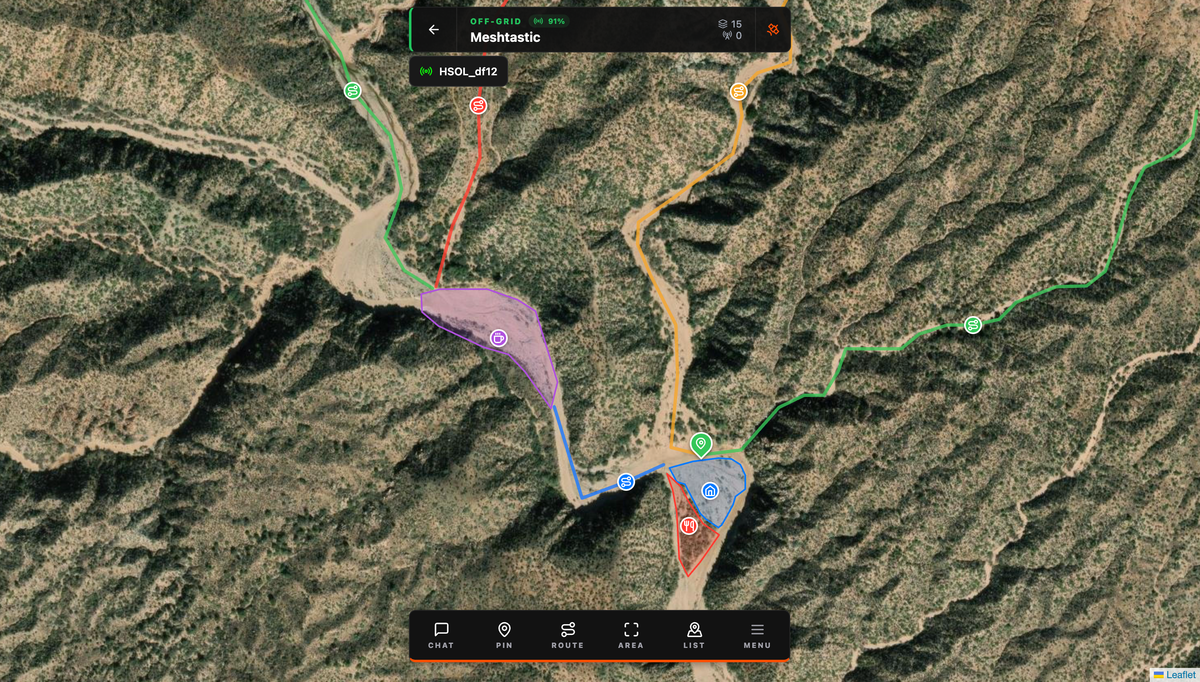
The official Meshtastic app is an incredible tool for managing your radio. It handles channels, encryption, and firmware perfectly. But it wasn't built for group coordination. It shows you a node list and a chat box. That's it.
For a long time, if you wanted shared pins, live routes, or marked zones, you had two choices: live without them, or go down the TAK rabbit hole. Flaresat is the third option.
The TAK Problem
ATAK (Android Team Awareness Kit) is genuinely impressive software. It was built for the US military, it can do things that would make your head spin, and the Meshtastic ATAK plugin actually works. But the setup to get there is not for the faint of heart.
If you’ve ever opened the ATAK plugin documentation, saw the words 'sideload,' 'takserver,' and 'firmware role,' and closed the tab, Flaresat is for you. It gives you 90% of the coordination capability with 1% of the setup.
Here's what you're dealing with:
You need an Android device. ATAK doesn't run on iOS as a full native experience, there's iTAK on iPhone, but it doesn't support plugins, which is exactly how Meshtastic connects. To get iTAK working with Meshtastic at all, you need the Meshtastic iOS app to spin up a local TAK server endpoint on your device, then manually point iTAK at that local server, a workaround that only became available recently, is still fairly fragile, and requires everything to be running simultaneously in the background just to keep the connection alive.
For Android ATAK the story isn't much easier. Here's the actual process: set your Meshtastic device firmware role to TAK, install the ATAK app (not from the Play Store, you need to enable sideloading of unknown apps), find the plugin APK version on GitHub that matches your exact ATAK version, sideload it, pair everything, configure your callsign, set your channel index, verify the IMeshService is running in the background, and hope your Android version cooperates. Android 13+ had known compatibility issues for a stretch that required specific version pinning of every component. That's before you've even opened a map.
And then there's ATAK itself. The UI was designed for trained military operators. There's a learning curve to just navigating it, before you even get to doing useful things. The offline map setup alone requires downloading and sharing map bundles across the team.
When it all works, it's powerful. For a military unit or serious SAR team with training time, it's worth it. For a hiking group, a festival crew, or volunteers who need to be functional in 10 minutes, it's a wall.
What Flaresat Actually Is
Flaresat is a live group mapping app, iOS, Android, and web, built to use Meshtastic as a transport layer. Not bolted on. Not a plugin. Not a workaround that requires the official Meshtastic app running in the background while another app does the actual work.
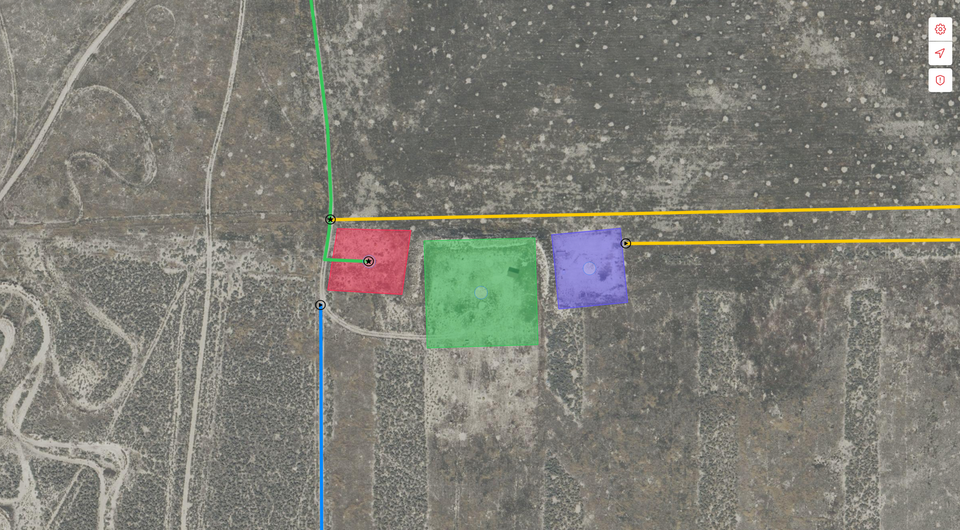
The concept: create an off grid group, connect your Meshtastic radio, and anything your group does on the map, pins, routes, zones, chat, gets transmitted over the mesh to everyone in the group. When you have internet, you can use a cloud based group. When you don't, use the off grid group over LoRa. Same app, same interface, same map. Just switch groups to switch the transport layer depending on what's available.
It's the group situational awareness layer that Meshtastic was always missing. Setup takes about two minutes.
Getting Started in 5 Steps
This assumes you already have a Meshtastic device configured and working. If you don't, start there first, the Meshtastic getting started guide covers that.
 Adrelien
1. Download Flaresat iOS from the App Store, Android from Google Play, or open app.flaresat.com in your browser. If you're on the web, add it to your home screen as a PWA, you'll need this for offline support later.
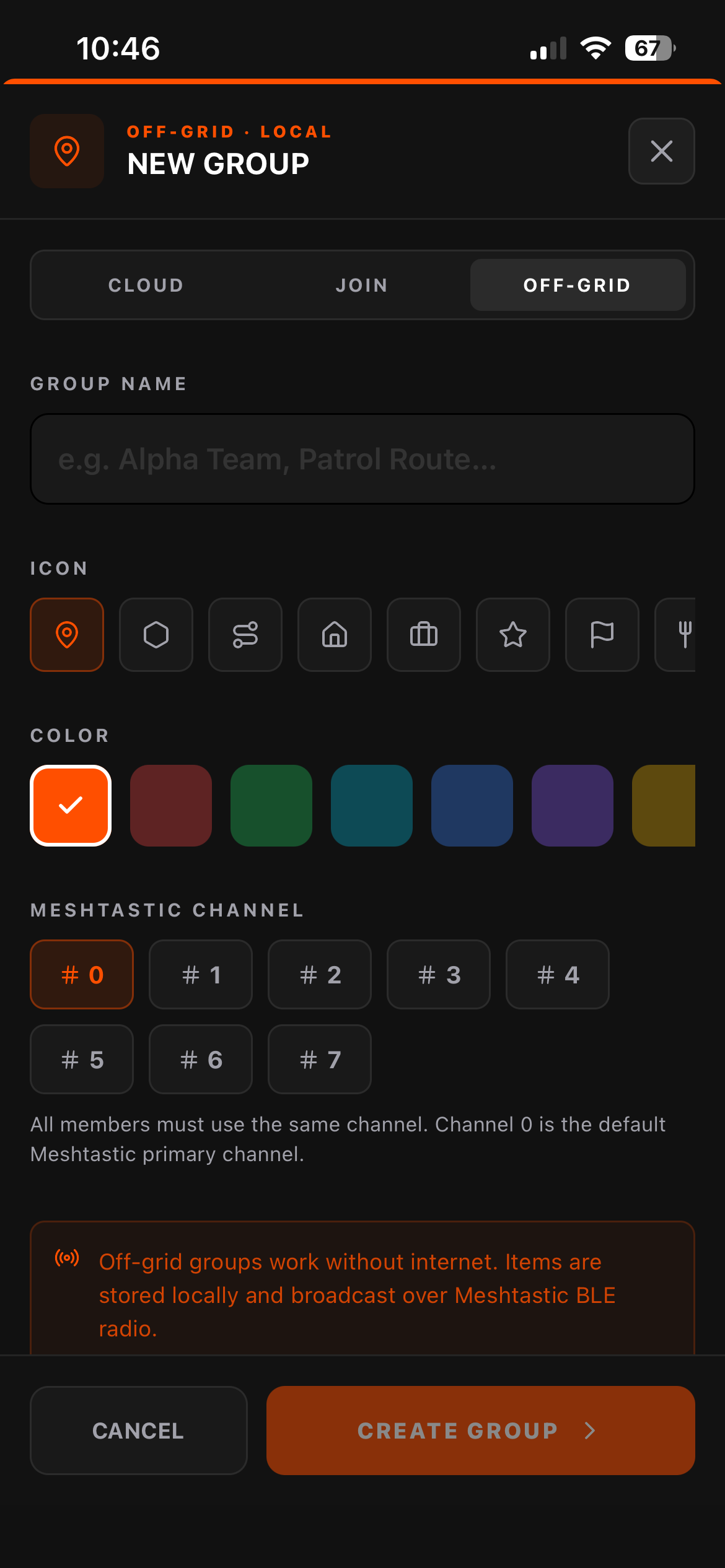
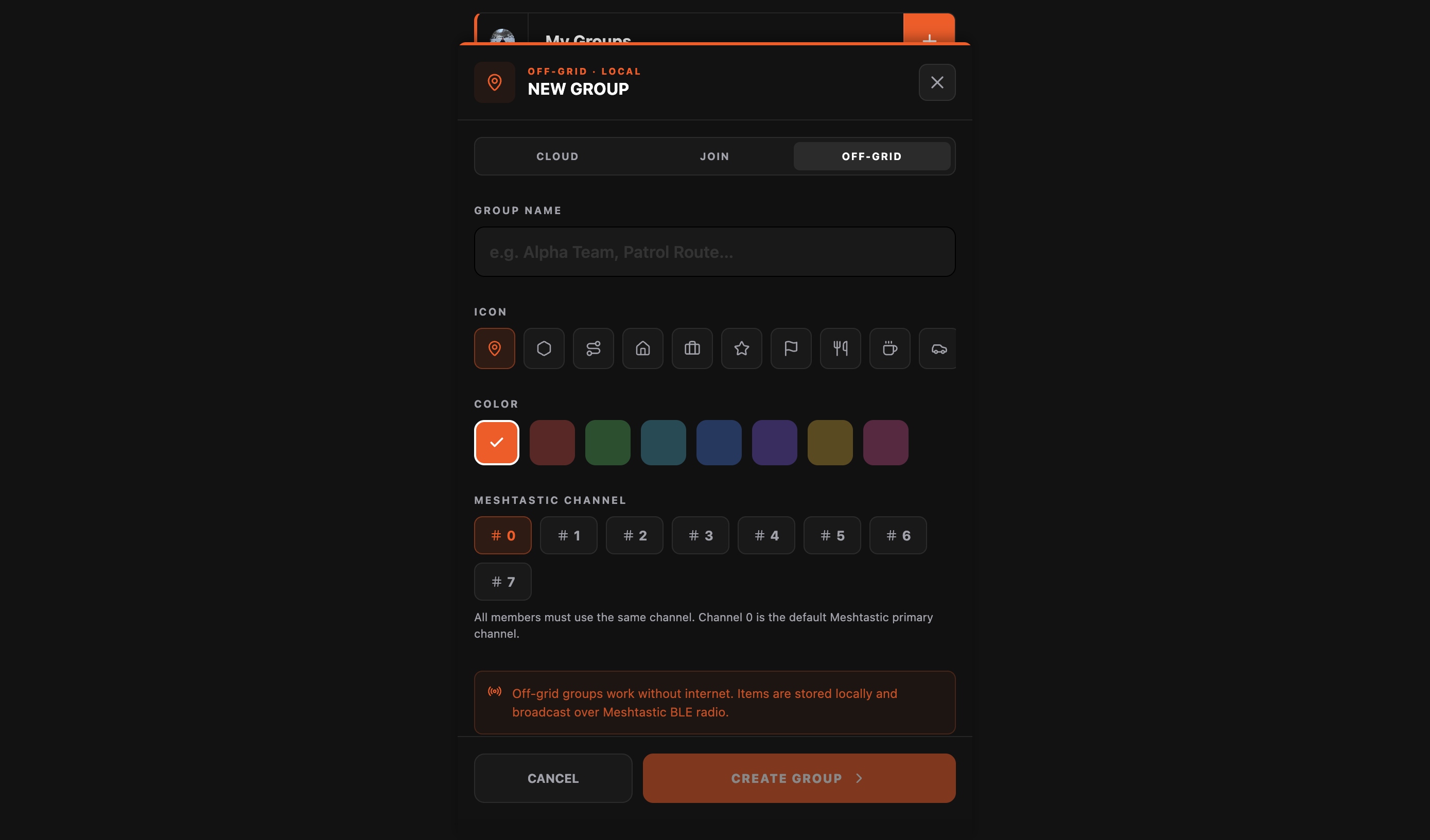
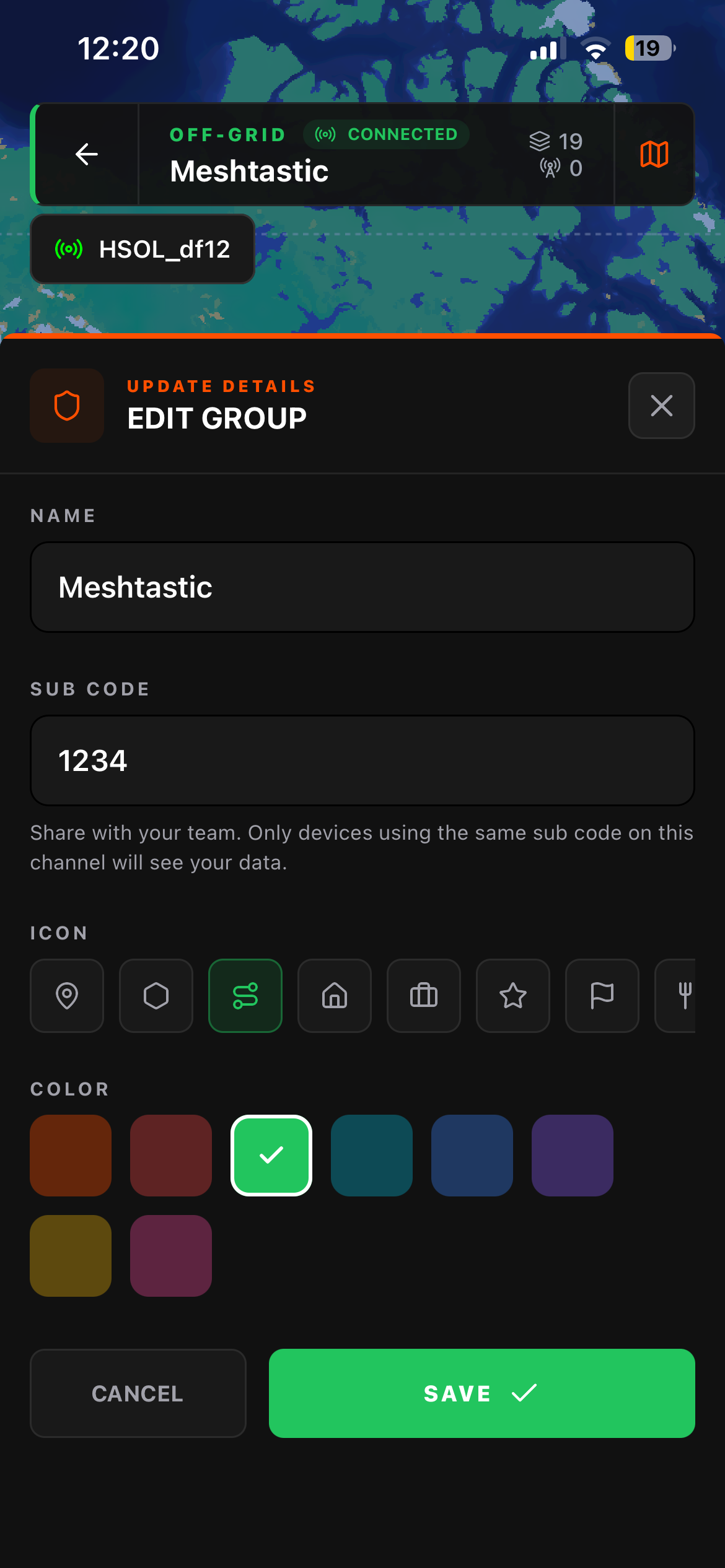
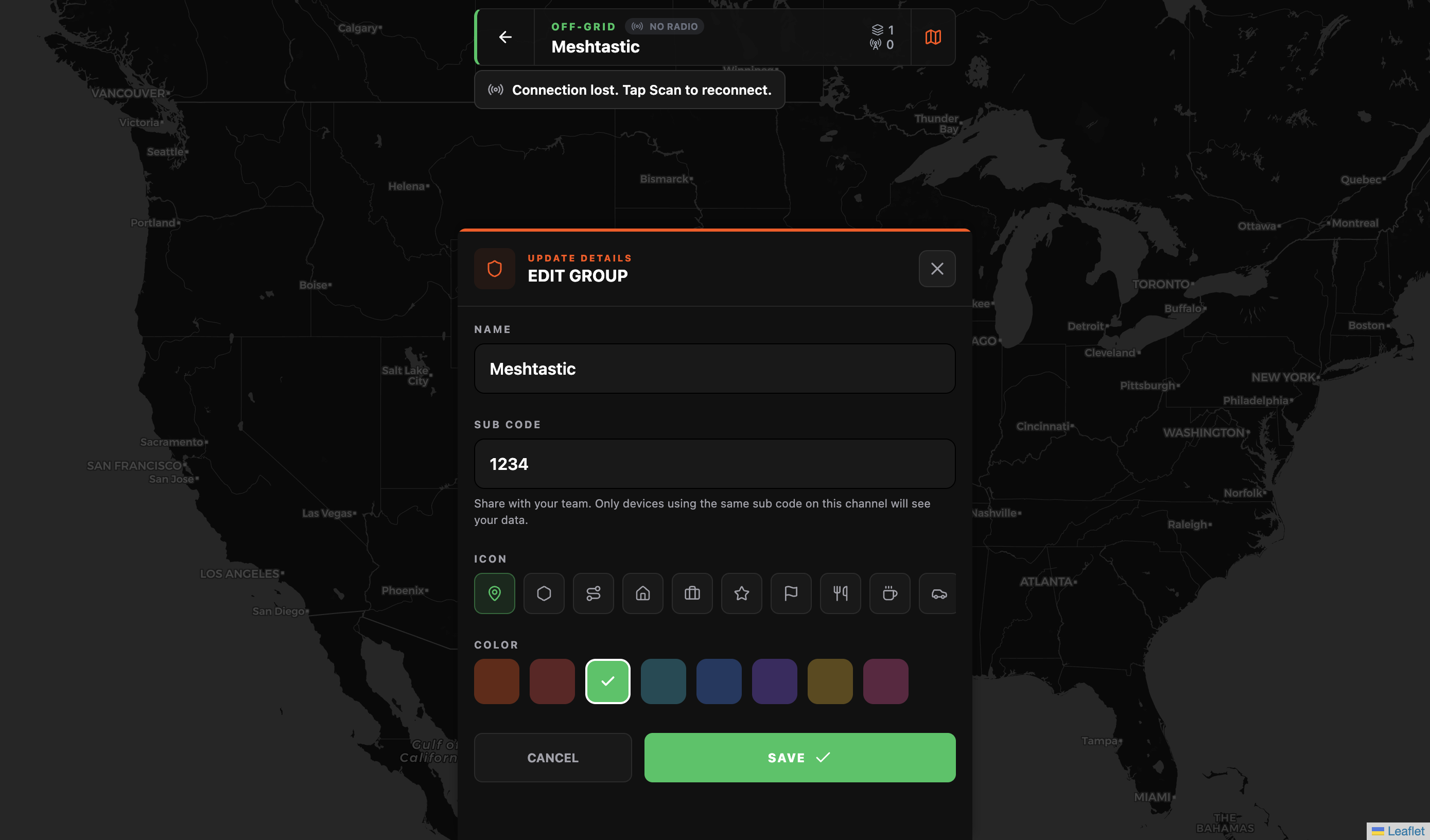
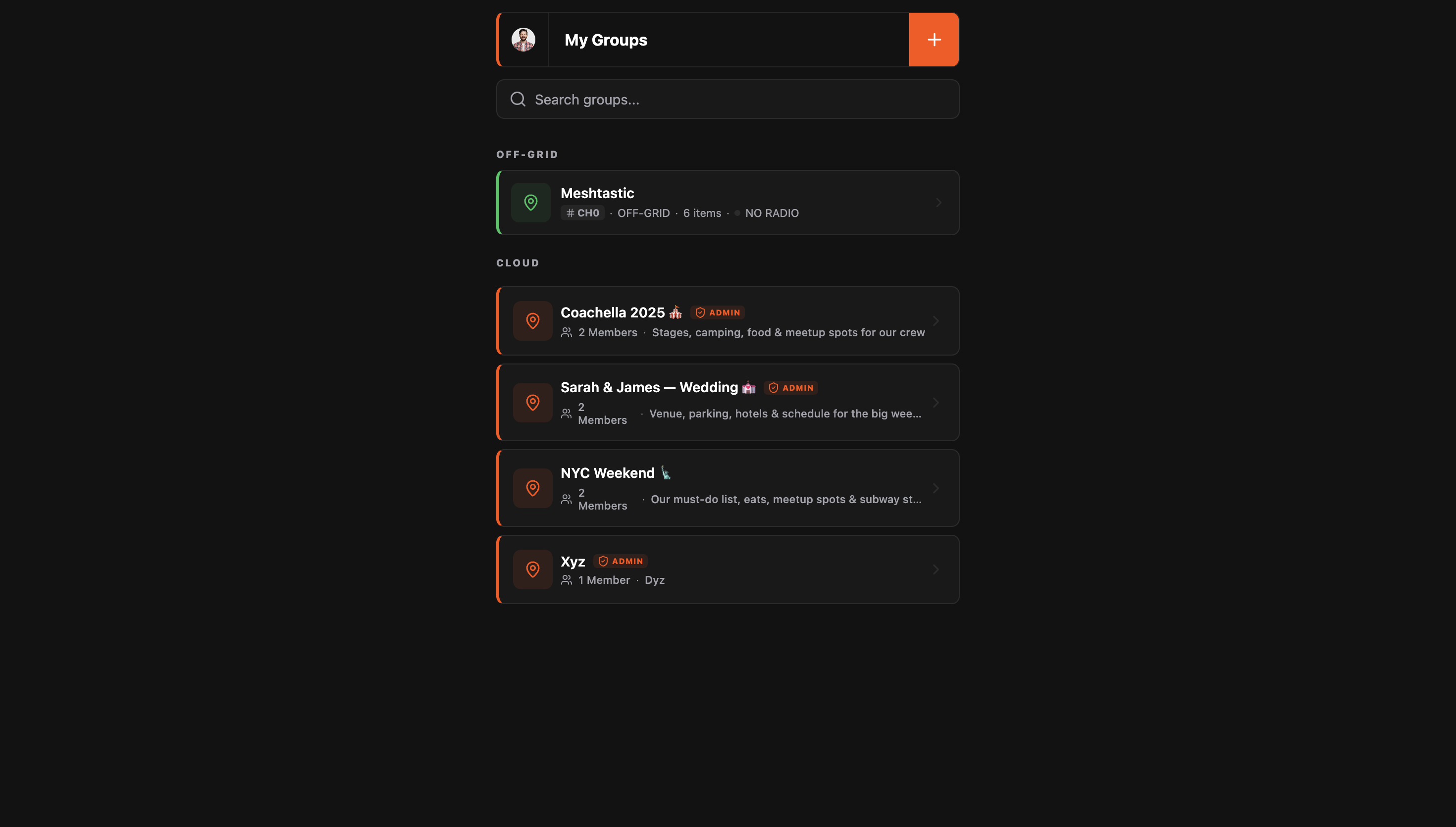
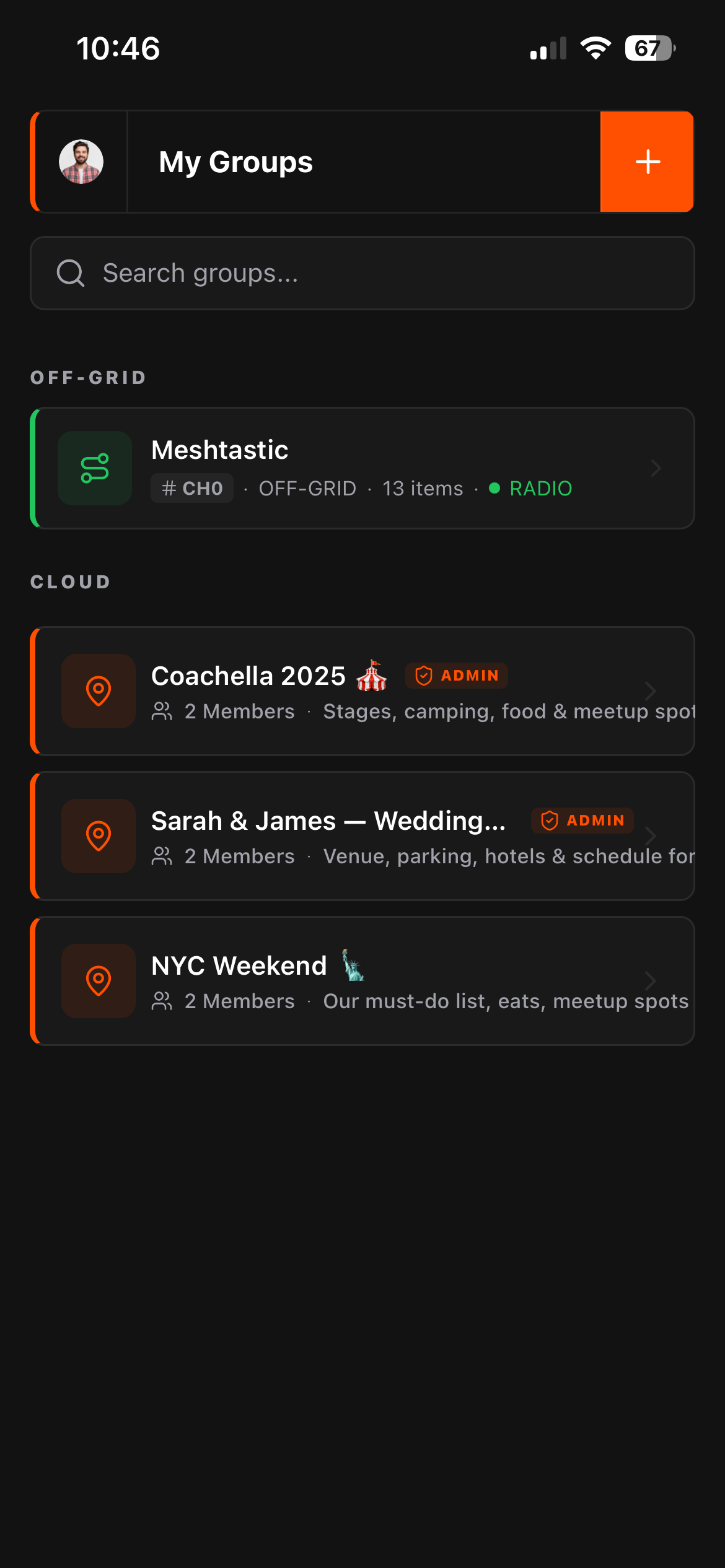
2. Sign up and create a group Hit the + button on the My Groups screen. Choose Off Grid group creation. Give your group a name, color, icon and select a default channel. For now we will keep it 0 (public).
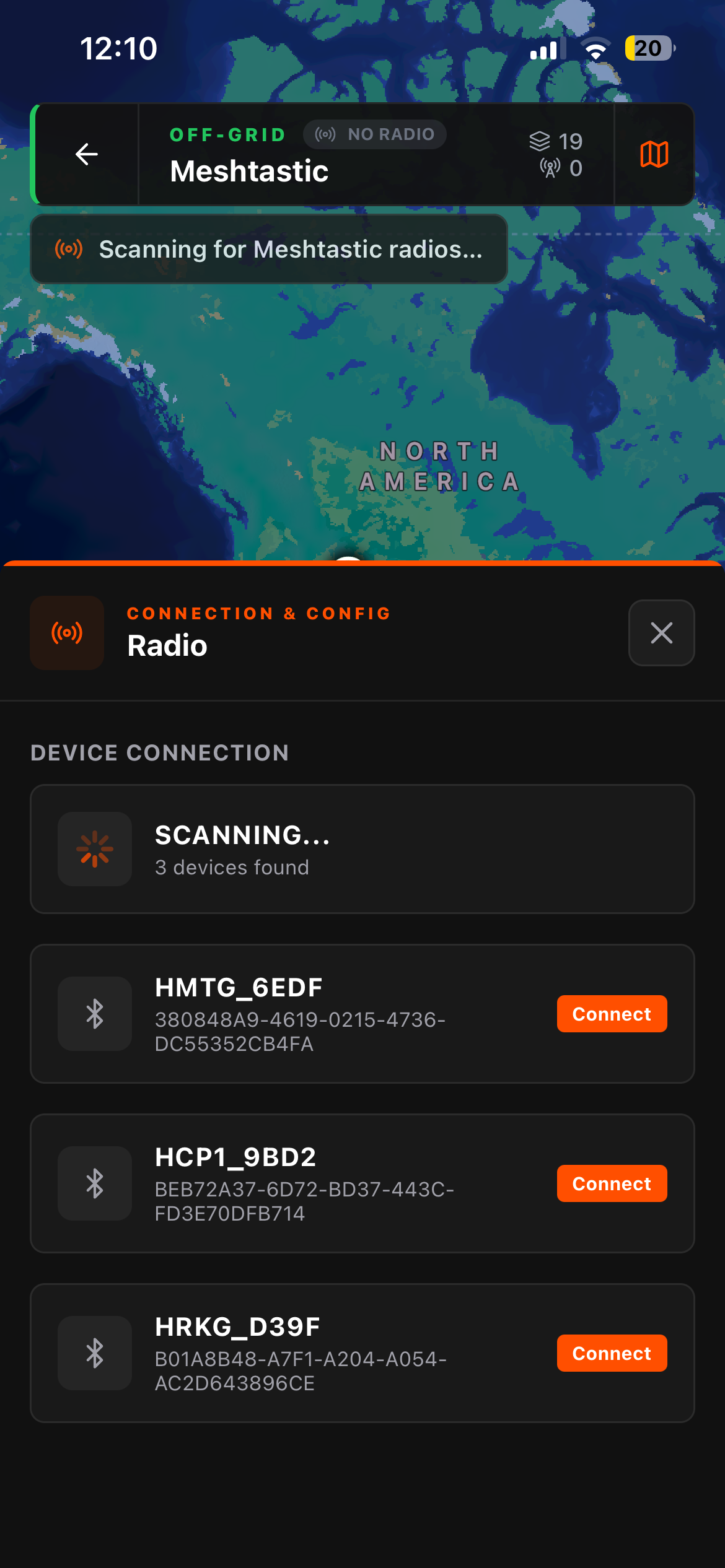
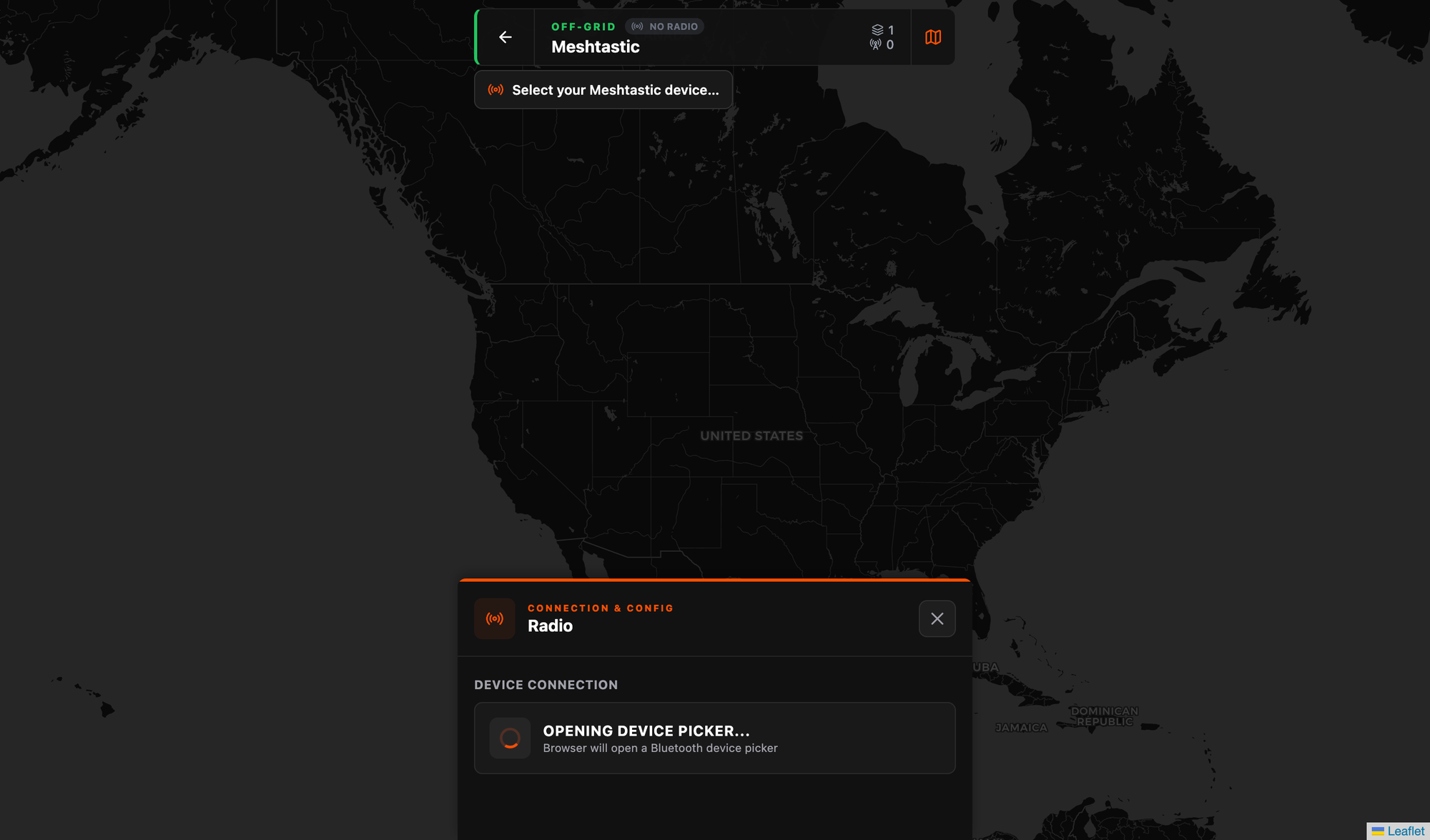
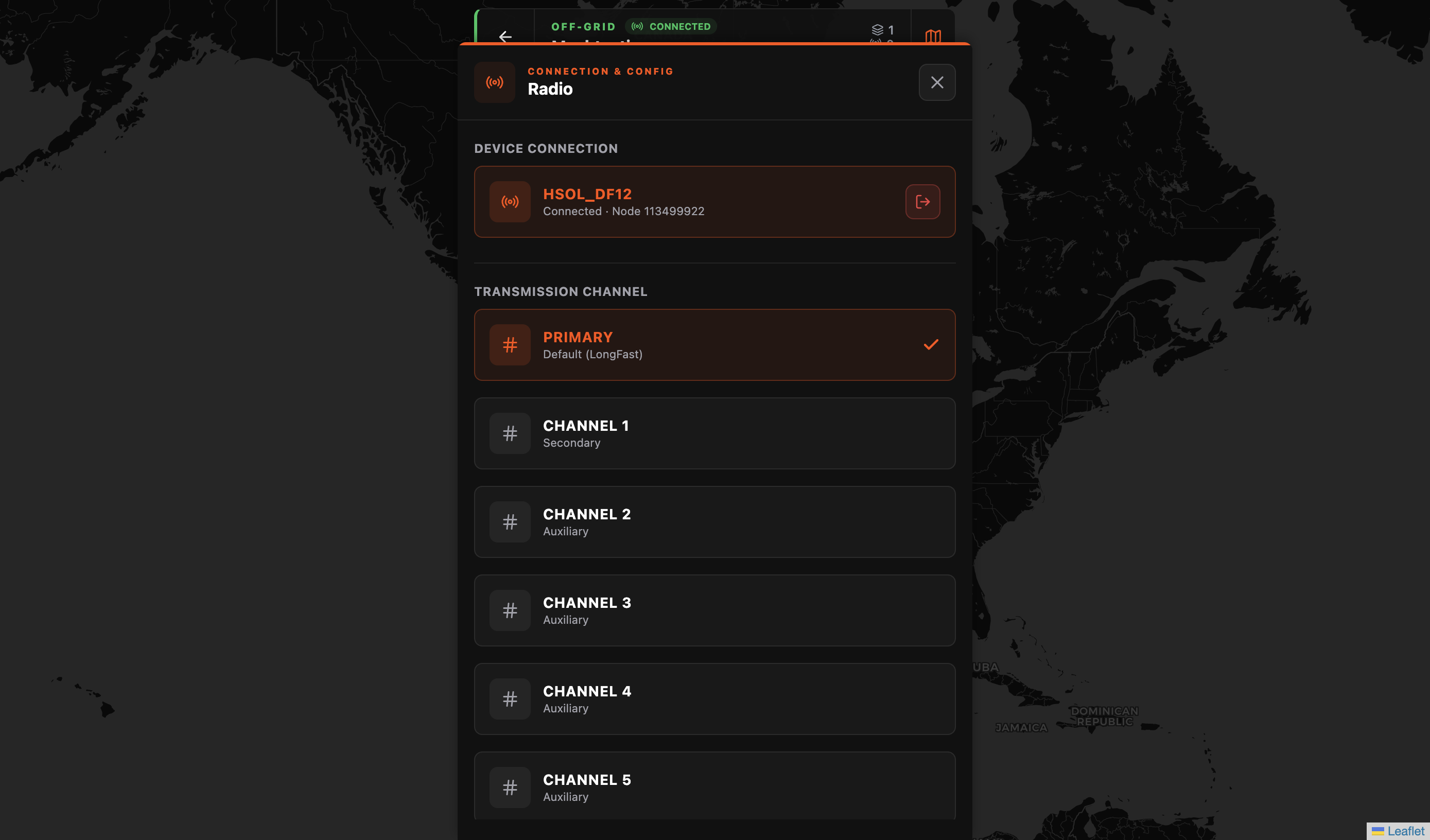
3. Connect your Meshtastic radio Going into the group's Radio settings icon in the top left. Flaresat will scan for nearby Bluetooth devices, select your node. You'll see it show up with its name, node ID, and battery level once connected.
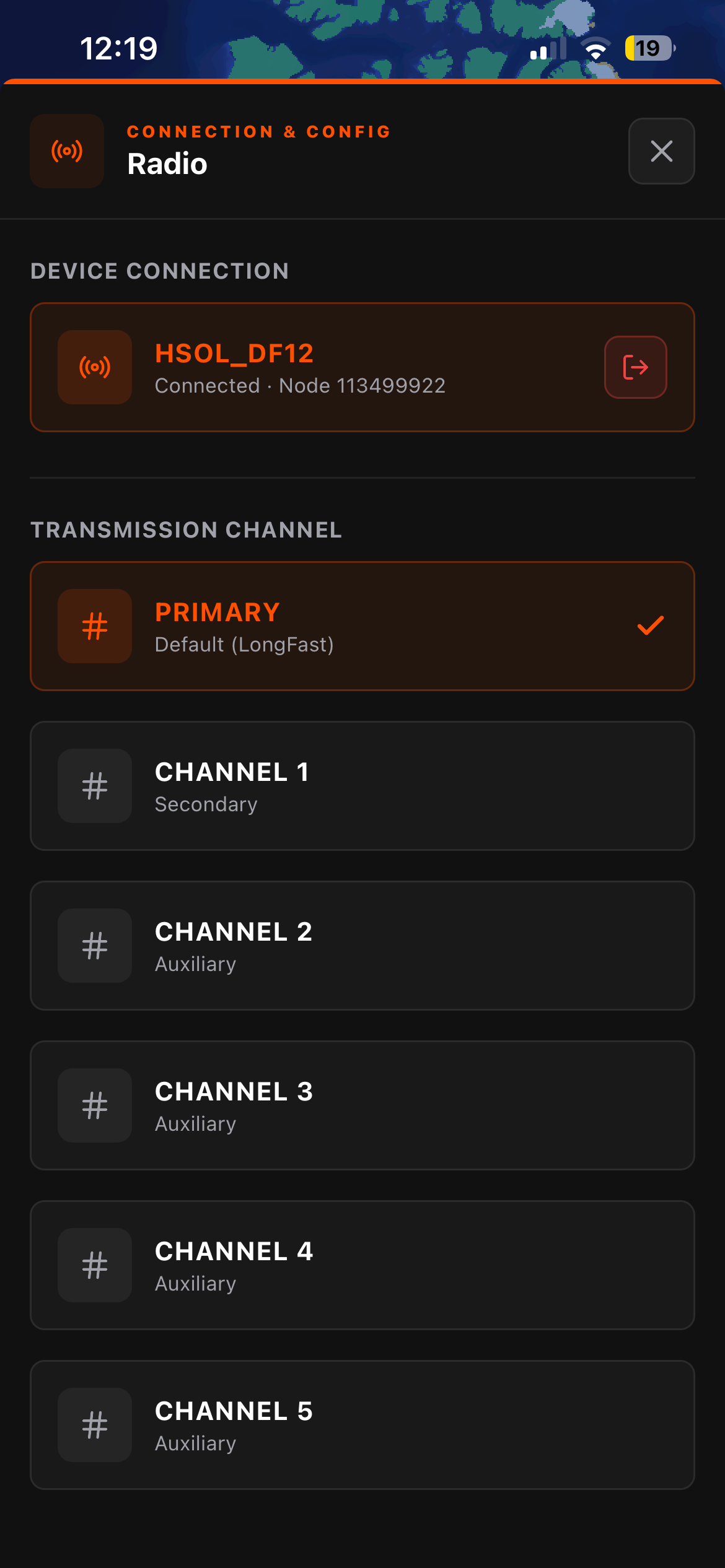
4. Select your transmission channel Pick which Meshtastic channel Flaresat should use to send map data. The Primary channel is the default and works out of the box. If your group has set up an encrypted secondary channel in the Meshtastic app, select that here instead for private comms. More on this in the security section below. Tap the menu button in the navigation bar then settings and take note of the sub code. Sub Code is the 4-digit code that acts as your group's filter on the mesh channel. Everyone in your group needs the same sub code. Write it down.
5. Drop your first pin Tap PIN in the bottom bar, tap the map, give it a name. It transmits over the mesh to everyone else in the group running Flaresat with the same sub code on the same channel. That's it. You're coordinating.
How the Off-Grid Side Actually Works
This is worth understanding in detail, because there are some important specifics.
Pairing: You connect your Meshtastic device to Flaresat over Bluetooth, the same way you'd pair it to the official Meshtastic app. In Flaresat's Radio settings you'll see your connected node name. You then select which Meshtastic channel to transmit on.
Private port, invisible to the official app: Flaresat transmits on Meshtastic port 256, which is a private application port. This means Flaresat data does not appear in the official Meshtastic app's chat, and the Meshtastic app won't send notifications for Flaresat traffic. The two apps coexist on the same radio without interfering. You run both: the official Meshtastic app for node and channel management, Flaresat for the group map. They don't step on each other.
Efficient binary transmission with error recovery: Everything Flaresat sends over the mesh is binary-encoded, not plain text (unlike the official app), compact and bandwidth-efficient. It also ships two parity packets alongside each transmission. If the mesh drops a packet in transit, the parity packets allow the receiver to reconstruct the lost data on the other end. On a low-bandwidth LoRa mesh where packet loss is a real factor, this makes a noticeable difference in reliability. You're not just broadcasting and hoping.
Off-grid data stays on the device: This is important to know going in. Off-grid groups are not synced to the cloud. Your pins, routes, and areas live privately on your device. No server ever sees them. If you delete the app, you lose that group's data, there's no cloud backup for off-grid groups. Flaresat has export and sync features in the roadmap, but right now treat off-grid group data like files on a device with no backup. Know that going in, it won't catch you off guard.
Channel Security, Read This Before You Deploy
If you care about who can see your data on the mesh, this section matters. A lot of people get this wrong.
The primary channel is public by default. When you select the Primary channel in Flaresat (which is the default LongFast channel for most people), you're transmitting on a channel that any Meshtastic node can hear. There is no encryption at this level.
Sub codes are filters, not security. Flaresat uses sub codes to organize groups on a shared channel, think of it like CTCSS tones on a walkie-talkie. Sub codes keep your group's map data separated from other groups using the same channel. But they do not encrypt anything. If someone knows your sub code and they're on the same channel, they can see your group's transmissions. Sub codes = organization, not privacy.
Secondary channels with encryption keys are what you want for actual security. Meshtastic channels 1 through 7 can be configured with AES encryption. You set this up in the official Meshtastic app, create the channel, set the encryption key, share it with your group members so they can import it on their end. Once everyone has the encrypted channel configured, you select that channel in Flaresat, and all your group's map data is encrypted in transit. Only someone with the matching channel key can read it.
The short version:
- Primary channel + sub code: organized but not private. Fine for festivals and casual group travel.
- Encrypted secondary channel + sub code: private and secure. Required if your ops have any sensitivity at all.
Flaresat handles the application layer. The radio and channel security is Meshtastic's job, configured in the Meshtastic app. Know which layer you're working with.
What the Map Can Do
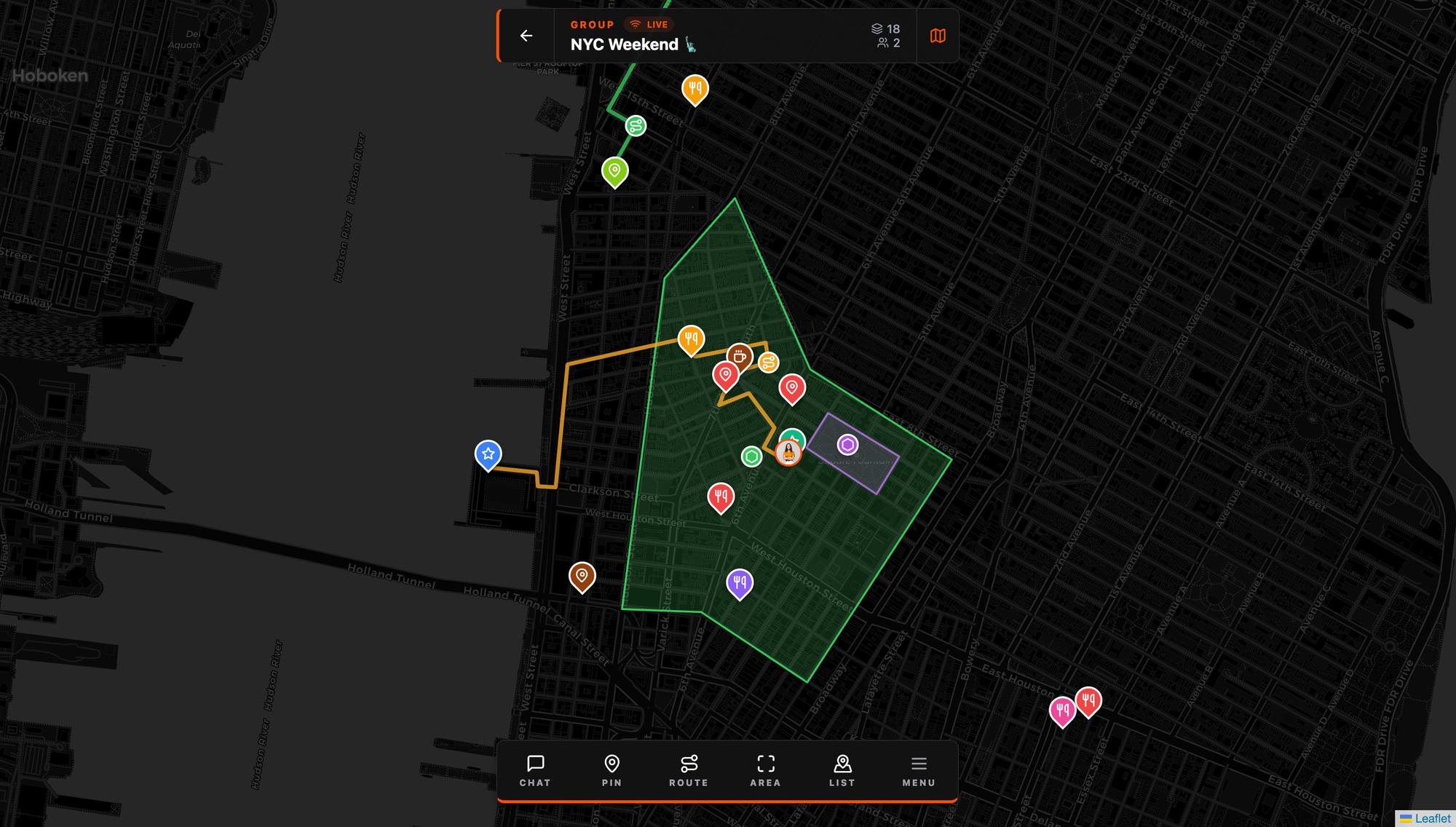
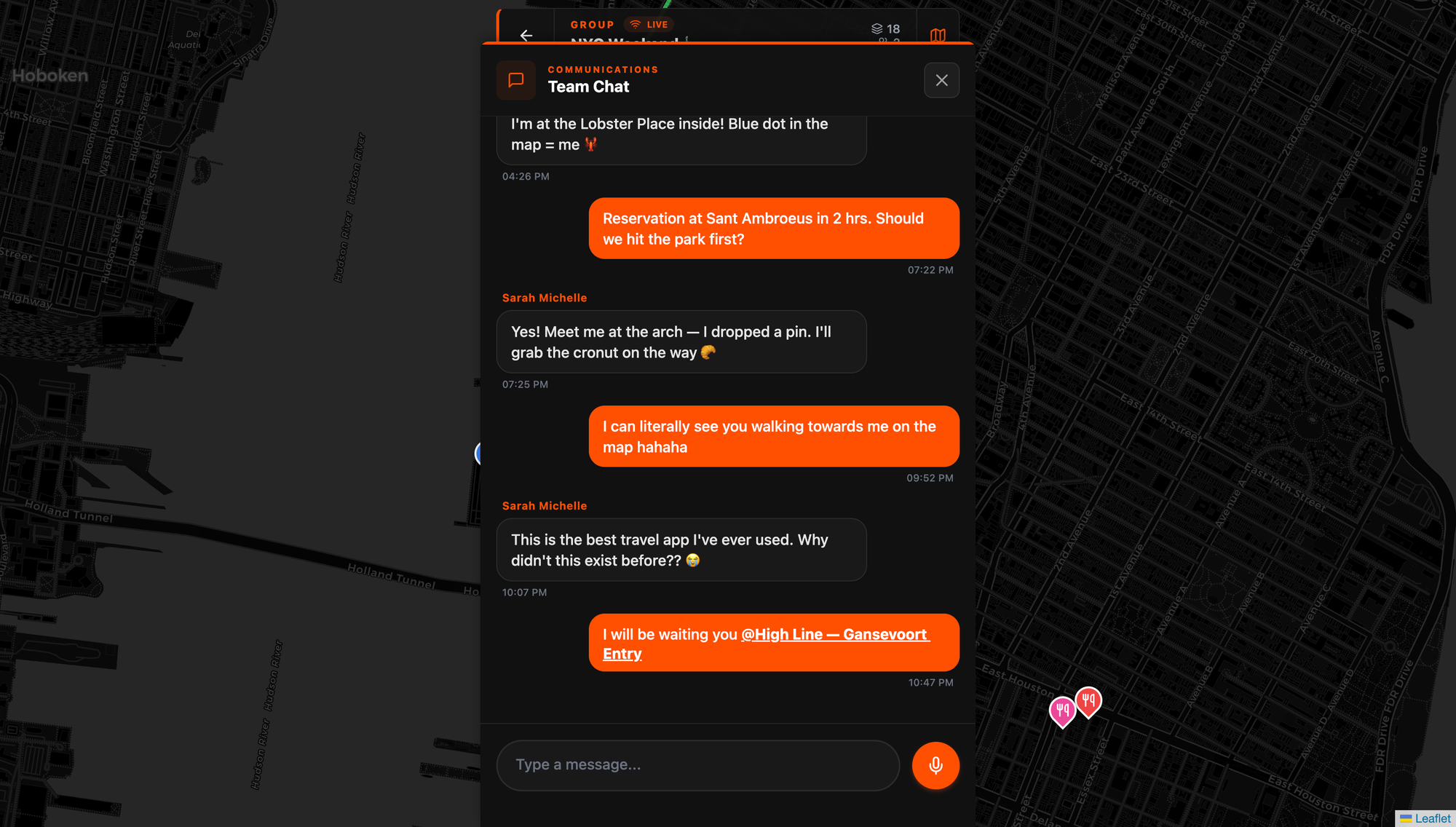
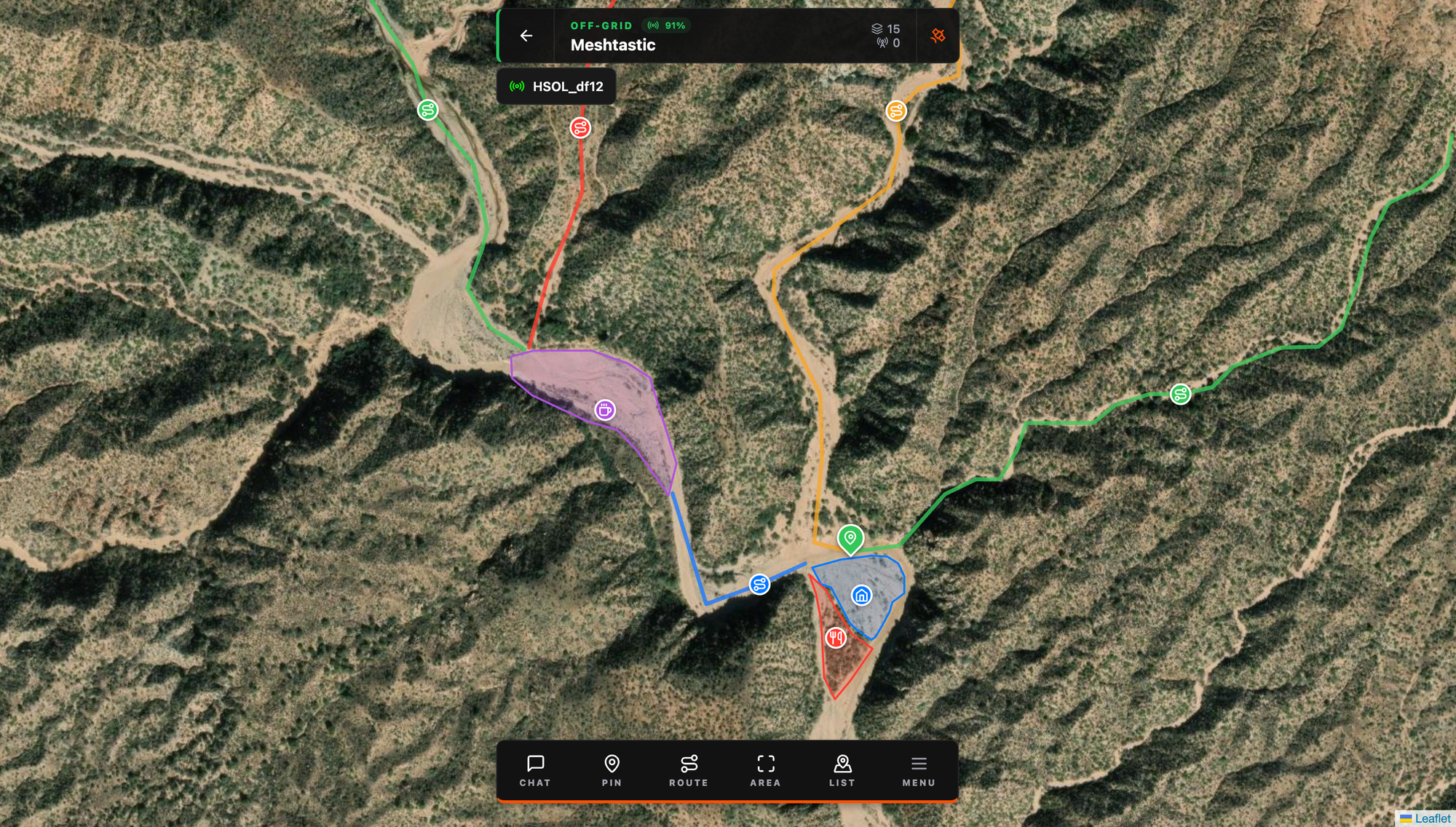
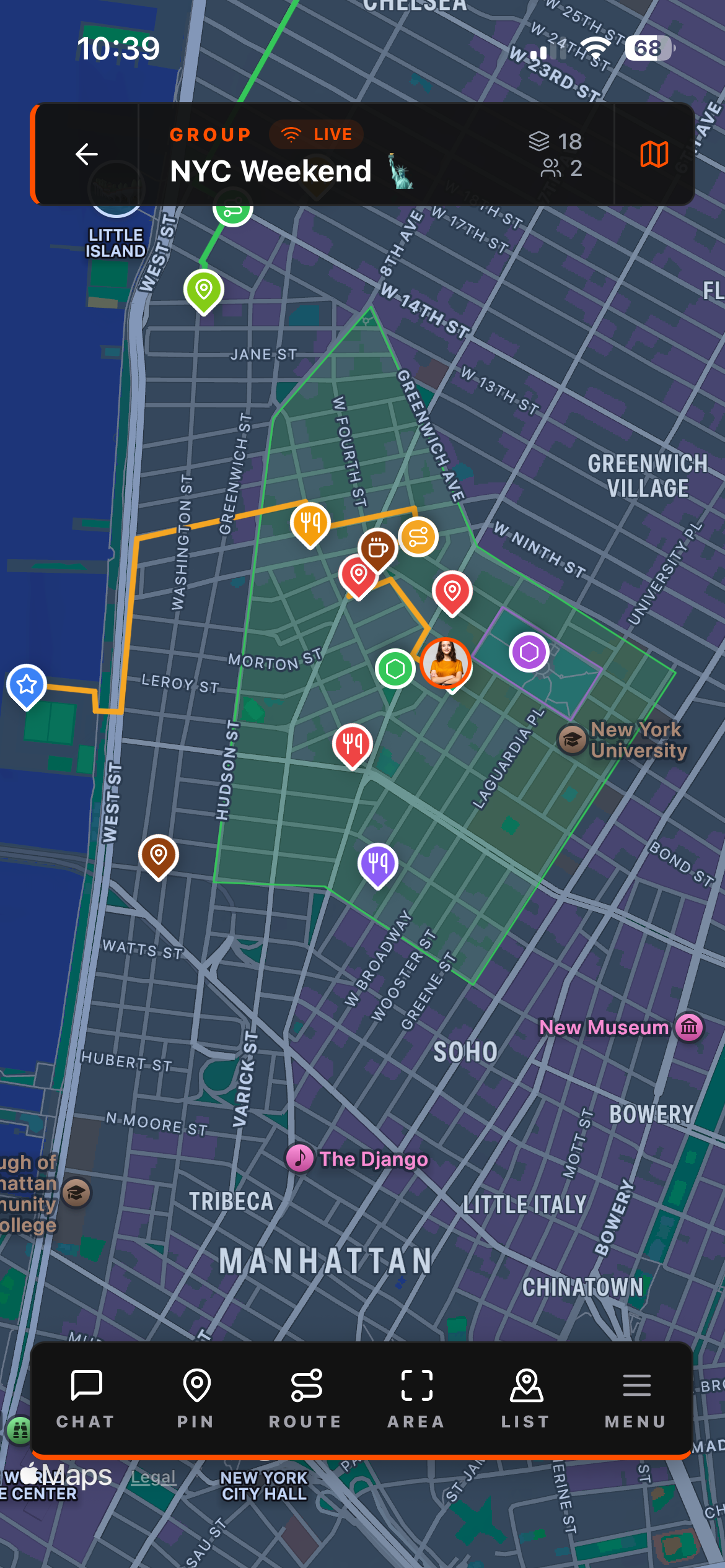
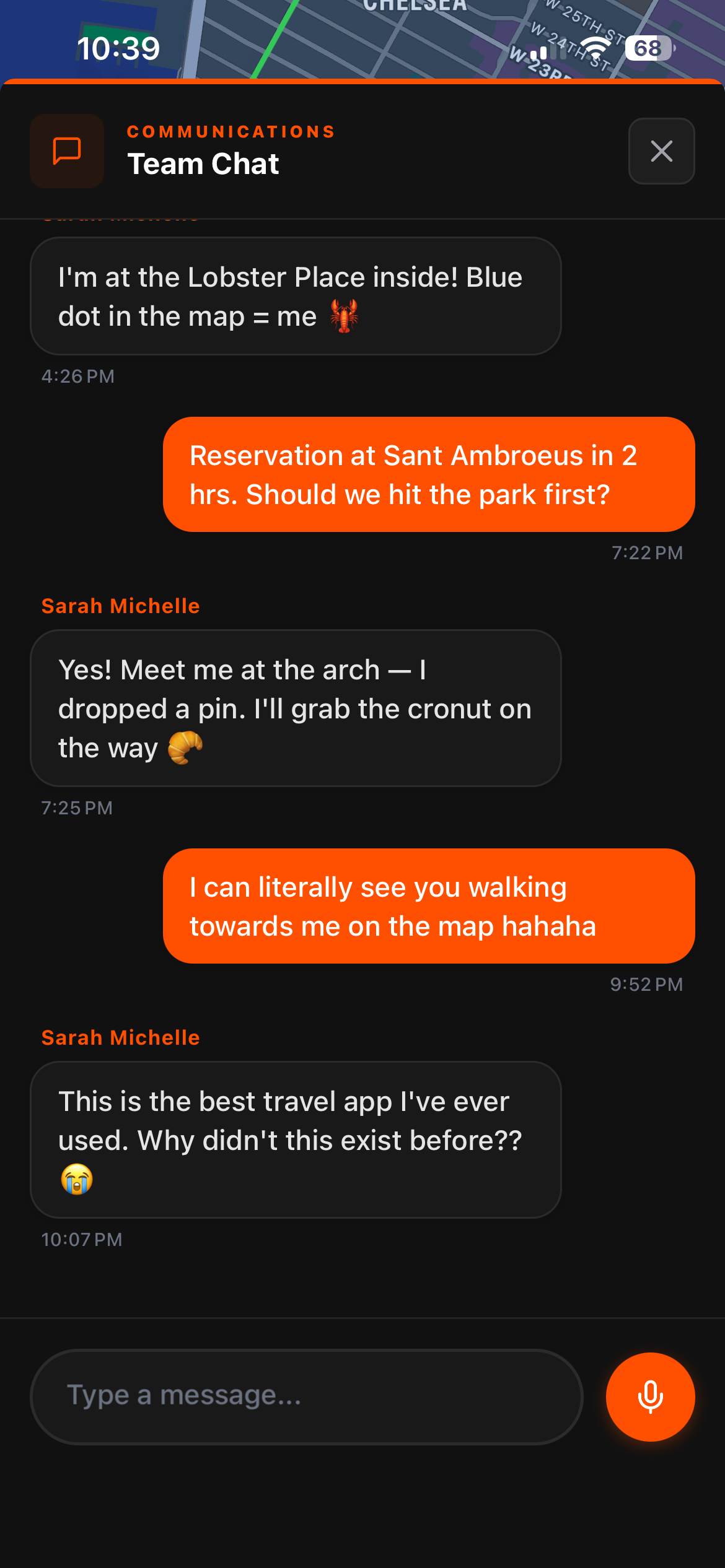
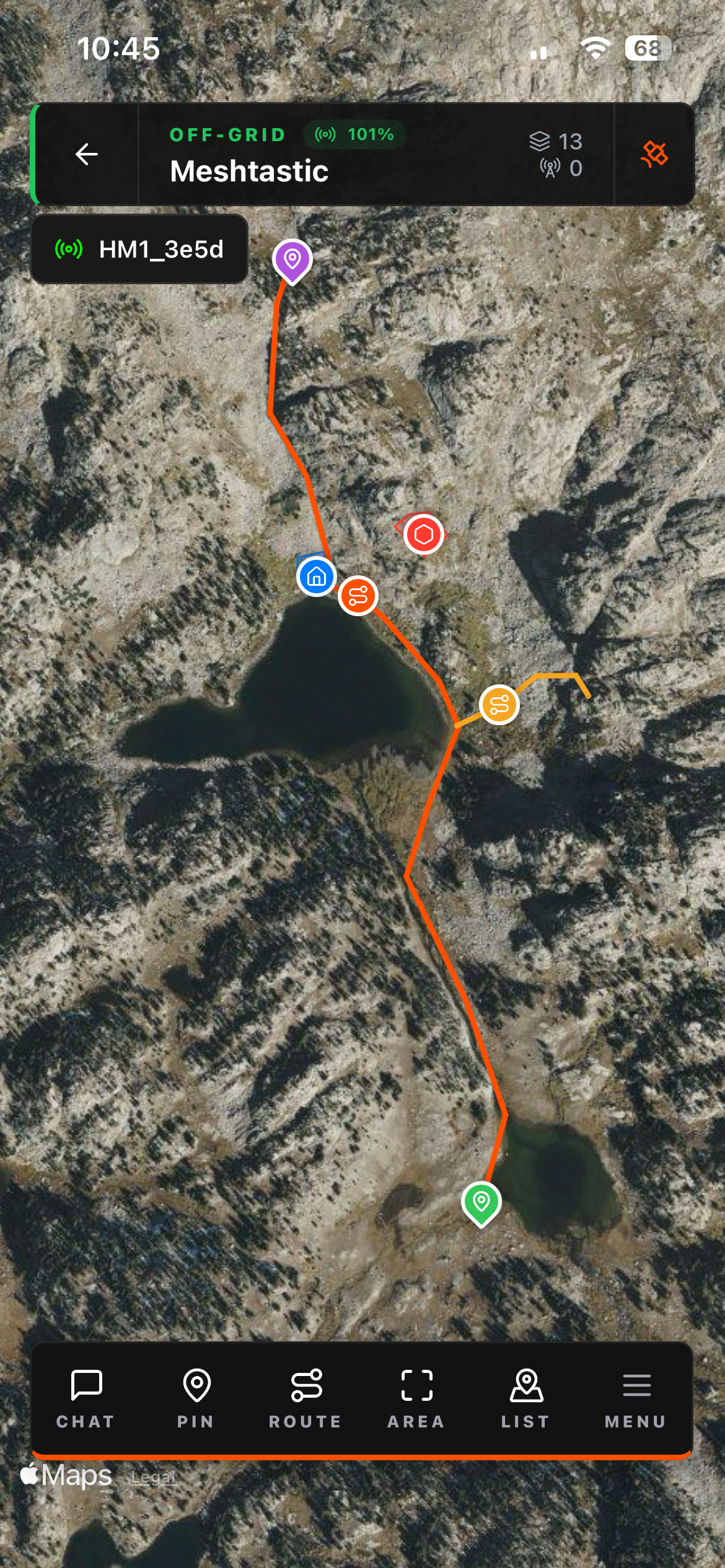
Five tools in the bottom bar. All of them transmit to your group over the mesh:
PIN — Drop a point anywhere on the map. Name it, add a description. Immediately visible to everyone in the group. Meetup spots, hazards, water sources, staging areas, parking — anything worth marking.
ROUTE — Draw a line directly on the map. Trace a trail, mark a convoy path, draw the evacuation route. One finger, directly on the map, and the whole group sees the same path.
AREA — Draw a polygon to shade a zone. Search grids, camping sections, venue boundaries, exclusion zones. The boundaries show up live for every member.
CHAT — Text messaging that's spatially aware. You can reference map objects directly in messages, tapping a linked object flies the map to that location. No switching to another app. No sending screenshots. The conversation and the map are the same view.
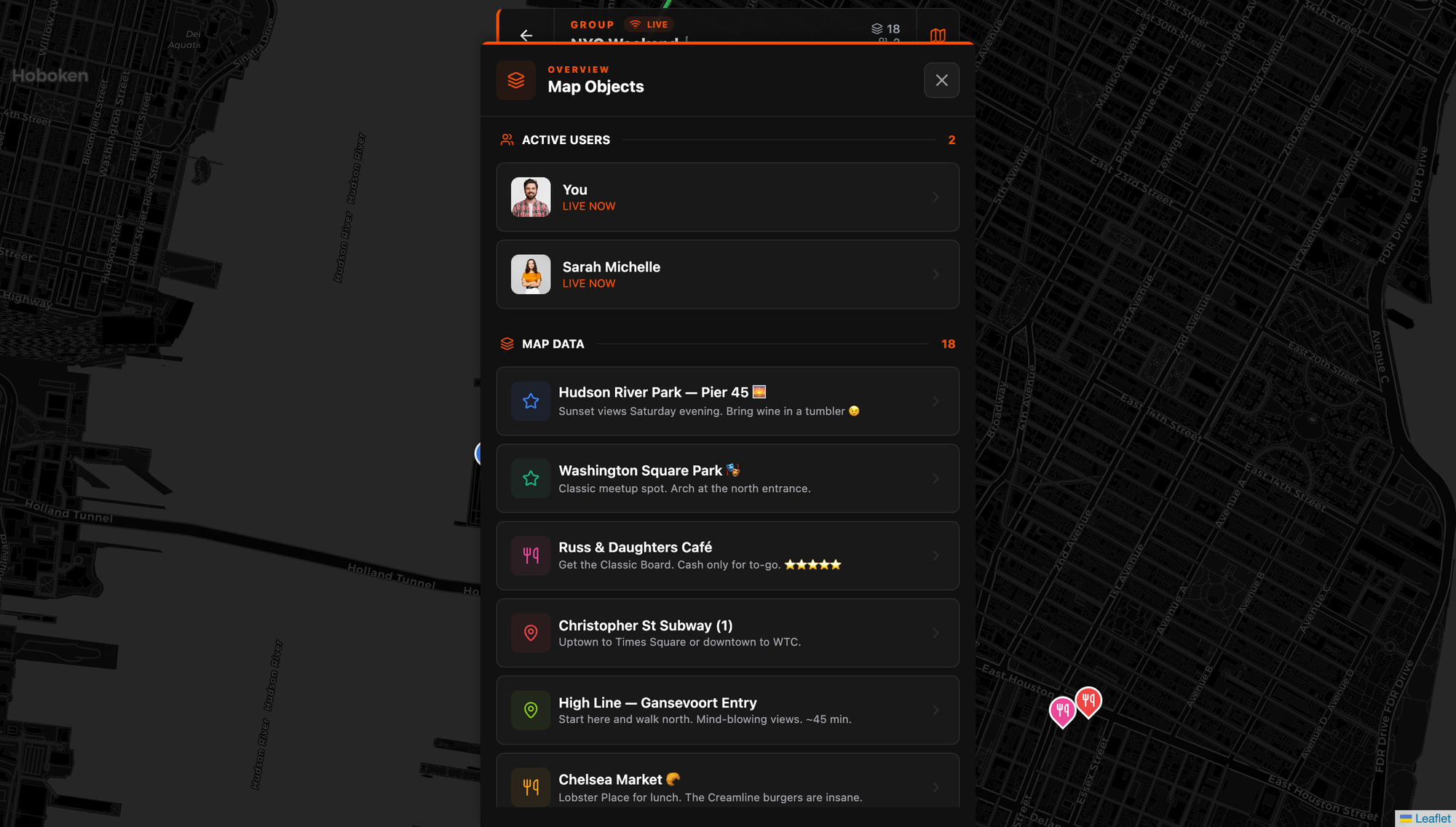
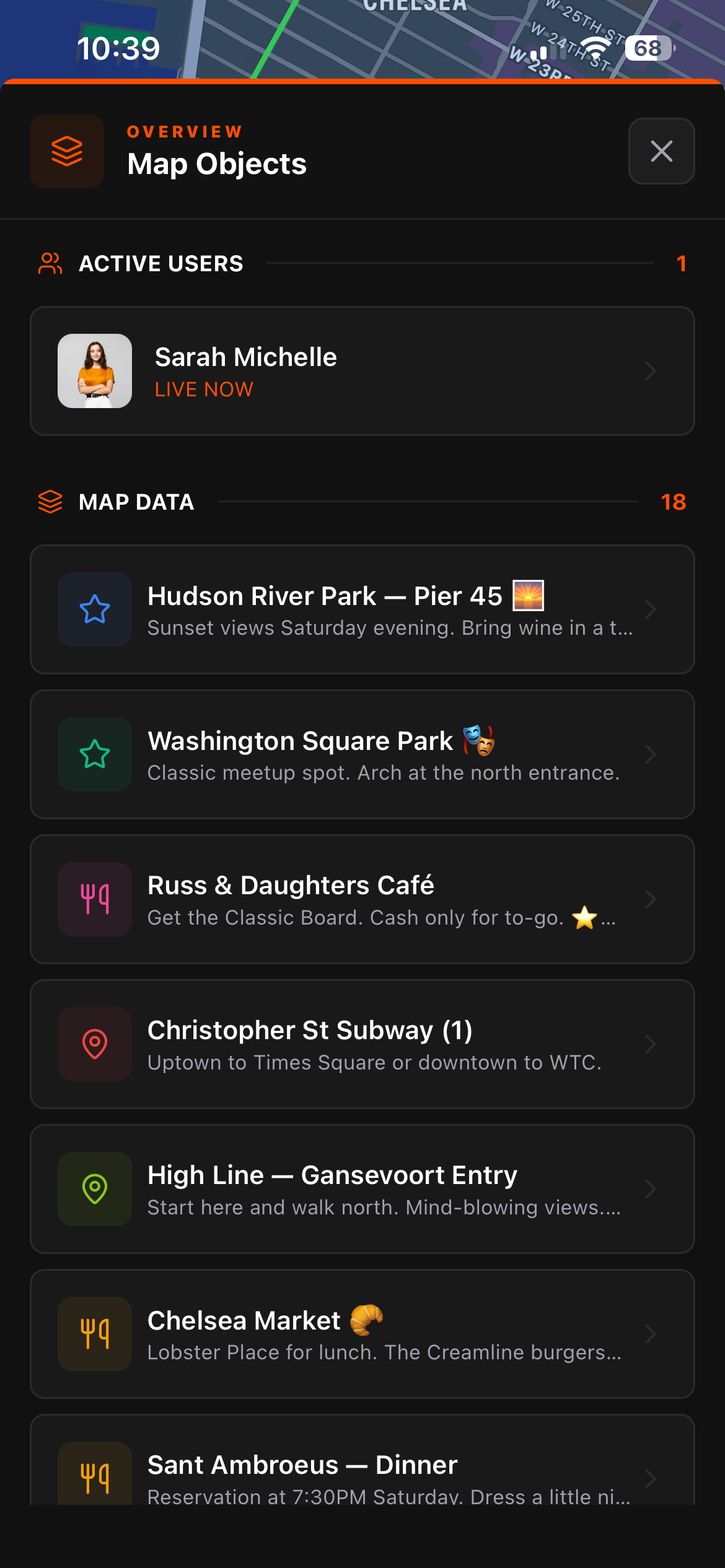
LIST — Organized overview of every map object and active user in the group. Pins, routes, areas sorted by creation time. Active members show as LIVE NOW. On the web client this shows as "Map Objects" and it's the fastest way to get a full picture of the group's situation without panning around the map.
Cloud vs. Off-Grid Groups
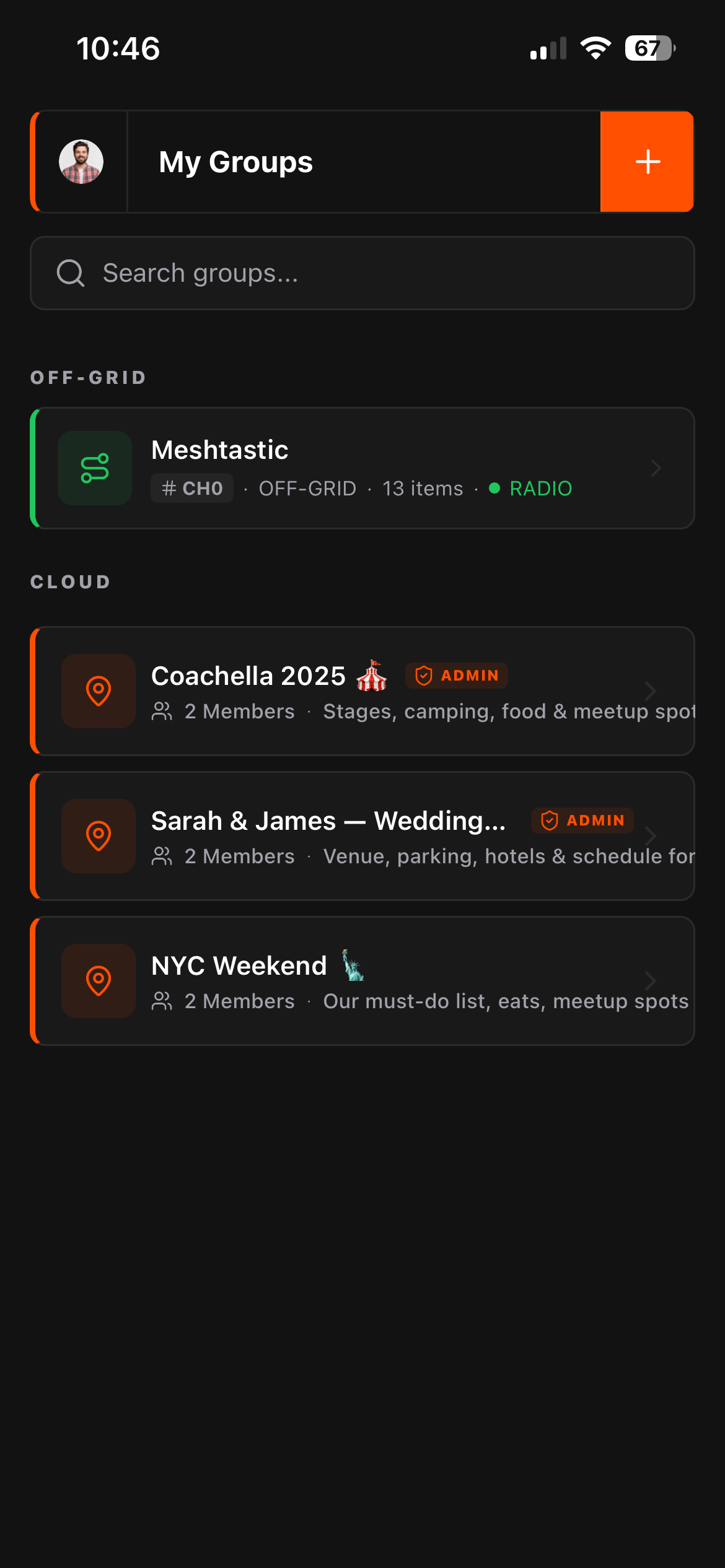
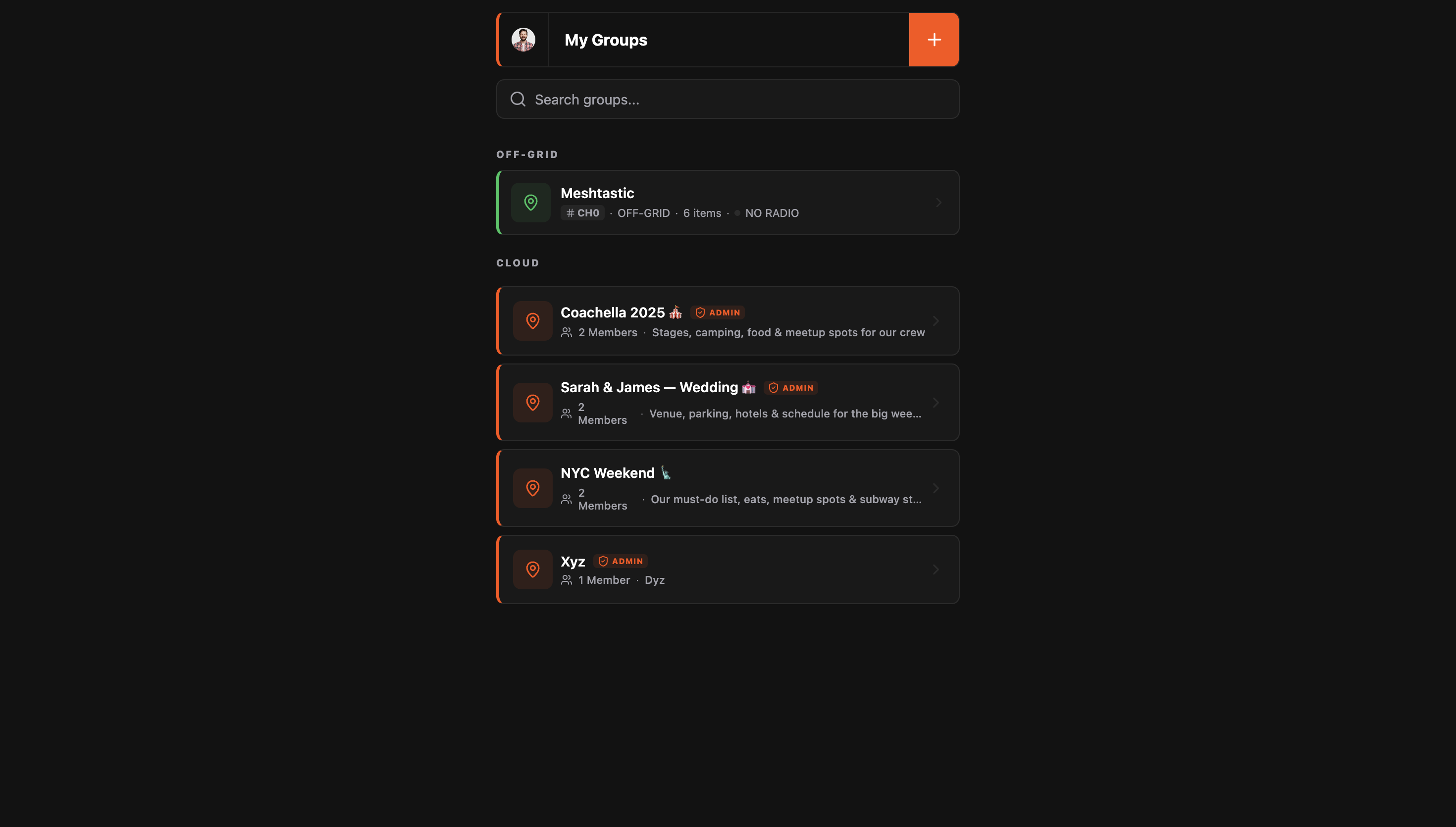
These are two genuinely different modes, and Flaresat handles both natively.
Cloud groups sync over the internet in real-time. Data is stored on Flaresat's servers and is accessible across all your devices. Use this for festivals, city trips, group travel, weddings, anything where cell coverage is available. You can also open and manage cloud groups at app.flaresat.com in any browser on any computer.
Off-grid groups sync exclusively over the Meshtastic mesh. No internet, no servers, no cloud. The map data lives privately on each group member's device and nowhere else. It works wherever your LoRa mesh reaches, deep backcountry, mountain trails, places where cell coverage stopped miles ago. The data never leaves your devices unless you export it (export feature coming).
The offline capability, how it actually works
Off-grid groups: These are always local-first. The only thing you need to do before going offline is log in to Flaresat at least once while you have signal. That's it. The app authenticates you, and from that point it works completely without internet. No manual priming, no downloading, no pre-caching steps. Just make sure you've logged in before you head into the dead zone.
Cloud groups offline: Cloud groups cache their data locally on your device automatically. When you lose signal, the app switches seamlessly to the local cache, your pins, routes, and areas are all still there and visible. New changes from other group members won't sync until signal returns, but everything you had loaded is available. When signal comes back, it re-syncs automatically.
Web app offline: The browser version requires one extra step. You need to install it as a PWA, tap "Add to Home Screen" from your browser's share menu on iOS, or use the install prompt on Android/desktop Chrome. Just keeping the tab open doesn't enable offline caching. Install it properly once and it works offline like the native apps.
The practical takeaway: log in before you leave. Everything else handles itself.
Pricing & The Future: Introducing Flaresat Pro
Flaresat is completely free to download and use. You get the full off-grid experience, local mesh mapping, and cross-platform compatibility right out of the box.
However, for power users and teams who need global connectivity and unlimited data, Flaresat Pro is coming soon for $8.99/month.
Flaresat Pro ($8.99/mo)
- Mesh-to-Cloud Bridging (The "MQTT Killer"): This is the game-changer. If just one person in your off-grid group has cell service (or Starlink), they act as a bridge. The entire local mesh group is instantly synced to the cloud. This allows a team member in a completely different country to open the web app and see/chat with the off-grid team live. It bridges the gap between the backcountry and the command center effortlessly.
- Unlimited Groups: Create and manage as many specific operation groups as you need.
- Unlimited Chat History: Keep your chat logs and map markers forever. Perfect for reviewing past trips or maintaining long-term waypoints.
Whether you stay free or go Pro, you are getting the easiest Meshtastic coordination tool on the market.
Who This Is For
Hikers and overlanders Multi-day trips with zero cell coverage. Every group member's position live on the map, shared trail drawn, camp spots pinned, all over LoRa mesh. No phone plan required beyond the initial auth.
Festival crews 50,000 people jam the cell towers and Find My Friends stops updating. LongFast range over an open field is solid. Drop a pin at the tent and the stage. It works when nothing else does.
Search and rescue teams Draw your search sectors as areas, see every member live, coordinate over chat with location context. Functional group COP (common operating picture) without ATAK's setup complexity. A volunteer team can be operational on this in minutes, not hours.
Anyone who tried ATAK and gave up This is maybe the clearest pitch. If you looked at the ATAK plugin setup, the sideloading, the version matching, the firmware roles, the background services, and decided the juice wasn't worth the squeeze for your use case, Flaresat gives you the group coordination capability you actually needed, without any of that overhead.
Group travel Shared itinerary as pins, the route drawn, everyone knows where to be. Works great on cloud for a city weekend. No one has to spam the group chat asking where to meet.
What Flaresat Doesn't Do
Flaresat is not a replacement for the Meshtastic app. It uses Meshtastic as a radio, all node management, channel configuration, encryption key setup, firmware updates, and device settings still happen in the official app. Flaresat picks up where the Meshtastic app leaves off: it takes the mesh as a given and builds organized group coordination on top of it.
The workflow is: configure your channels and encryption in the Meshtastic app first. Then open Flaresat, select the channel, and start mapping.
Both apps run. Both apps have a job. They don't conflict.
Available On
- iOS App Store, native app
- Android Google Play, native app
- Web PWA at app.flaresat.com, install from browser for offline
One account across all of them. Free to download.
The Meshtastic ecosystem has excellent hardware and a solid protocol. What it never had was a proper group coordination app built on top of it. Flaresat is that. It doesn't try to be ATAK, it tries to be immediately useful without requiring a weekend of setup. For most groups, that's exactly what was missing.