Meshtastic: The Complete Getting Started Guide (2026)
Meshtastic Complete Getting Started Guide, Build Your Own Off-Grid Communication Network - No Cell Service, No WiFi, No Problem.
What is Meshtastic?
Meshtastic is an open-source mesh networking platform that enables decentralized, long-range communication without relying on cellular networks, WiFi, or internet infrastructure. Using affordable LoRa (Long Range) radio hardware, Meshtastic creates resilient networks where each device acts as both a communication endpoint and a relay for others.
Think of it as creating your own private, off-grid communication network that can span several kilometers - perfect for outdoor adventures, emergency preparedness, or anywhere traditional infrastructure fails.
Why Choose Meshtastic?
No Infrastructure Required
Works completely off-grid with no cellular, WiFi, or internet connection needed. Perfect for remote areas, disasters, or privacy-focused applications.
Impressive Range
Communicate over 5-10 km in typical conditions, with record distances exceeding 200 km in ideal scenarios. Urban environments typically see 2-5 km, while rural areas with clear line of sight can achieve 10-15+ km.
Self-Healing Network
Devices automatically route messages through the best available path, adapting to network changes in real-time. Remove one node, and the network routes around it seamlessly.
Privacy First
All communications are encrypted by default using AES-256 encryption. You control your data, your channels, and your network.
Ultra-Low Power
Battery-powered nodes can run for weeks, with solar-powered setups operating indefinitely. nRF52-based devices are especially efficient, lasting 2-3 weeks on a single charge.
Open Source & Community-Driven
Free to use, modify, and contribute to, with an active global community constantly improving the platform.
Affordable Entry Point
Get started for as little as $20-30 with basic hardware like the Heltec V3, making it accessible to hobbyists and professionals alike.
How Meshtastic Works
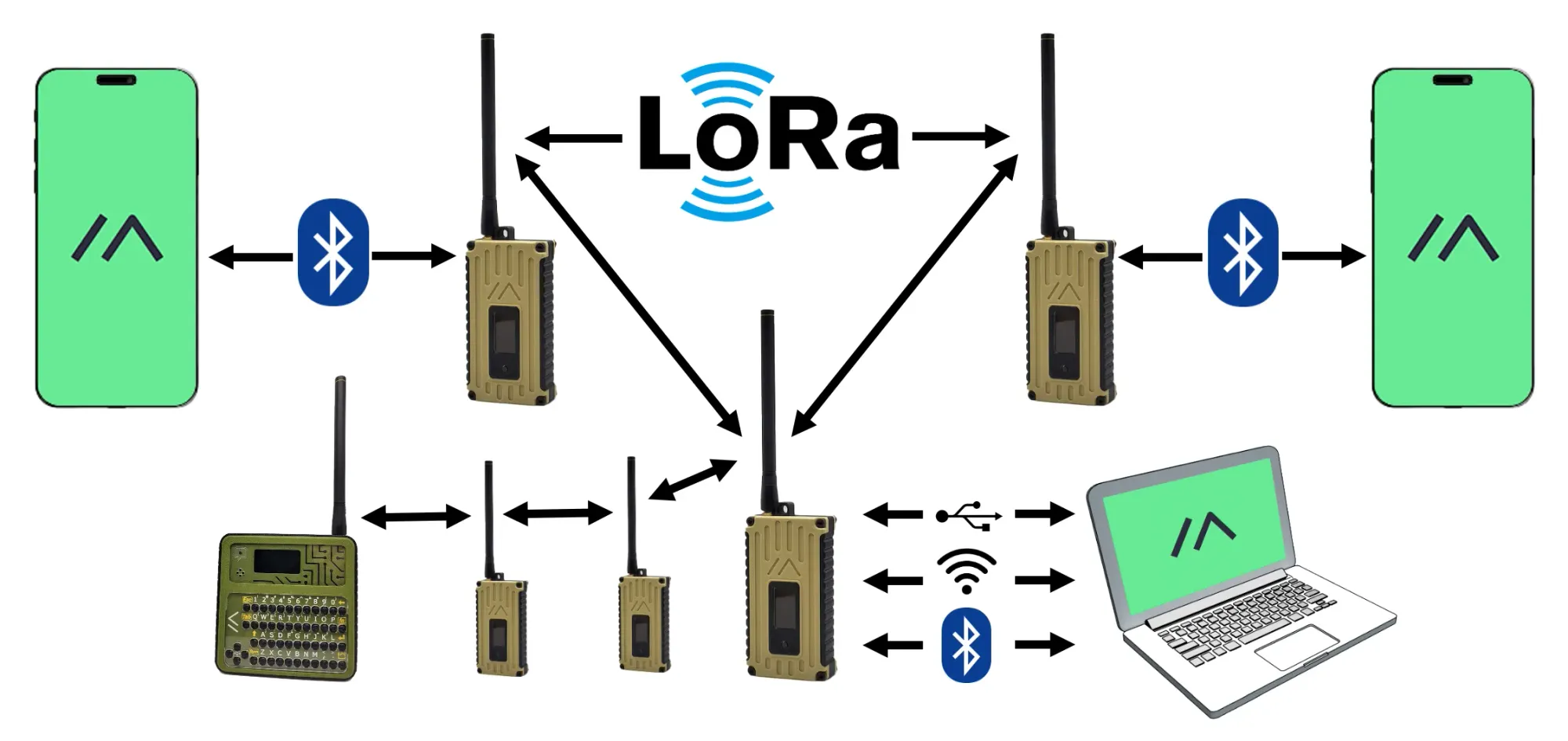
The Mesh Network Concept
Unlike traditional point-to-point communication (like walkie-talkies), mesh networks allow devices to connect directly with each other AND relay messages for other devices. Each node in the network can:
- Send and receive its own messages
- Forward messages from other nodes, extending the network's reach
- Automatically find the most efficient path for data transmission
- Adapt to network changes as nodes join, leave, or move
This creates a resilient network where removing one or even several nodes doesn't break communication - messages simply route around the gap.
LoRa Technology
Meshtastic leverages LoRa (Long Range) radio technology, which offers several key advantages:
Long-Distance Communication
Typical range of 5-10 km in urban/suburban areas, 10-15+ km in rural areas with clear line of sight. The world record for a Meshtastic transmission is over 254 km!
Low Power Consumption
Devices can operate for days or weeks on a single battery charge. A well-configured nRF52-based node can last 2-3 weeks.
License-Free Frequencies
Operates on ISM bands (433 MHz, 868 MHz, 915 MHz depending on region) - no radio license required in most countries.
Penetrates Obstacles
Better building and foliage penetration than higher frequency alternatives like WiFi or Bluetooth.
Real-World Use Cases
Emergency & Disaster Communication
When traditional infrastructure fails during natural disasters, Meshtastic provides a lifeline:
- Coordinate first responders and rescue teams when cell towers are down
- Establish communication in areas where traditional networks are unavailable
- Create emergency networks in remote locations without infrastructure
- Support search and rescue operations in challenging terrain
- Provide backup communication for emergency services
Outdoor Adventures
Perfect for hiking, camping, backcountry skiing, mountain biking, and other outdoor activities:
- Stay connected with your group without relying on cellular coverage
- Share real-time GPS locations with team members automatically
- Send emergency signals if someone gets separated or injured
- Coordinate meeting points and route changes on the fly
- Track group members on a map in real-time
IoT & Sensor Networks
Build distributed sensor networks for monitoring and automation:
- Agricultural monitoring (soil moisture, weather data, crop health)
- Environmental data collection across large areas
- Remote asset tracking and security systems
- Smart home applications in areas with poor internet connectivity
- Wildlife monitoring and conservation projects
 Adrelien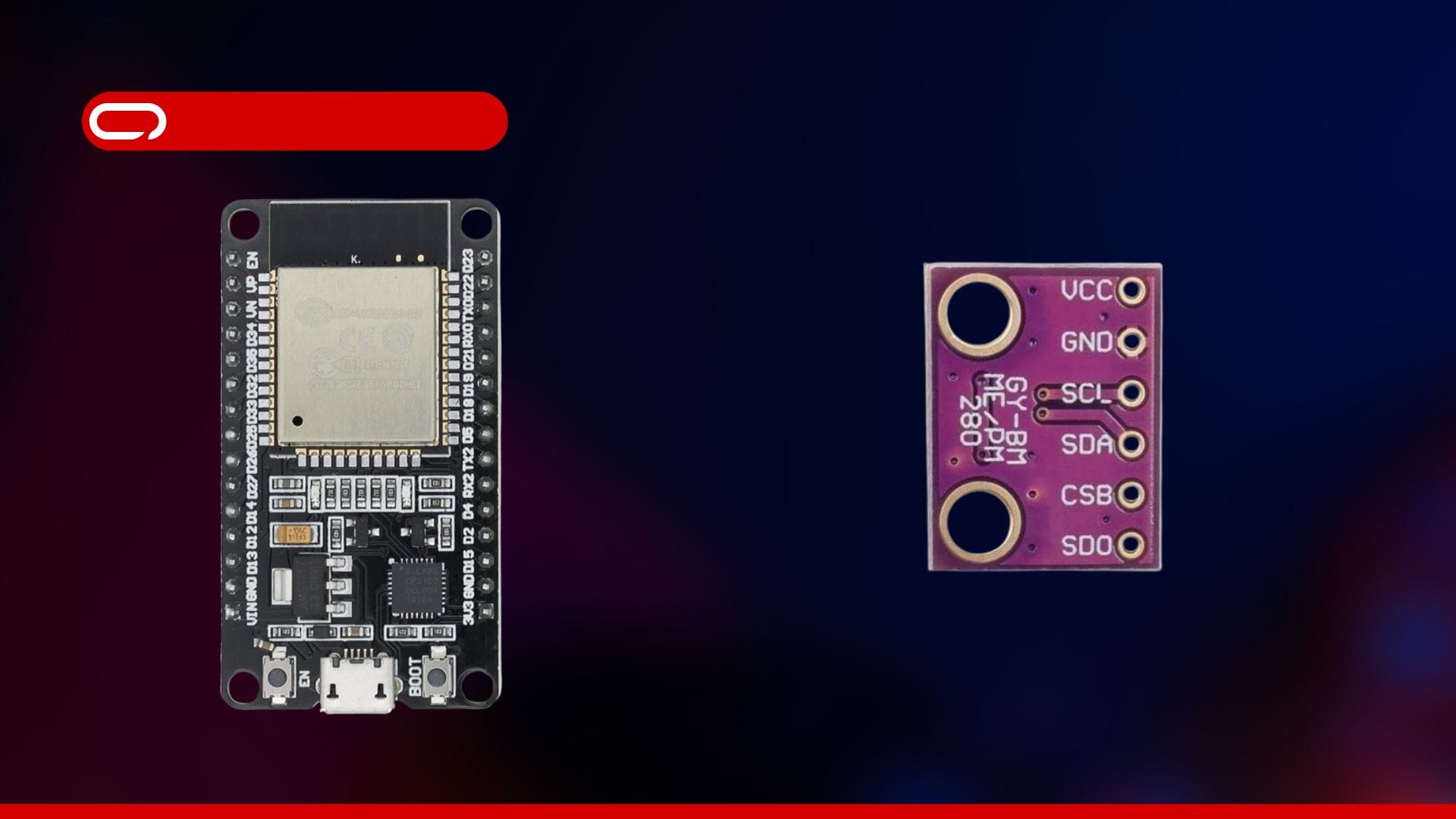
Community & Local Networks
- Build neighborhood communication networks independent of ISPs
- Create event coordination systems for festivals, fairs, or gatherings
- Establish resilient networks for privacy-conscious communities
- Support local mesh networks as a backup to traditional infrastructure
- Connect community gardens, maker spaces, or local organizations
Education & Experimentation
- Learn about mesh networking, wireless communication, and IoT concepts hands-on
- Build custom applications and integrations with Python, JavaScript, or other languages
- Participate in hackathons and maker projects
- Explore radio propagation and network topology in real-world scenarios
- Teach students about decentralized systems and radio technology
Choosing Your Hardware
Selecting the right Meshtastic device depends on your specific use case, budget, and technical expertise. We've created a comprehensive device comparison guide covering all major options, but here's a quick overview to get you started.
 Adrelien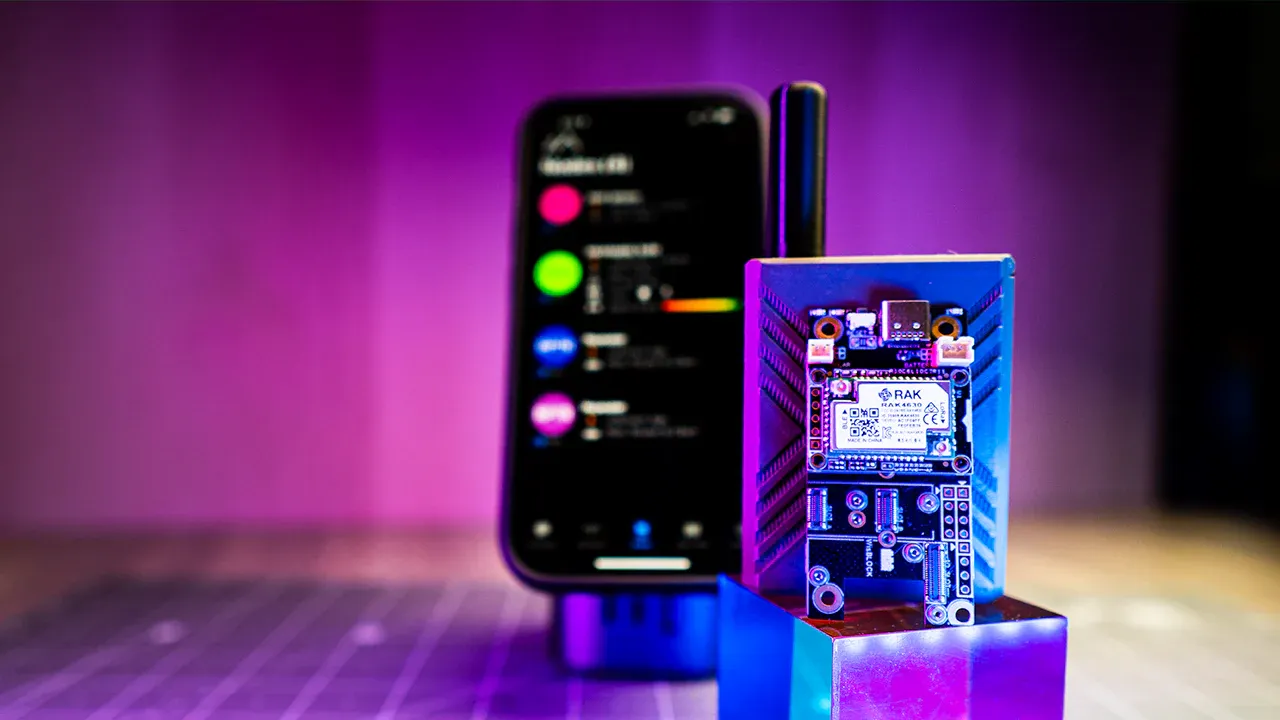
Understanding Key Hardware Differences
ESP32 vs nRF52 Processors
The two main processor families used in Meshtastic devices are ESP32 and nRF52, each with distinct advantages:
| Feature | ESP32 | nRF52 |
|---|---|---|
| Power Use | Higher (requires frequent charging) | Ultra-low (weeks on battery) |
| WiFi | Built-in (great for MQTT) | Not available |
| Bluetooth | Yes | Yes |
| Cost | Lower ($20-35) | Higher ($35-100+) |
| Best For | Fixed nodes, MQTT, beginners, tinkering | Battery-powered, solar setups, handhelds |
| Battery Life | 1-3 days typical | 2-3+ weeks typical |
Quick Hardware Recommendations by Use Case
Best Budget Option: Heltec LoRa 32 V3 (~$21)
- Built-in OLED screen, WiFi, and Bluetooth
- Perfect for learning and experimentation
- Great documentation and community support
- Requires adding GPS and battery separately
- Higher power consumption (ESP32-based)
Buy: AliExpress Official Store | Amazon US
Best Solar Node: RAK WisBlock Meshtastic Starter Kit (~$25-37)
- nRF52840 for exceptional power efficiency
- Built-in battery and solar connectors ready to go
- Modular design allows easy sensor additions
- OTA (Over-the-Air) firmware updates
- Most reliable solar option available
Buy: AliExpress Official Store | Amazon US
Best Ready-to-Use Handheld: Seeed Wio Tracker L1 Pro (~$43)
- Complete package with case, battery, GPS, and screen
- Innovative joystick navigation with BaseUI interface
- Solar charging capability built-in
- No assembly required - truly ready to go
- 1.3" OLED display (larger than most)
Buy: Seeed Studio - Use code V8B7D3OL for 8% off
Best All-Around: LILYGO T-Beam (~$36-38)
- Includes GPS, OLED screen, WiFi
- Standard 18650 battery (easy to find/replace)
- Great balance of features and price
- Popular with strong community support
- Proven reliability over years of use
Buy: AliExpress Official Store | Amazon US
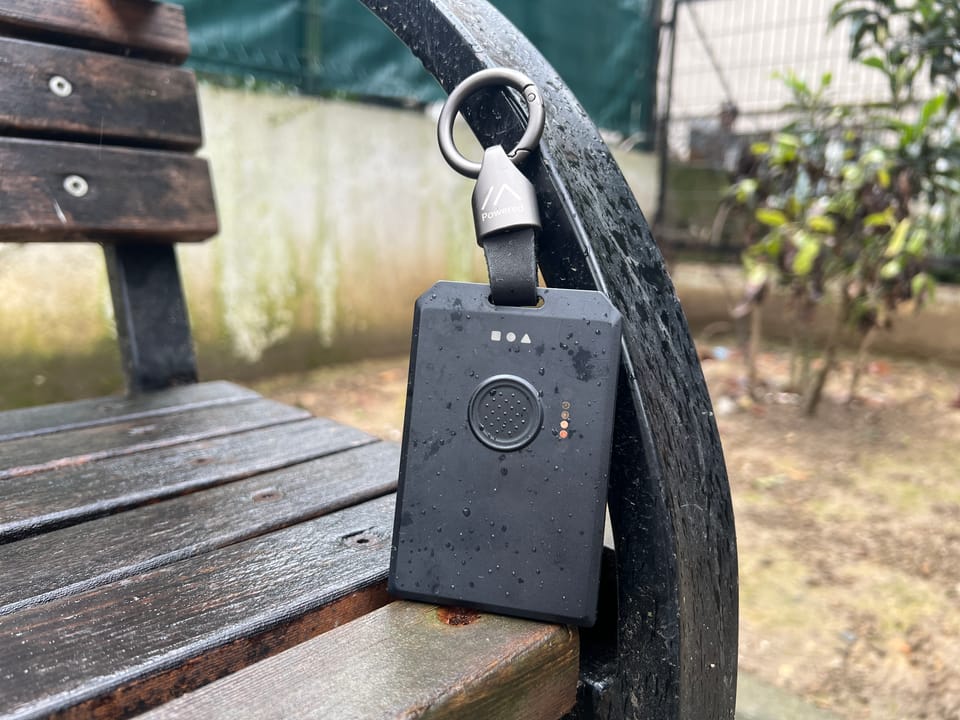
Best Pocket-Sized: SenseCAP Card Tracker T1000-E (~$40)
- Credit card form factor - fits in your wallet
- Ultra-low power nRF52840 processor
- Built-in GPS and environmental sensors
- IP65 water/dust resistant
- Perfect for tracking applications
Buy: Seeed Studio - Use code QR9OURMI for discount | AliExpress
For a detailed comparison of all devices with pros, cons, and specific use cases, check out our comprehensive device guide.
 Adrelien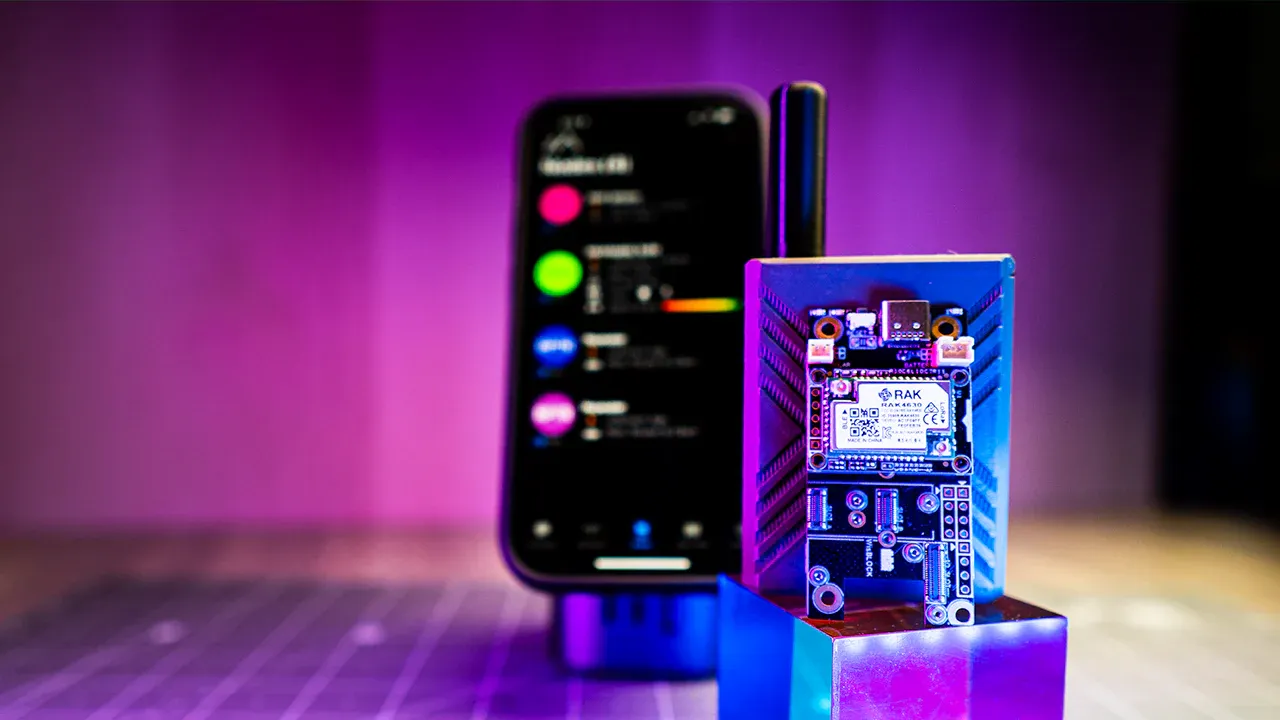
Setting Up Your First Meshtastic Node
Getting your first Meshtastic node up and running is straightforward. Follow these steps carefully for a smooth setup experience.
Step 1: Flash the Meshtastic Firmware
Before You Begin:
- ⚠️ CRITICAL: Never power on your device without the antenna connected! This can permanently damage the radio module.
- Have a USB cable ready (most devices use USB-C, some use Micro-USB)
- Use Chrome or Edge browser for the web flasher
For ESP32-Based Devices (Heltec V3, T-Beam, etc.)
Method 1: Web-Based Installer (Easiest)
- Visit flasher.meshtastic.org
- Connect your device via USB
- Select your device type from the dropdown
- Choose the latest stable firmware version
- Click "Flash" and wait for completion (usually 1-2 minutes)
Method 2: CLI Python Script (Advanced Users)
- For custom DIY builds or advanced configuration
- See official CLI documentation
- Check out our DIY Meshtastic build guide for detailed instructions
For nRF52 & RP2040 Devices (WisBlock, T-Echo, etc.)
Method 1: Drag & Drop Method
- Download the .uf2 firmware file from flasher.meshtastic.org
- Double-press the reset button on your device or click on Enter DFU Mode
- Device appears as USB drive on your computer
- Drag the .uf2 file onto the drive
- Device automatically reboots with new firmware
Method 2: OTA Updates (Not Reliable at All)
nRF52 devices support Over-the-Air firmware updates via Bluetooth from the mobile app (after initial setup)
Step 2: Install the Meshtastic Mobile App
- Download the app from your device's app store:
- iOS: App Store
- Android: Google Play
- Enable Bluetooth on your phone
- Open the Meshtastic app
Step 3: Pair Your Device
- In the Meshtastic app, tap the "+" icon to add a new device
- The app will scan for nearby Meshtastic devices
- Select your device from the list (shown as "Meshtastic_XXXX" where XXXX is a unique identifier)
- Confirm the pairing (some devices may require entering a PIN, usually shown on the device screen)
- Wait for the initial configuration to download (30 seconds to 2 minutes)
Note: You can also connect via USB, WiFi (ESP32 devices), or serial connection. The app supports multiple connection methods.
Step 4: Configure Your Node
Once paired, you'll want to configure some basic settings:
Set Your Region
- Go to Settings → LoRa
- Select your region (this sets the correct frequency and power limits)
- Common regions: US, EU_868, EU_433, etc.
Set Your Node Name
- Go to Settings → User
- Change "Long Name" to something descriptive (e.g., "John's Hiking Node")
- Set a "Short Name" (3-4 characters, displayed on small screens like "JOHN")
Configure GPS (if your device has GPS)
- Go to Settings → Position
- Enable "GPS Enabled"
- Set broadcast interval (default is 900 seconds/15 minutes)
- Wait a few minutes for the GPS to get a fix (may take 15-20 minutes on first use, especially indoors)
Channel Settings
- By default, you're on the "LongFast" channel
- This is fine for getting started and connecting with nearby users
- For private communications, you'll want to create a custom channel (see Advanced Configuration section)
- You can have multiple channels on one device (1 primary + up to 7 secondary)
Step 5: Send Your First Message
- From the main screen, tap the message icon
- Select a channel to send to (or direct message a specific node)
- Type your message and send
- If you have multiple devices or other Meshtastic users nearby, you should see your message appear on their devices
🎉 Congratulations! You've just sent your first message over your own mesh network!
Advanced Configuration & Optimization
Creating Private Channels
The default "LongFast" channel is public and can be read by anyone. For private communications:
- Go to Settings → Channels
- Tap "+" to create a new channel
- Give it a name (e.g., "Hiking Group")
- Set a Pre-Shared Key (PSK) or let Meshtastic generate a random one
- Share the channel QR code with others to join
Power Management
Optimizing power consumption is crucial for battery-powered or solar setups:
Screen Timeout
- Settings → Display → Screen On For
- Set lower values (30-60 seconds) for battery savings
Power Saving Mode
- Settings → Power → Device Power Mode
- Options: Default, Power Saving, or Router
- Power Saving: Reduces transmit power and checks for messages less frequently (best for handhelds)
- Router: Always-on mode for fixed nodes that relay messages (higher power use but better network coverage)
Range Optimization
Antenna Placement
- For fixed nodes, place antenna as high as possible (roof mounting is ideal)
- Avoid placing nodes near large metal objects or inside metal enclosures
- Keep antenna vertical (perpendicular to ground) for best omnidirectional coverage
- External antennas can significantly improve range - see our best antenna guide
 Adrelien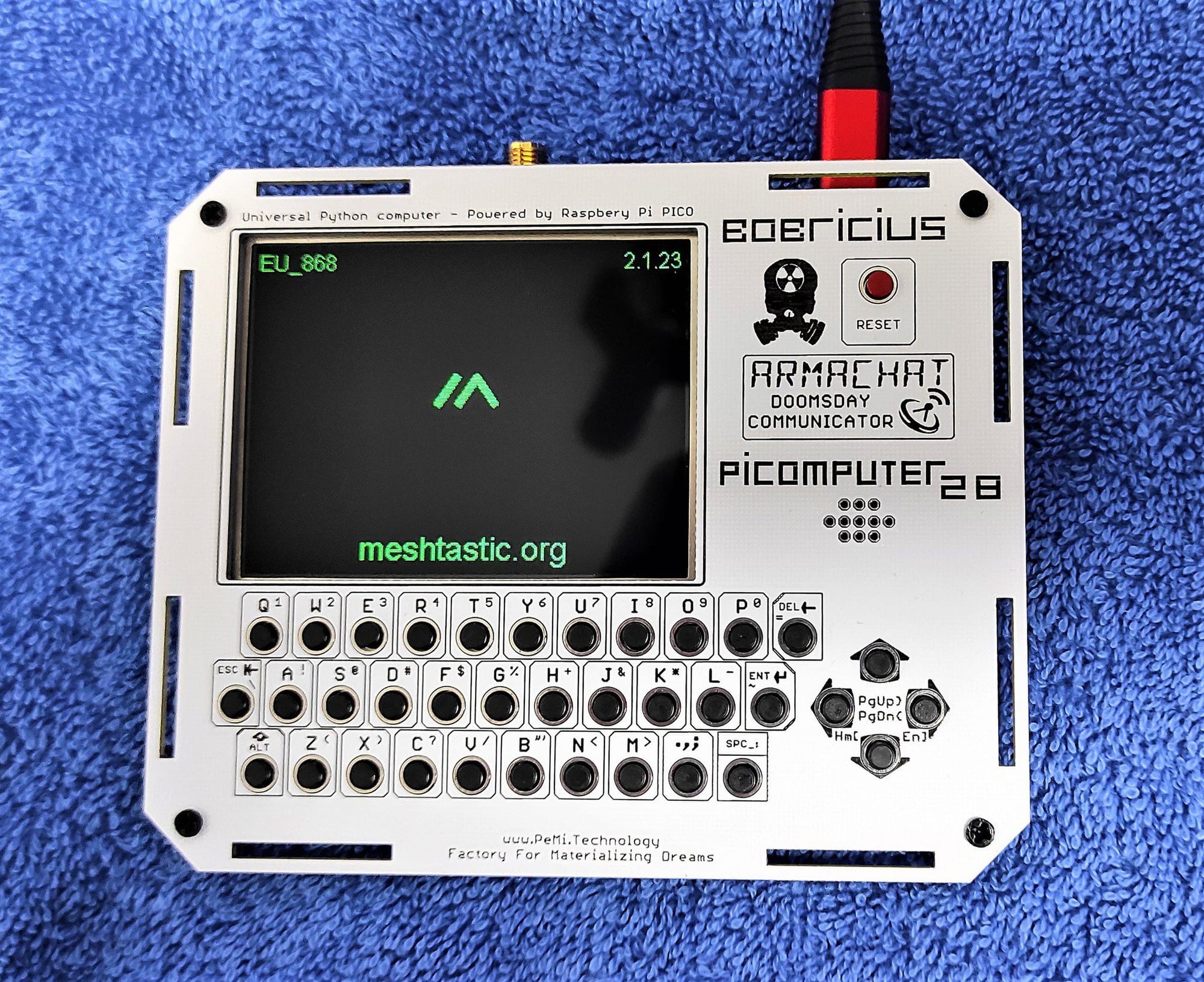
LoRa Settings
- Settings → LoRa → Modem Preset
- LongFast: Good balance (default) - ~5-10 km range
- LongSlow: Maximum range (~10-15 km), slower messages
- MediumFast: Shorter range (~2-5 km), faster messages
Router Nodes
- Strategic placement of always-on router nodes extends network coverage
- Place routers at high points with good visibility
- Ideal spacing: 3-5 km apart in urban areas, 8-12 km in rural areas
- Each router extends the effective network range significantly
Adding Sensors & Telemetry
Meshtastic supports various sensors for environmental monitoring and data collection. Our blog has detailed guides on adding:
- BME280: Temperature, humidity, and barometric pressure
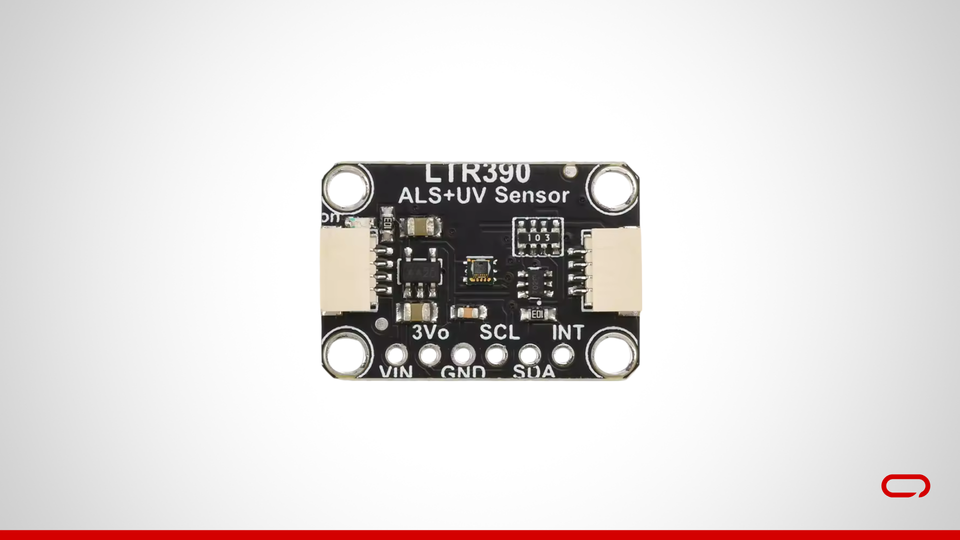
- LTR390: UV light sensor for sun exposure monitoring
- GPS modules: For devices without built-in GPS
- Motion sensors: For security or wildlife detection
- SOS buttons: Emergency alert functionality
- And many more sensor types!
MQTT Integration
MQTT allows your mesh network to connect to the internet and integrate with other systems. This enables:
- Connecting geographically separated mesh networks
- Data logging to cloud services
- Integration with home automation systems (Home Assistant, etc.)
- Viewing your mesh network on a map
- Remote monitoring and control
Learn how to set up your own MQTT server with our MQTT hosting guide.
 Adrelien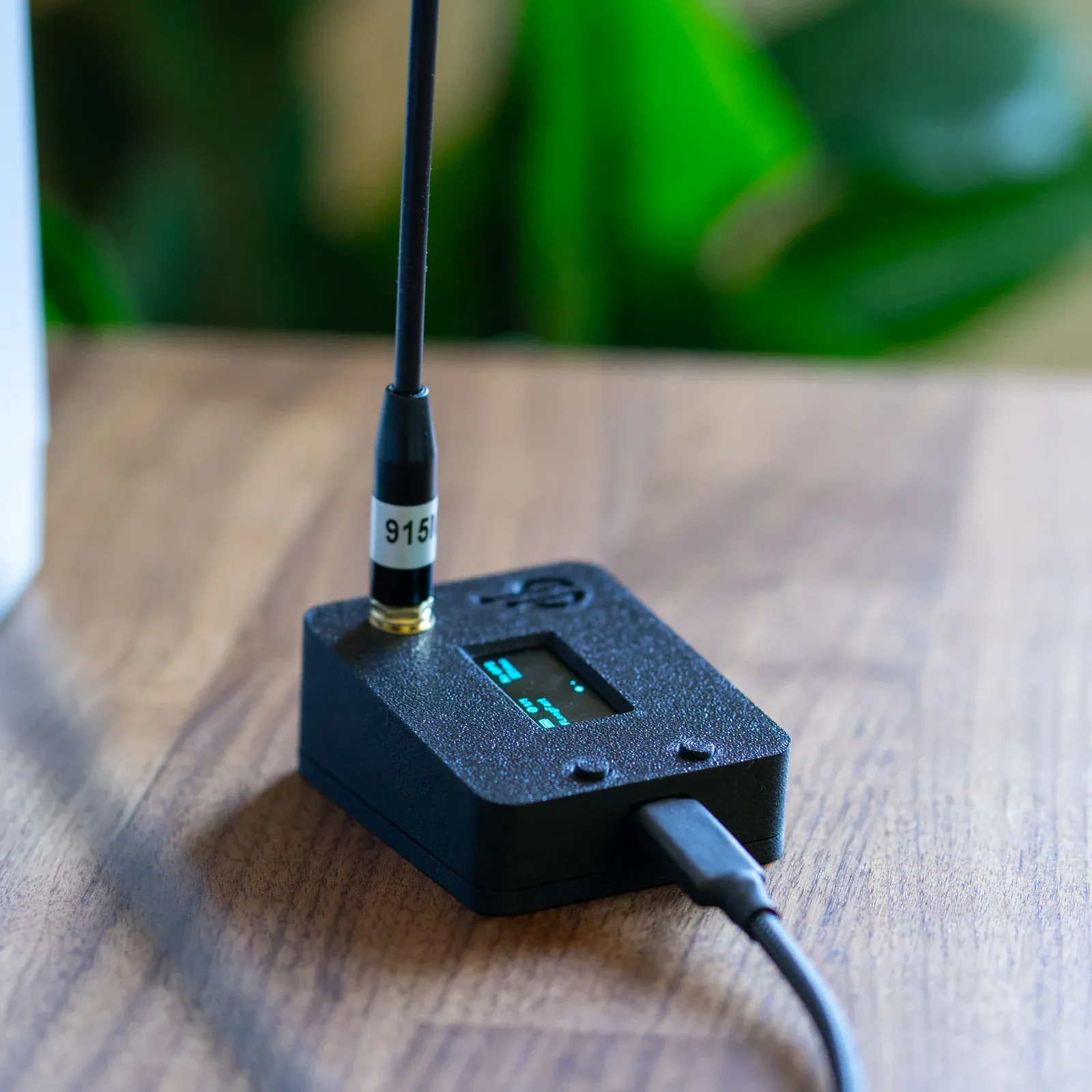
Data Visualization with Grafana
Want to see your telemetry data in beautiful charts and graphs? Our Grafana visualization guide shows you how to set up professional dashboards for your Meshtastic data, including:
- Real-time temperature and humidity graphs
- Battery voltage monitoring
- Signal strength (SNR/RSSI) tracking
- GPS location history
 Adrelien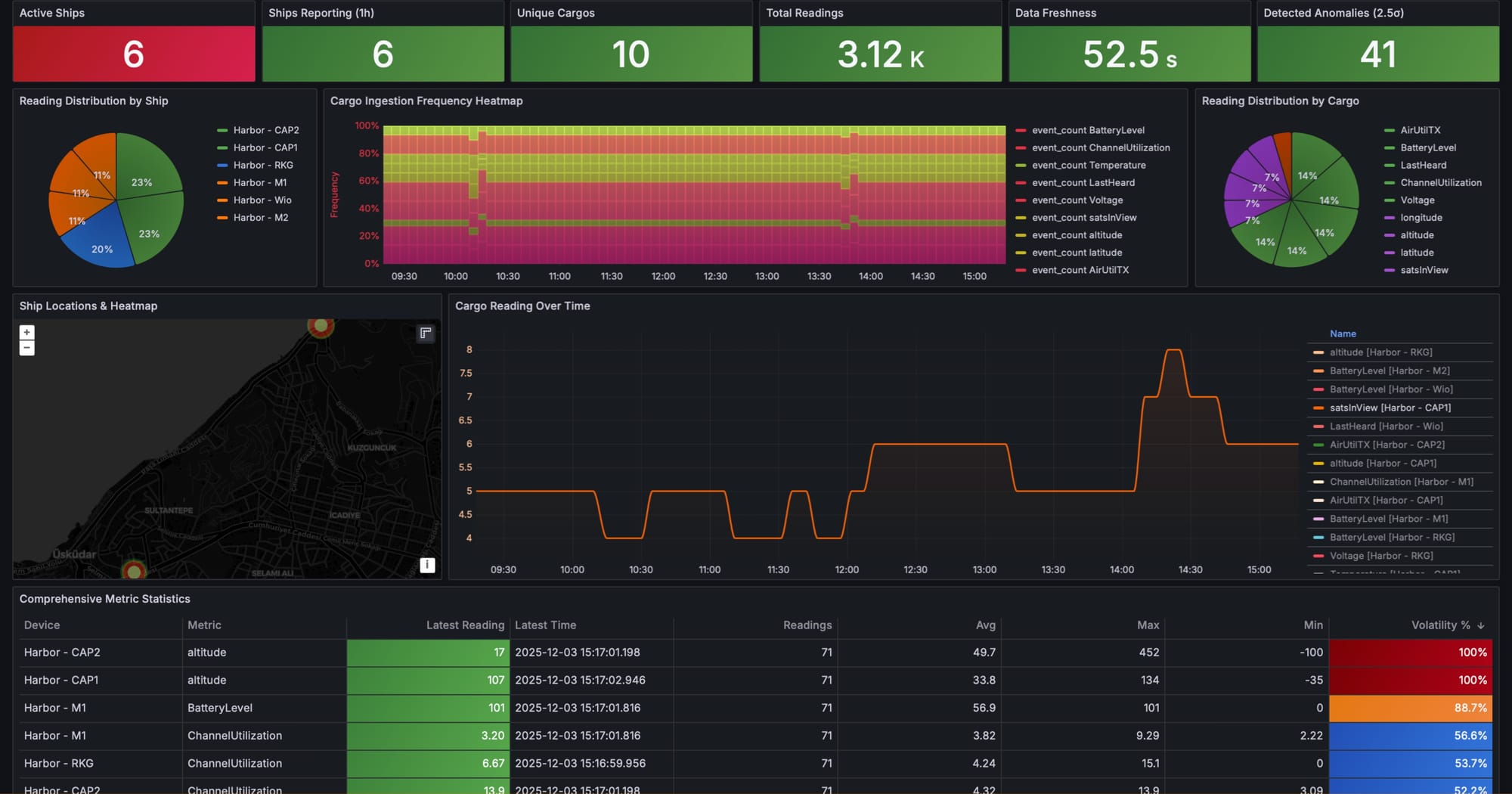
Troubleshooting Common Issues
Device Won't Connect via Bluetooth
- Make sure Bluetooth is enabled on your phone
- Restart both the device and your phone
- Try "Forget" device in phone Bluetooth settings and re-pair
- Some devices require you to disable Bluetooth pairing PIN in settings
- Check that firmware version is compatible with your app version
GPS Not Getting a Fix
- First fix can take 15-20 minutes, especially indoors
- Go outside with clear view of the sky
- Keep device stationary while acquiring initial fix
- Check that GPS is enabled in Position settings
- Some devices have internal antennas that perform poorly - consider adding external GPS
Short Range / Poor Performance
- Verify antenna is properly connected and secured
- Check that you're using the correct frequency for your region
- Try switching to LongSlow modem preset for testing
- Ensure devices are on the same channel
- Check channel utilization (Settings → LoRa → Channel Utilization) - should be below 20%
- Test in open area first before expecting indoor performance
Messages Not Being Received
- Verify both devices are on the same channel
- Check that channel encryption keys match (if using private channels)
- Ensure devices are within range (start with devices very close together for testing)
- Check node list to see if other device is visible
- Look for "hops away" indicator - devices more than 3 hops away may have issues
Battery Draining Too Fast
- Reduce screen timeout or disable screen
- Switch to Power Saving mode
- Reduce GPS update frequency (try 30 minutes instead of 15)
- Disable WiFi if not needed (ESP32 devices)
- Consider upgrading to larger battery
- For ESP32 devices, consider switching to nRF52 for better efficiency
High Channel Utilization
- Too many nodes in your area broadcasting frequently
- Reduce position update frequency
- Use secondary channels for some communications
- Consider switching to different channel or modem preset
- Target is below 20% for good performance
Best Practices & Tips
Network Etiquette
- Don't spam messages: Excessive messages can flood the network and reduce performance for everyone
- Respect channel utilization: Keep below 20% for optimal performance
- Use private channels for personal conversations: Keep public channels relevant to the community
- Be patient: Messages can take several seconds or even minutes to reach distant nodes through multi-hop routing
- Test responsibly: Do range testing in appropriate areas without disrupting others
Security Considerations
- Default channel is public: Anyone can read messages on the default LongFast channel
- Use private channels for sensitive info: Create channels with custom PSKs for private communications
- GPS privacy: Be aware that your location is broadcast on public channels if GPS is enabled
- Firmware updates: Keep your firmware updated for latest security patches
- Physical security: Protect admin credentials and don't leave devices unattended in public
Building a Community Network
- Start local: Get neighbors and friends interested in setting up nodes
- Strategic router placement: Work with community to place nodes at high points
- Share knowledge: Help new users get started - growing the network benefits everyone
- Document your network: Use mapping tools to track coverage
- Organize events: Group hikes or meetups to test range and build community
- Create local channels: Set up area-specific channels for your community
Firmware Management
- Regular updates: Check for firmware updates monthly
- Backup settings: Export channel QR codes and settings before updating
- Test releases: Stick to stable releases unless you're comfortable with alpha firmware
- Version compatibility: Major version mismatches may cause communication issues
- Read release notes: Understand what's changing before updating
Next Steps & Further Learning
Now that you have the basics down, here are some resources to expand your Meshtastic knowledge:
Official Resources
- Meshtastic Official Documentation: Comprehensive technical docs
- Meshtastic Discord: Active community for real-time help
- GitHub Repository: Source code and development
Adrelien Guides & Tutorials
We have an extensive library of Meshtastic content covering everything from hardware reviews to advanced integrations:
- Device Reviews & Comparisons
- DIY Build Guides
- Sensor Integration Tutorials
- Data Visualization with Grafana
- MQTT Server Setup
- Advanced Features & Modifications
Project Ideas to Try
- Set up coverage mapping for your area
- Integrate with Home Assistant for smart home automation
- Add ChatGPT to your mesh network (yes, it's possible!)
- Build a mobile node for your vehicle
- Create a hiking trail monitoring system
- Set up a wildlife fire notification system
- Build a multi-node solar repeater network
Conclusion
Meshtastic represents a powerful paradigm shift in how we think about communication networks. By leveraging open-source software, affordable hardware, and mesh networking principles, it puts the power of decentralized communication in everyone's hands.
Whether you're using it for outdoor adventures, emergency preparedness, IoT projects, or simply exploring the technology, Meshtastic offers an impressive combination of range, reliability, and flexibility. The barrier to entry is low (starting at just $20-30), the community is welcoming and helpful, and the potential applications are vast.
Key Takeaways:
- Start Simple: Begin with an affordable device like the Heltec V3 or T-Beam
- Location Matters: Antenna placement and height dramatically affect range
- Choose the Right Tool: ESP32 for tinkering/MQTT, nRF52 for battery life
- Join the Community: The Meshtastic community is your best resource
- Experiment and Learn: Don't be afraid to try different configurations
- Think Long-Term: Build with expansion in mind - start small, grow your network
The future of Meshtastic is bright, with continuous development adding new features, improving performance, and expanding capabilities. By getting started now, you're not just learning a technology - you're becoming part of a movement toward more resilient, decentralized communication.
Happy meshing! If you have questions, experiences to share, or just want to show off your setup, drop a comment below or reach out through our contact page. We'd love to hear from you!