The Best Meshtastic Devices for Every Use Case (2026 Edition)
Discover the best Meshtastic hardware for 2026! From the budget Heltec V4 and EDC WisMesh Tag, to phone-free T-Decks and fixed solar repeaters. We break down real-world battery, range, and MQTT setups to help you build the perfect mesh network.
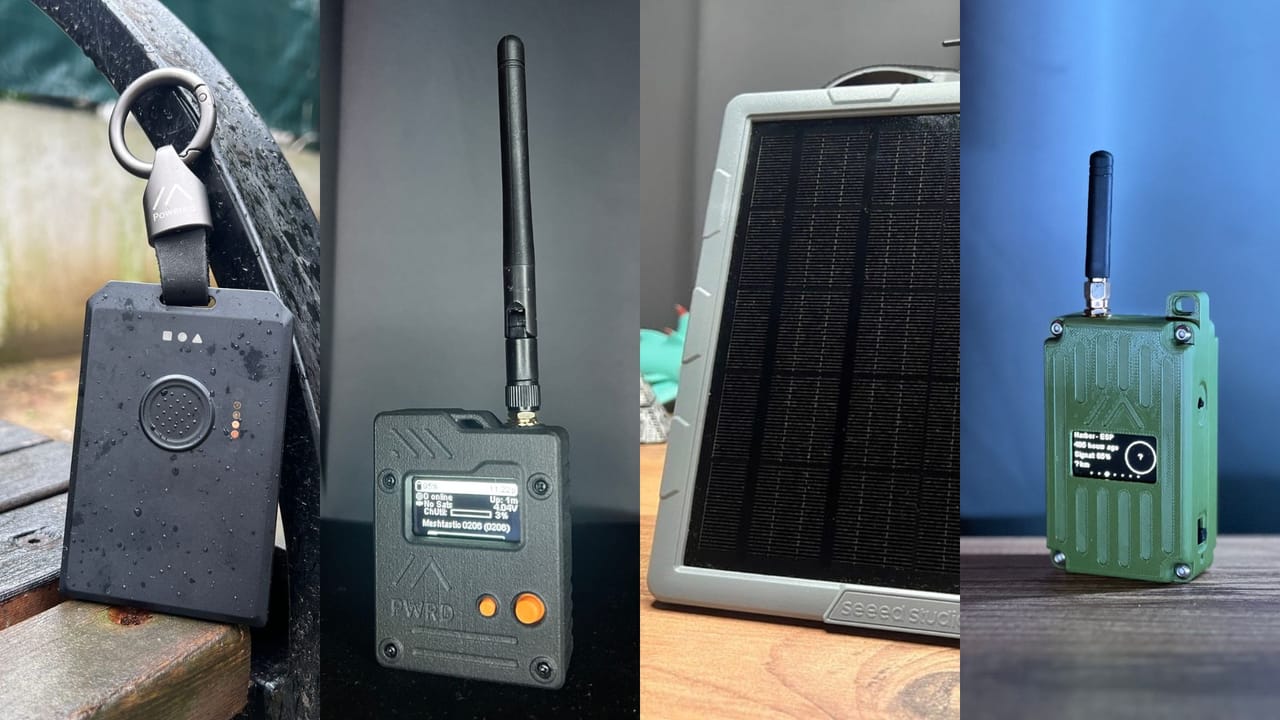
The Meshtastic hardware scene has changed a lot since we last updated this guide. New devices launched, old recommendations got dethroned, and a handful of use cases emerged that simply didn't exist when we wrote the original post. This is a full rewrite, not a refresh.
We kept the same goal: help you pick the right device for your situation, not just hand you a generic "best of" list. Every recommendation here is based on real-world testing, hands-on reviews, and community feedback. Where we haven't personally tested a device, we say so.
 Adrelien
Here's what changed in this edition:
- Heltec V3 is out, V4 takes over as the budget pick
- WisMesh Tag replaces the T1000-E as the EDC champion
- Three completely new use case categories: Home Base / MQTT Gateway, Phone-Free Communicator, and Fixed Solar Repeater
- The solar category now has a proper deploy-and-forget recommendation instead of a DIY kit
Let's get into it.
1. Budget & Beginner: Heltec LoRa 32 V4
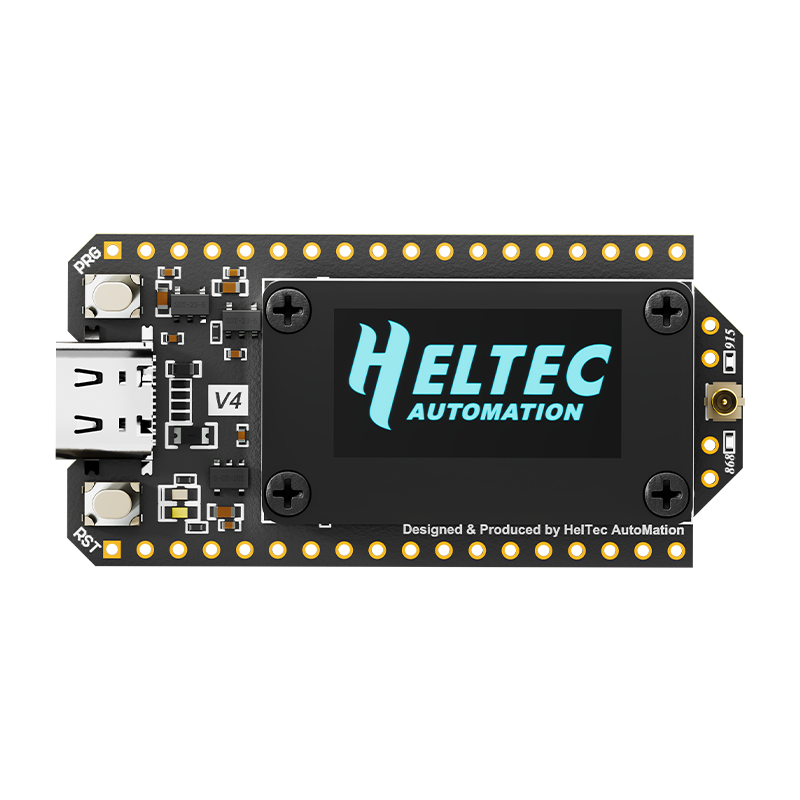
The V3 held this spot for a long time and earned it. The V4 takes it over for one simple reason: it's the same price on the bare board, and it's better in every way that matters.
The jump to ESP32-S3 brings 2MB of PSRAM and 16MB of Flash, numbers that might sound abstract until you understand what they unlock. That extra memory is what allows the V4 to run as a store-and-forward node, meaning it can buffer messages and relay them more reliably across larger networks. The V3 couldn't do this. For a beginner who's also thinking about eventually building out a real mesh, this is a meaningful head start.
The other big upgrade is TX power. The V4 hits 28dBm via an integrated RF front-end, up from the V3. Combined with a better LNA for receive sensitivity, you're getting meaningfully better radio performance out of the same form factor.
Everything you already loved about Heltec is still here: the onboard OLED screen, the WiFi and Bluetooth, the solid documentation, and the large community of people who've already solved every beginner problem you're about to run into. The WiFi in particular is the reason to pick this over any nRF52-based option at the same price — it's your bridge to MQTT, Home Assistant, and pax counter setups.
Why it's great
- Same price as the V3 on the bare board no reason to go back
- PSRAM unlocks store-and-forward more capable node for growing networks
- Higher TX power (28dBm) with better receive sensitivity via integrated LNA
- WiFi onboard for MQTT, Home Assistant, pax counter integration
- GPS and solar headers built in easy to expand without soldering
- OLED screen for real-time feedback without touching your phone
- Great documentation and community support Heltec has a huge user base
A few things to keep in mind
- Use firmware 2.7.20 or higher early builds had TX power calibration issues with the new RF front-end
- Still ESP32 at heart more power-hungry than nRF52 options, not ideal for battery-only deployments
- No battery slot there's a connector, but you'll need to sort your own battery and case
- No GPS out of the box you can add it via the header, but it doesn't come included
💡 The WiFi is the real reason to choose this over an nRF52 device at the same price. If you want to bridge your mesh to the internet, connect to Home Assistant, or run a pax counter, you need WiFi, and the V4 has it.
2. Home Base / MQTT Gateway: LILYGO T-Beam
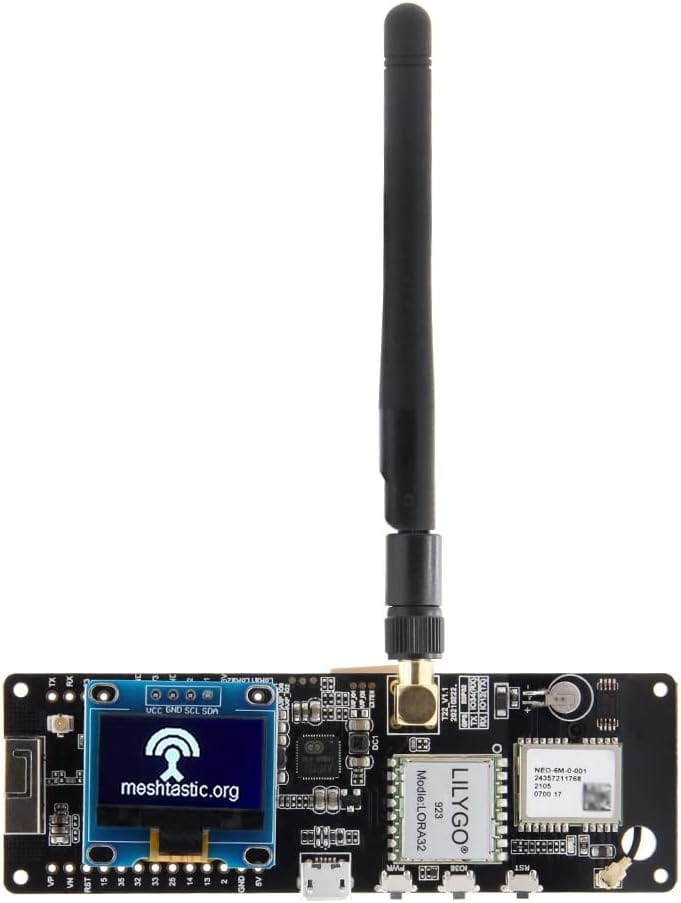
This is a brand new use case category for this guide, and it deserves its own section because it's genuinely different from everything else on this list.
A home base node is a device that lives on your desk, plugged into the wall, connected to your WiFi, and running 24/7 as the anchor of your local mesh. Its job isn't to travel with you, it's to give your whole network a stable, always-on relay point that also bridges to the internet via MQTT. If you want your Meshtastic messages to reach someone across the country, or if you want your node positions showing up on a map, this is the device category that makes that happen.
The T-Beam is the classic recommendation here and it earns it. You get an ESP32 with WiFi for MQTT, built-in GPS to keep your mesh timing synced, an OLED display so you can see what's happening without reaching for your phone, and, the detail that makes this category make sense an 18650 battery holder. That means when the power cuts, your home base node keeps running. It's not just a desk accessory, it's a backup node.
One quick tip before you buy: get the version with the OLED pre-soldered. Some listings ship it unattached and you'll need to solder it yourself. Check the listing carefully.
Why it's great
- 18650 battery holder easily swappable battery backup when the power goes out
- WiFi for MQTT bridge your mesh to the internet, connect to Home Assistant
- Built-in GPS keeps mesh timing synchronized, yet still useful for taking out from time to time.
- OLED display monitor your node without needing the app open
- ESP32 ecosystem plays nicely with Home Assistant, Node-RED, and other automation tools
- Affordable one of the best-value feature sets in the ecosystem at $36
A few things to keep in mind
- Battery not included — the holder is there, but you need to buy an 18650 separately. Use an unprotected flat-top cell, protected or button-top cells are often too long to fit
- WiFi is 2.4GHz only if your router only broadcasts 5GHz, or you have a combined 2.4/5GHz SSID, you may need to set up a dedicated 2.4GHz network. This trips people up more than anything else with this device
- No case included fine for a desk setup, but get one if it's going anywhere else
- Higher power consumption it's ESP32, so it's not efficient on battery alone long-term. Keep it plugged in
💡 Want more? The T-Beam Supreme (Amazon US: ~$44.00) adds an ESP32-S3 with 8MB PSRAM and crucially an onboard BME280 sensor. That means your home base node broadcasts temperature, humidity, and barometric pressure telemetry to the entire mesh with zero extra hardware. If you want your node to double as a weather station, the Supreme is worth the extra $20.
3. Best All-Around Handheld: Seeed Wio Tracker L1 Pro
Wio Tracker L1: $29.90 USD (10% off with code BTZUGH9A)
Wio Tracker L1 Pro: $42.90 USD (8% off with code V8B7D3OL)
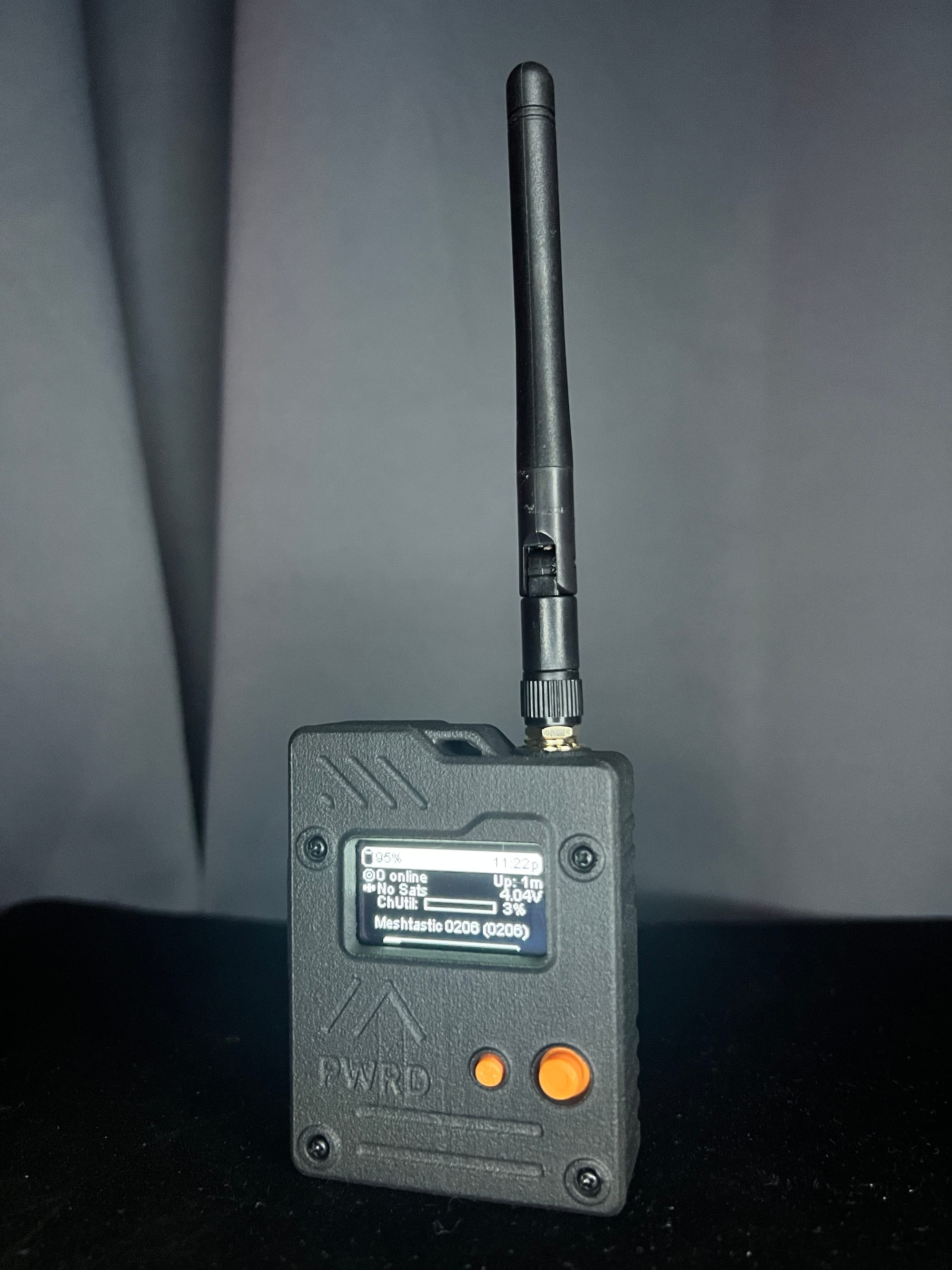
At $42.90, the Wio Tracker L1 Pro gives you something that genuinely didn't exist at this price point a year ago: a complete, out-of-the-box handheld with solar charging, multi-constellation GPS, a joystick-based UI, and a proper enclosure all included, nothing extra to source.
The headline feature is the joystick navigation with BaseUI the first Meshtastic device to fully support this interface. If you've used other Meshtastic handhelds, you know how frustrating button-only navigation gets when you're trying to read messages with gloves on in the rain. The joystick changes that. Combined with the larger 1.3" OLED (most budget devices use 0.96"), it's a meaningfully better experience to actually use.
The solar input is real too, not a marketing checkbox. It's a genuine 5V solar input with proper charging management, and at this price that's rare. The L76K GPS chip supports GPS, BeiDou, GLONASS, and QZSS, faster locks, better accuracy, more reliable in obstructed conditions.
In range testing we hit nearly 1.8km in a dense urban environment, which puts it right alongside devices that cost twice as much.
Why it's great
- Complete package battery, case, antenna, solar input, GPS, screen. Nothing extra to buy
- Joystick + BaseUI the most intuitive navigation of any Meshtastic handheld at this price
- Multi-constellation GPS L76K supports GPS, BeiDou, GLONASS, and QZSS
- 1.3" OLED — larger than the 0.96" screens on most budget devices
- Solar charging genuine off-grid capability, not just a spec sheet claim
- Grove connector + PTH headers expand it when you're ready without soldering
- nRF52840 power-efficient chip, 2.5 days real-world battery life with screen active
- ~1.8km range in urban testing competitive with devices at twice the price
A few things to keep in mind
- BaseUI is still in alpha it's the best navigation experience available, but features may change before stable release
- Grove port is awkward with the case on the placement makes it nearly unusable if you're keeping it enclosed. Plan to expand it before sealing up
- RP-SMA connector not compatible with standard SMA antennas. Double-check your antenna type before ordering aftermarket
- Plastic screw threads will wear the 3D-printed enclosure isn't going to last forever under heavy use
- No USB-C cable included a frustrating omission at any price point
4. Phone-Free Communicator: LilyGO T-Deck Plus
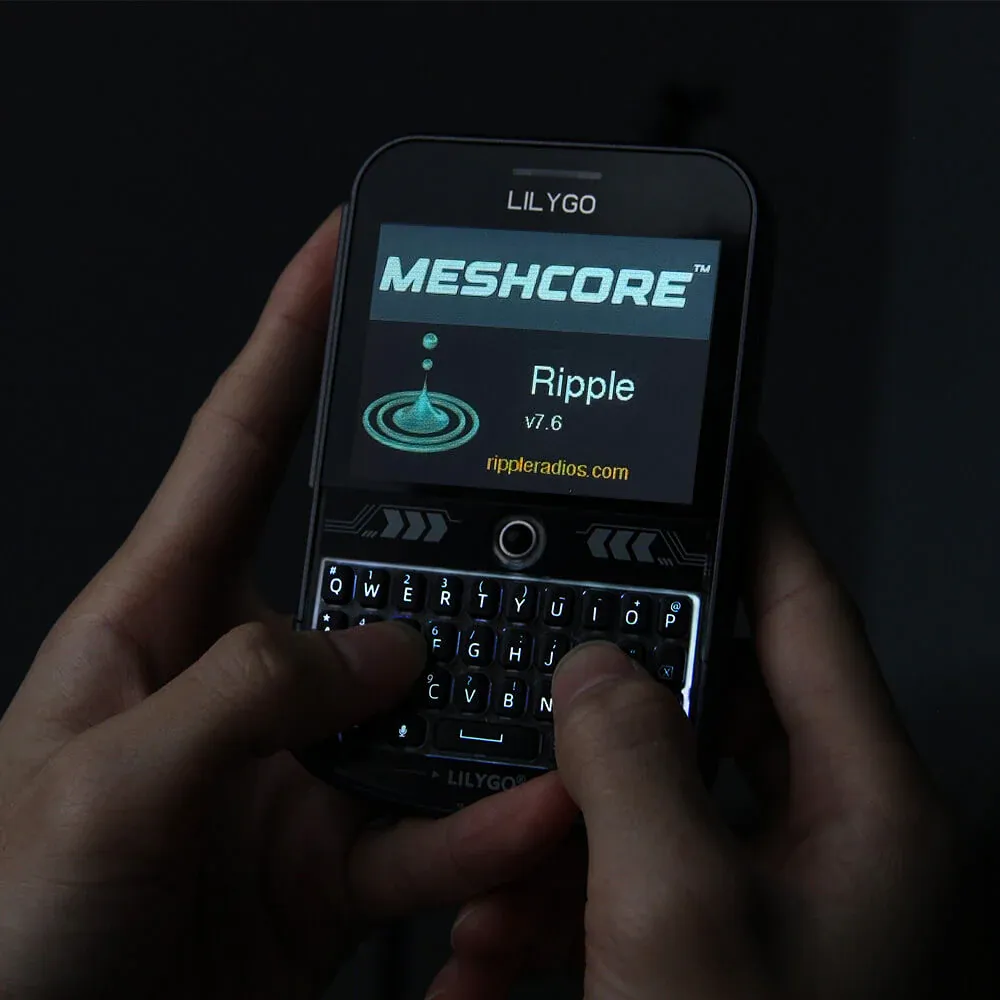
Every other device on this list needs a phone. The T-Deck Plus doesn't.
This is its own category because it solves a fundamentally different problem. If your phone dies in the field, or you're in a situation where you don't want to depend on one, or you just want a dedicated device you can hand to someone who isn't going to install the Meshtastic app, the T-Deck Plus is the answer. It has a full-color screen and a physical QWERTY keyboard built in. You power it on, you see your inbox and nearby nodes, and you start typing. No app, no Bluetooth pairing, no phone.
The "Fancy UI" preinstalled on 2026 models is a significant step up from the default Meshtastic interface, it's been specifically designed for the T-Deck's screen and keyboard, and it shows. WiFi is also onboard if you want MQTT connectivity, so it can also pull double duty as a home base node in a pinch.
📝 Note: We haven't personally reviewed the T-Deck Plus yet. This recommendation is based on community testing and available specifications. We'll update this section once we've put it through our own test protocol.
Why it's great
- Fully phone-free color screen + physical QWERTY keyboard, works standalone right out of the box
- "Fancy UI" purpose-built interface for the T-Deck form factor
- WiFi onboard optional MQTT connectivity if you want it
- Only standalone keyboard Meshtastic device there's genuinely nothing else in this category
A few things to keep in mind
- No IP rating not weatherproof, treat it like a phone in the rain
- 2000mAh battery on an ESP32-S3 shorter runtime than nRF52 devices. Plan around charging it daily in heavy use
- Bulkier than any EDC option this is a pocket-able device, not a wallet-size one
- Range is competitive but not class-leading the form factor limits antenna options
💡 Who is this for? Someone who wants a dedicated Meshtastic communicator that doesn't rely on their phone being alive and paired. Trail groups, emergency preparedness kits, anyone who wants to hand a second device to a friend who won't bother installing an app.
5. EDC / Daily Carry: RAK WisMesh Tag
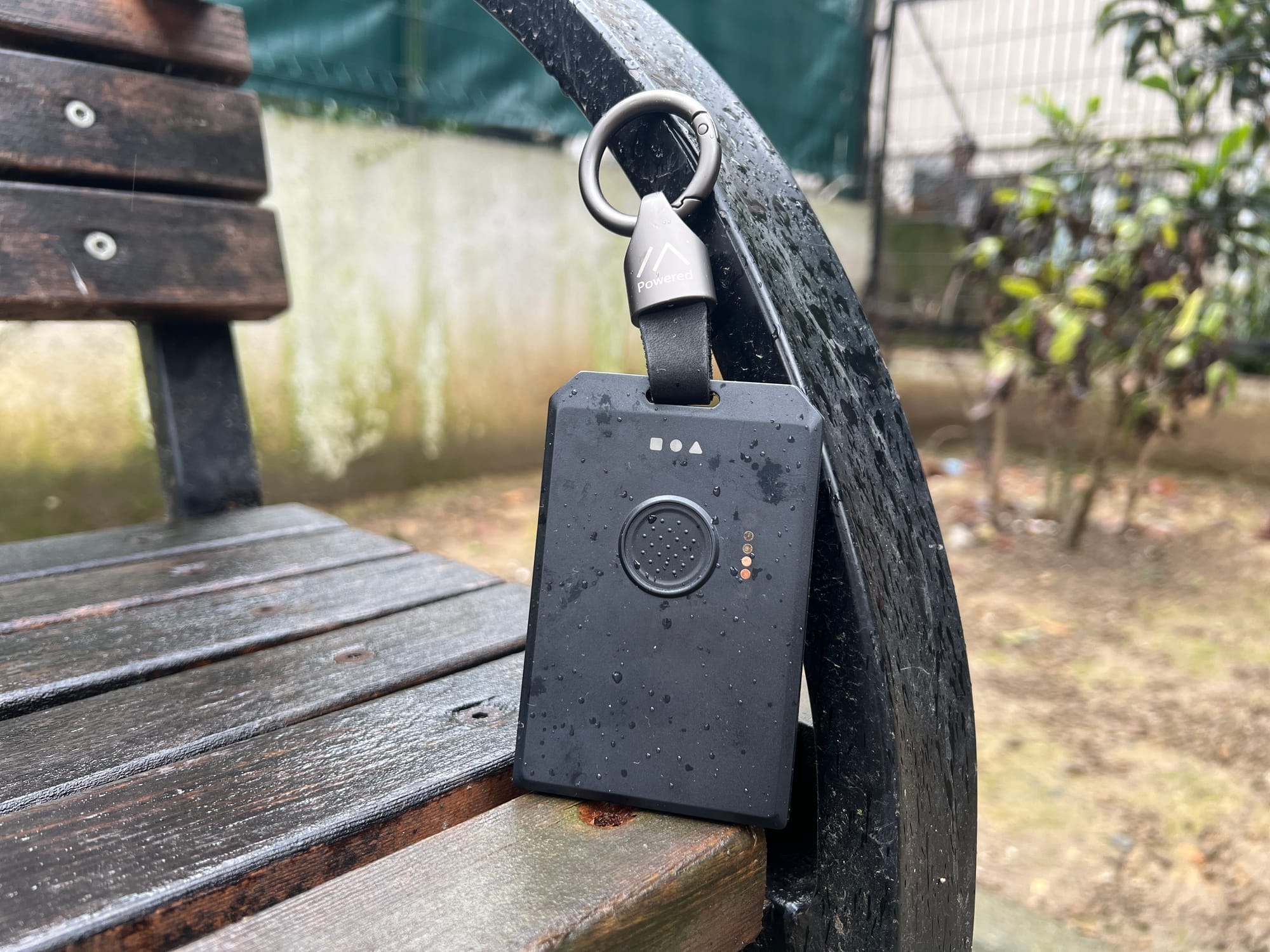
The SenseCAP T1000-E held this spot for a long time and earned every bit of its reputation. Then RAK sent us the WisMesh Tag, and after weeks of real-world testing, range walks, battery drain tests, water tests, and daily carry, the game changed.
At the same $39.90 price point, the WisMesh Tag wins on almost everything that matters for a device you carry every day.
The biggest difference is battery life. The T1000-E runs 2–3 days without GPS active. The WisMesh Tag ran 5–6 days in our testing. That's not a marginal improvement, it's the difference between charging every other day and charging once on Sunday and not thinking about it again until the following weekend. For a device that's supposed to live in your pocket or on your bag permanently, that gap matters more than any spec on paper.
Build quality is the other story. The WisMesh Tag has the best physical build of any compact Meshtastic device we've reviewed. IP66 rated (one step above the T1000-E's IP65), solid chassis that doesn't flex, a textured button you can press confidently in gloves or the dark, and dedicated reset and DFU buttons on the back that eliminate the charger-disconnect dance required by every other compact device.
The three-LED system is a small thing that makes daily use dramatically cleaner: one red for charging, one green for device state, one blue for incoming messages. No decoding blink patterns. Blue LED on means you got a message. That's it.
In range testing we hit 1.71km in dense urban conditions with strong signal consistency throughout — not just barely-making-it at the edge, but clean acknowledged packets the whole route.
The T1000-E isn't a bad device. It still wins on GPS satellite acquisition (11 vs 8 in our urban tests) and it has a temperature sensor the Tag doesn't. If GPS precision in tight urban conditions is your priority, it's still a solid runner-up. But for most people carrying a Meshtastic device day to day, the WisMesh Tag is the one to get.
📖 We published a full in-depth review of the WisMesh Tag with complete battery drain charts, range maps, water resistance tests, and a detailed T1000-E head-to-head comparison. If you're deciding between the two, read that first.
Why it's great
- 5–6 days battery life nearly double the T1000-E's 2–3 days, same price
- IP66 rated one step above the T1000-E, handles powerful water jets from any direction
- Three dedicated LEDs red (charging), green (status), blue (message). No blink-pattern decoding
- Dedicated DFU and reset buttons no more charger-disconnect rituals to enter firmware mode
- Best build quality of any compact Meshtastic device we've tested
- Textured front button confident press in gloves, in the dark, mid-hike
- Lanyard included in the box
- 1.71km range in dense urban conditions, strong signal consistency throughout
A few things to keep in mind
- GPS: 8 satellites vs T1000-E's 11 in urban testing the AT6558R single-band chip acquires fewer satellites than the T1000-E's dual-band AG3335 in obstructed conditions
- No temperature sensor the T1000-E has one, the Tag doesn't
- Proprietary magnetic charger same situation as the T1000-E. Lose it and you're waiting for a replacement
- Slightly larger than the T1000-E still very pocketable, but no longer credit-card sized
6. Premium Expandable Handheld: RAK WisMesh Pocket V2
Discount Code: ME$HTASTIC-ADRELIEN-10
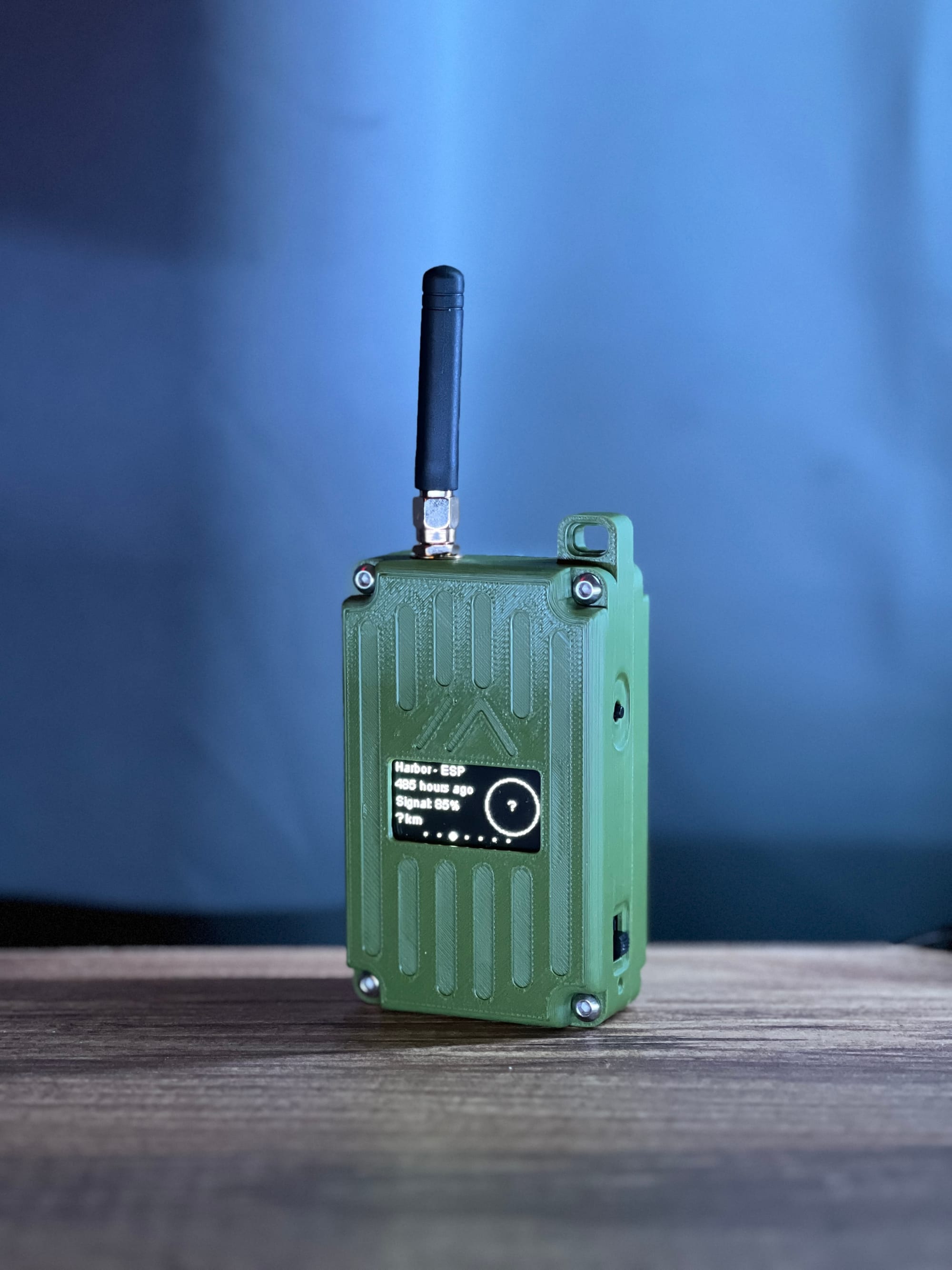
Every other device on this list is a fixed configuration you get what you get. The WisMesh Pocket V2 is different. It's built on the WisMesh Base Board RAK19026 with two dedicated sensor expansion slots and a dedicated IO slot, which makes it the most expandable Meshtastic handheld available right now.
The target reader for this section is someone who wants to plug in a BME280 for environmental telemetry, or an air quality sensor, or a custom module for their specific use case without a soldering iron, without a breadboard, and without fitting it all into a 3D-printed mess of a case. Snap the module in, close the case, you're done.
The base hardware is strong too: nRF52840 for power efficiency, a 1.3" OLED (larger than the standard 0.96"), 3200mAh battery with a proper BMS, external SMA connector for antenna upgrades, and a solar connector for extended field deployments. Battery life in real-world testing is over three days with GPS and screen both active, which puts it ahead of most handhelds in the ecosystem.
The stock antenna is the main weak point, the included antenna delivers around 500–600m range despite the premium price. Swap it for an aftermarket SMA antenna and that changes immediately. It's the first upgrade to make once you have it in hand.
Why it's great
- Two sensor expansion slots + IO slot plug in any compatible RAK module, no soldering
- 3200mAh battery + BMS over 3 days real-world with GPS and screen active
- 1.3" OLED larger and more readable than standard 0.96" screens
- External SMA connector easy antenna upgrades for better range
- Solar connector ready for extended off-grid deployments
- nRF52840 power-efficient chip, solid OTA update support
- Exposed GPIO pins for advanced users who want to go further
A few things to keep in mind
- Stock antenna is disappointing ~500–600m range at $99 is not acceptable. Swap it first thing
- No buzzer a strange omission at this price point
- LEDs are on the bottom often not visible in normal carry orientation
- Case screws directly into plastic build quality doesn't match the price
- Reset button is hard to press minor, but annoying in the field
7. Fixed Solar Repeater: SenseCAP Solar Node P1 Pro
Discount Code: U833Y3G5
Before we get to the hardware, this use case needs a one-paragraph explanation because it's the most misunderstood category in Meshtastic.
A fixed solar repeater is not a tracker. You don't carry it. You mount it on a rooftop, a pole, or a wall, and you leave it there permanently. Its entire job is to receive packets from other nodes and relay them further, expanding the reach of your whole mesh network. The GPS it includes isn't for "where is this node" (it's bolted to a pole, you know where it is). It's for precise time synchronization, which helps the mesh coordinate packet timing, reduces collisions, and improves delivery reliability across the whole network. Once you understand that, the hardware choices start making a lot of sense.
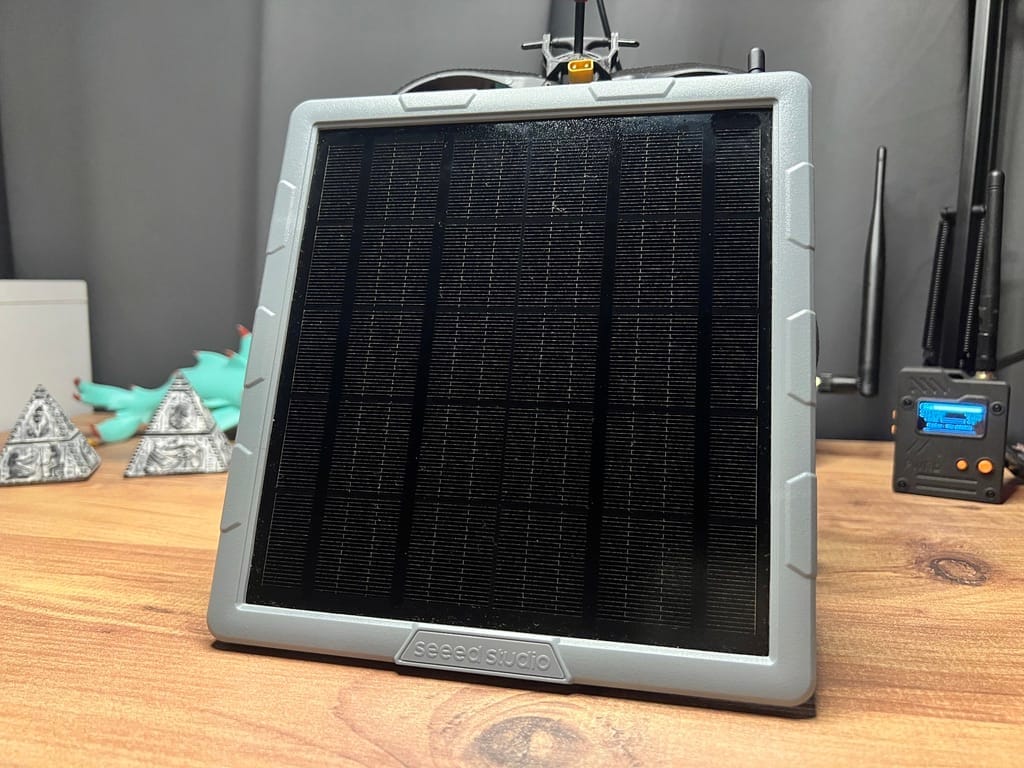
The SenseCAP Solar Node P1 Pro is the best value in this category right now and it isn't particularly close. For $89.90 you get four 3350mAh 18650 cells (13,400mAh total), a 5W solar panel, a Quectel L76K GPS module, the nRF52840 + SX1262 radio combo, a bracelet-clasp pole mounting kit, and USB-C access, all pre-assembled, pre-flashed, FCC and CE certified, and ready to mount.
We ran ours for 27 days tracked via Grafana. With zero solar input (worst case, face-down on a desk indoors), it ran for approximately 9 days on battery alone. Outdoors with real sun exposure, one user running theirs 43 feet up a tree reports the battery has never dropped below 87%. That's what this device is designed to do: sit outside and never come down.
The USB-C port deserves a specific callout because it matters more than it sounds on a permanently-deployed node. When you need to flash a firmware update, you don't have to dismount the whole device, bring a laptop and a USB-C cable up the ladder and you're done on the spot. The pole mounting kit's bracelet-clasp hoop ring is also worth mentioning: it opens like a bracelet, wraps around the pole, clicks shut, then tightens with a screw. No fighting with hose clamps. Open, wrap, click, tighten. Done.
One thing you should know before buying: do not use NRF-OTA to update firmware on this device. It can brick it. Use the Web Flasher at flasher.meshtastic.org, and always flash the erase firmware first. This is in Seeed's documentation and it's worth taking seriously.
📖 We published a full in-depth review of the SenseCAP Solar Node P1 Pro with 27-day battery telemetry, solar charging math, internal teardown photos, range tests, and a full comparison against the RAK WisMesh Repeater and Elecrow ThinkNode M6. If you're deploying a permanent node, read that first.
Why it's great
- 13,400mAh battery 9+ days runtime with zero solar input
- 5W solar panel keeps it running indefinitely under real outdoor conditions
- USB-C field firmware updates without dismounting, standard cable, no proprietary connector
- Bracelet-clasp pole mount included the easiest mounting system we've seen at any price
- Grove connector add a BME280 to turn it into a mesh-connected weather station
- nRF52840 + SX1262 power-efficient chip, excellent radio
- Pre-flashed, FCC + CE certified pair it and deploy it, no setup friction
- ~1.9km range in dense urban testing with the stock 2dBi antenna
A few things to keep in mind
- IPX5, not IP65 it handles water jets, but the USB-C port means no official dust rating. Cap the port when not in use
- Stock 2dBi antenna the range is competitive, but upgrade before mounting if you want to push further. You won't want to climb back up to swap it
- Must flash erase firmware first skip this step and you risk bricking the device. Don't skip it
- GPS is for time sync, not tracking this is a fixed node. If you want an asset tracker, this is the wrong device
💡 Want to go bare bones? The SenseCAP Solar Node P1 ($69.90) is the same device without the batteries and GPS module pre-installed. If you already have 18650 cells and don't need GPS timing, it's the same hardware for $20 less.
Conclusion
The Meshtastic hardware landscape in 2026 is genuinely different from what it was even 12 months ago. The categories that used to define this space budget node, solar node, handheld have fractured into something more nuanced. You can now get a phone-free keyboard communicator for $65, a deploy-and-forget solar repeater with 13,400mAh for under $100, and an EDC tracker that lasts nearly a week on a charge for $39.
If you're just getting started and don't know where to begin: get the Heltec V4 or the Wio Tracker L1 Pro. The V4 if you want to tinker and connect to home automation. The L1 Pro if you want something you can take outside immediately.
If you're building out a mesh network beyond a single device: add a T-Beam at home as your MQTT gateway, and throw a P1 Pro on your rooftop or a nearby high point. Those two nodes will give your whole network range and internet connectivity that a single handheld never will.