MeshCore: The Complete Getting Started Guide (2026)
Build a faster, quieter off-grid mesh network with MeshCore. No cell service, no WiFi, no internet. Here's everything you need to flash your first node and send your first message, from someone who actually runs it.
If you've read my Meshtastic getting started guide, this is the other side of the coin. MeshCore is the newer LoRa mesh firmware that's been picking up serious momentum, and after running it for a few weeks on a Wio Tracker L1 Pro and a SenseCAP T1000-E (companion plus a repeater), I figured it's time for a proper from-scratch walkthrough.
 Adrelien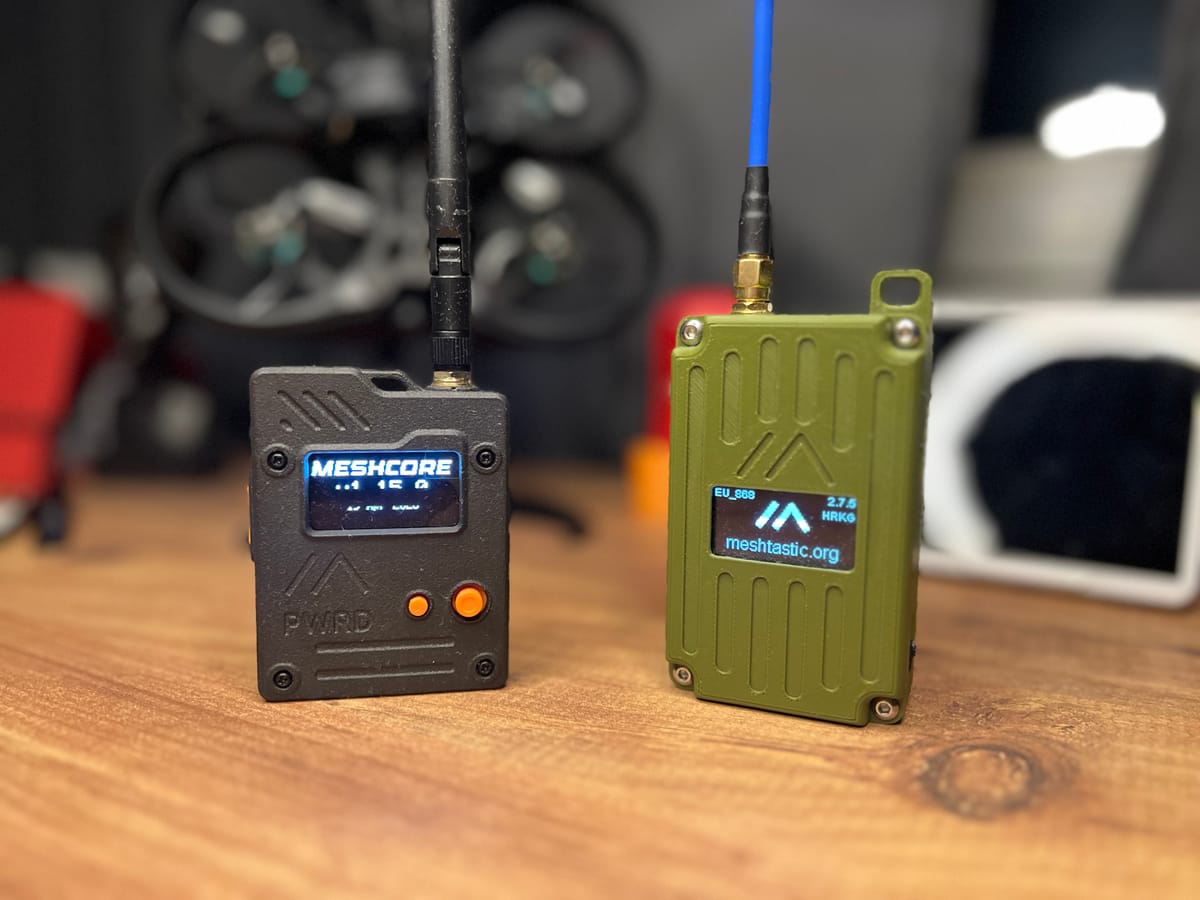
Quick heads up before we start: MeshCore is genuinely great once it's running, but it's not as beginner-friendly as Meshtastic. The setup throws more decisions at you, the docs are thin, and the mental model is different. I'll flag every spot that tripped me up so it doesn't trip you up. If you want the full breakdown of how the two compare, I wrote a whole separate Meshtastic vs MeshCore piece you should read too. This guide is just about getting you up and talking.
What is MeshCore?
MeshCore is an open-source LoRa mesh networking firmware, the same idea as Meshtastic, decentralized long-range messaging with no cell towers, no WiFi, no internet. You flash it onto cheap LoRa radios, pair them to your phone, and you've got an off-grid network.
The difference is what's under the hood. Where Meshtastic has every node rebroadcast every message (managed flooding), MeshCore floods once to learn a path, then routes future messages straight down that learned route. The result is a quieter, faster, more efficient mesh, especially as it grows. It launched in early 2025 and is MIT-licensed and open source.
If you already know Meshtastic, the fastest way to think about it: same hardware, same goal, smarter routing, and a setup that expects you to make a few more decisions up front.
Why Choose MeshCore?
Faster, snappier messaging This is the one I noticed immediately. Messages land quicker than on Meshtastic, noticeably, not a "if you squint" difference. The narrower default radio config and the smarter routing just feel more responsive out of the box.
A quieter, more efficient mesh MeshCore uses a "pull" model for telemetry instead of constantly broadcasting it. Your companion device isn't spraying position and node info across the network every few minutes, which leaves more airtime for actual messages. Matters more the bigger your mesh gets.
Built to scale With an internal hop limit of 64 (versus Meshtastic's hard ceiling of 7), MeshCore is built for sprawling, multi-hop networks across hills and dead zones. This is why community and city-scale meshes keep gravitating to it.
Real roles for real infrastructure Companions, Repeaters and Room Servers each have a distinct job (more on this below). It maps cleanly onto how people actually deploy, handhelds talking through fixed rooftop repeaters.
Store-and-forward messaging The Room Server role stores message history and delivers it to people when they come back into range. Miss messages while you were out of coverage? They're waiting for you. Meshtastic has no native equivalent.
Same affordable hardware If you've already got Meshtastic gear, it almost certainly runs MeshCore too. Switching is just a re-flash. Entry hardware starts around $20-30.
Free and open source The firmware and apps are free. There are a couple of optional paid unlocks on the T-Deck (around £8-10) for advanced features, but core messaging costs nothing.
A Quick, Honest Warning Before You Start
I'm not going to pretend this is a flash-and-go experience like Meshtastic. A few things genuinely frustrated me, and I do this for a living:
- The documentation is thin. When I got stuck, there often wasn't much official material to lean on. The community Discord ends up being your real manual.
- Pairing can be clunky. Bluetooth felt a bit fussier than the Meshtastic app.
- The mental model is unfamiliar. Companion vs repeater, adverts, channels, it's all a bit different and not super polished yet.
- Too many decisions up front. Lots of options to wade through when you configure. Most have descriptions, which I appreciate, but it's still decision after decision before you're talking to anyone.
None of this means the tech is bad, the routing underneath is excellent. It just means you should set expectations: budget a little patience, keep the Discord open, and follow the steps below in order. It really isn't hard, it's just less hand-holding than you might be used to.
How MeshCore Works (The Part You Have to Understand First)
Before you flash anything, you need to understand MeshCore's roles, because picking the wrong one is the single most common mistake new users make.
Unlike Meshtastic, where every node is basically the same and helps relay, MeshCore splits devices into three distinct firmware types:
Companion This is your personal node, the one you carry. It pairs to your phone over Bluetooth and handles your messages. Crucially, it does not relay other people's traffic. This is the firmware almost everyone should start with.
Repeater A relay-only node. Its whole job is forwarding packets efficiently. No phone connection needed, just power and an antenna. You put these up high, on a rooftop or in a window, to extend the network. This is infrastructure, set it up later once you understand the network.
Room Server A node that stores message history and delivers it to users who were offline. Like a community bulletin board over LoRa. For community meshes, not your first node.
The gotcha nobody warns you about
Here's the thing that confuses everyone coming from Meshtastic: two Companions will talk to each other directly if they're in range. You do not need a repeater for two devices to communicate.
The repeater is only there to bridge the gap when your companions are too far apart to hear each other directly. And here's the trap, a third Companion sitting between them will not relay their messages, because companions don't rebroadcast. On Meshtastic, a middle node would have happily passed it along. On MeshCore it won't. If you didn't know the role model, you'd swear something was broken. It isn't, that's the design.
So: range determines whether you need a repeater, not the number of devices. Two companions close together is a perfectly valid little mesh.
Choosing Your Hardware
The good news: MeshCore runs on the same hardware as Meshtastic, so my device comparison guide still applies, the hardware is good or bad regardless of which firmware you flash on it. Here's a quick rundown of solid starting points.
ESP32 vs nRF52, same rule as always
| Feature | ESP32 | nRF52 |
|---|---|---|
| Power Use | Higher (charge often) | Ultra-low (weeks on battery) |
| WiFi | Built-in | Not available |
| Bluetooth | Yes | Yes |
| Cost | Lower ($20-35) | Higher ($35-100+) |
| Best For | Fixed nodes, repeaters, tinkering | Battery/solar, handhelds, trackers |
| Battery Life | 1-3 days typical | 2-3+ weeks typical |
Quick recommendations
Best Budget: Heltec LoRa 32 V3 (~$21) Built-in OLED, WiFi and Bluetooth, huge community, great first node. ESP32-based so it sips power faster, fine for a desk or a repeater.
Best Ready-to-Use Handheld: Seeed Wio Tracker L1 Pro (~$43) One of the two devices I run MeshCore on. Complete package, case, battery, GPS, screen, joystick UI, solar charging. No assembly. My full review still stands, it's about the hardware, and the hardware is great.
Best Pocket-Sized: SenseCAP T1000-E (~$40) My other MeshCore device. Credit-card form factor, ultra-low-power nRF52840, built-in GPS, IP65. Lives in a wallet. Review here. Quick note since people ask: the firmware on top doesn't change how good the hardware is, my hardware reviews apply to both Meshtastic and MeshCore. You interact with it the same way, just a different UI.
⚠️ Get the right frequency for your region. US, Canada, Japan, Australia, NZ: 915 MHz. Europe: 868 MHz or 433 MHz. China: 470 MHz. The wrong frequency can break local radio rules and may not work at all. For North America, specifically order the 915 MHz version, the 868 MHz ones are for Europe.
What You'll Need
Before we flash, make sure you've got:
- A LoRa-capable device ($20-100), with the antenna attached
- A USB data cable, not charge-only. This is the #1 gotcha, more on it below
- A smartphone (iOS or Android) for the companion app
- Chrome or Edge browser for the web flasher. Firefox and Safari don't support WebSerial and won't work
The whole process takes about 15 minutes once you've got the parts.
Setting Up Your First MeshCore Node
Follow these in order. I've put the gotchas right where they bite.
Step 1: Attach Your Antenna (Do This First, Always)
Before you power on or plug in anything, screw on the antenna. Transmitting without an antenna attached can damage the radio module. This is true for every LoRa device, MeshCore or Meshtastic. Don't skip it, even for a quick test.
Step 2: Flash the MeshCore Firmware
The MeshCore web flasher installs firmware straight from your browser, no software to download.
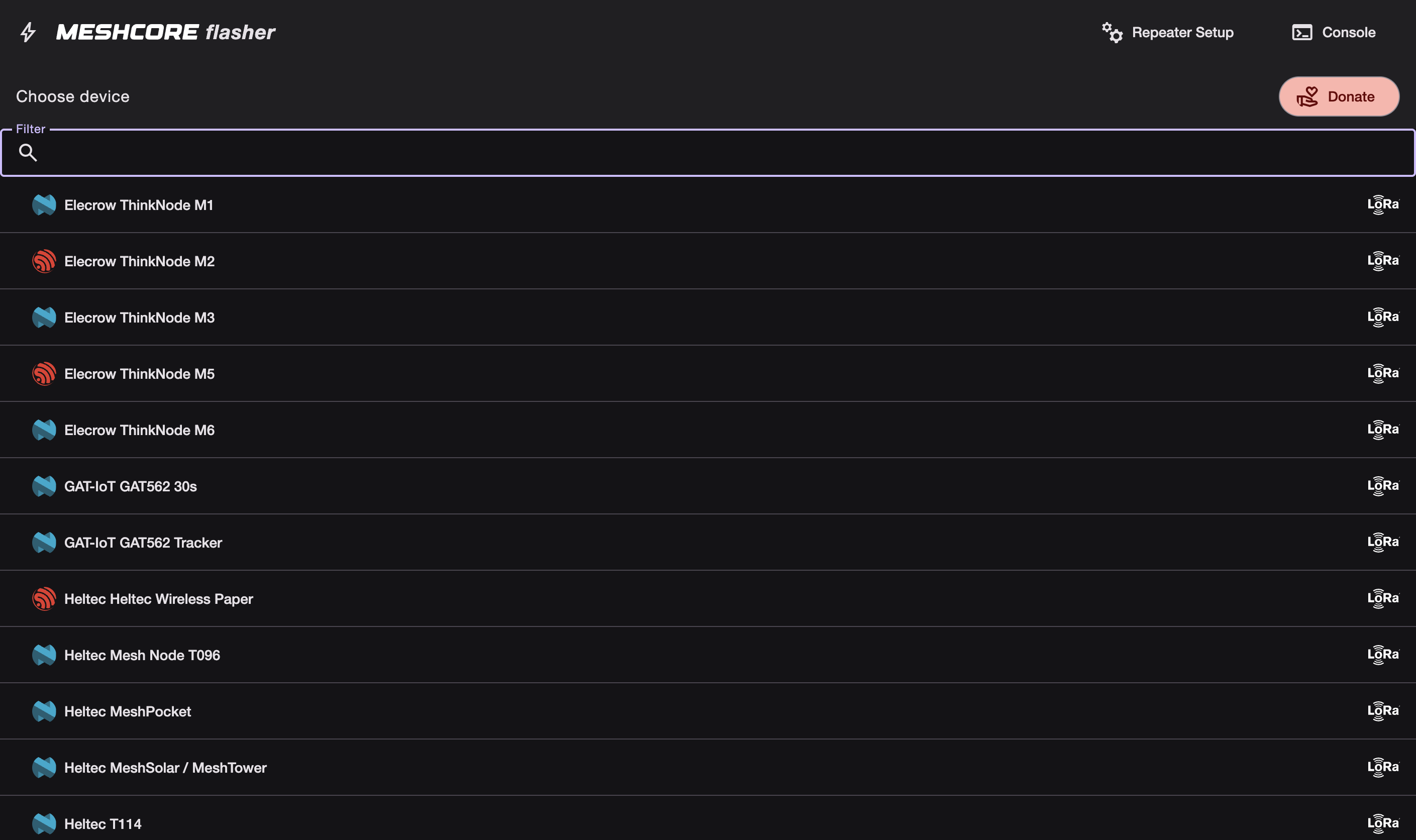
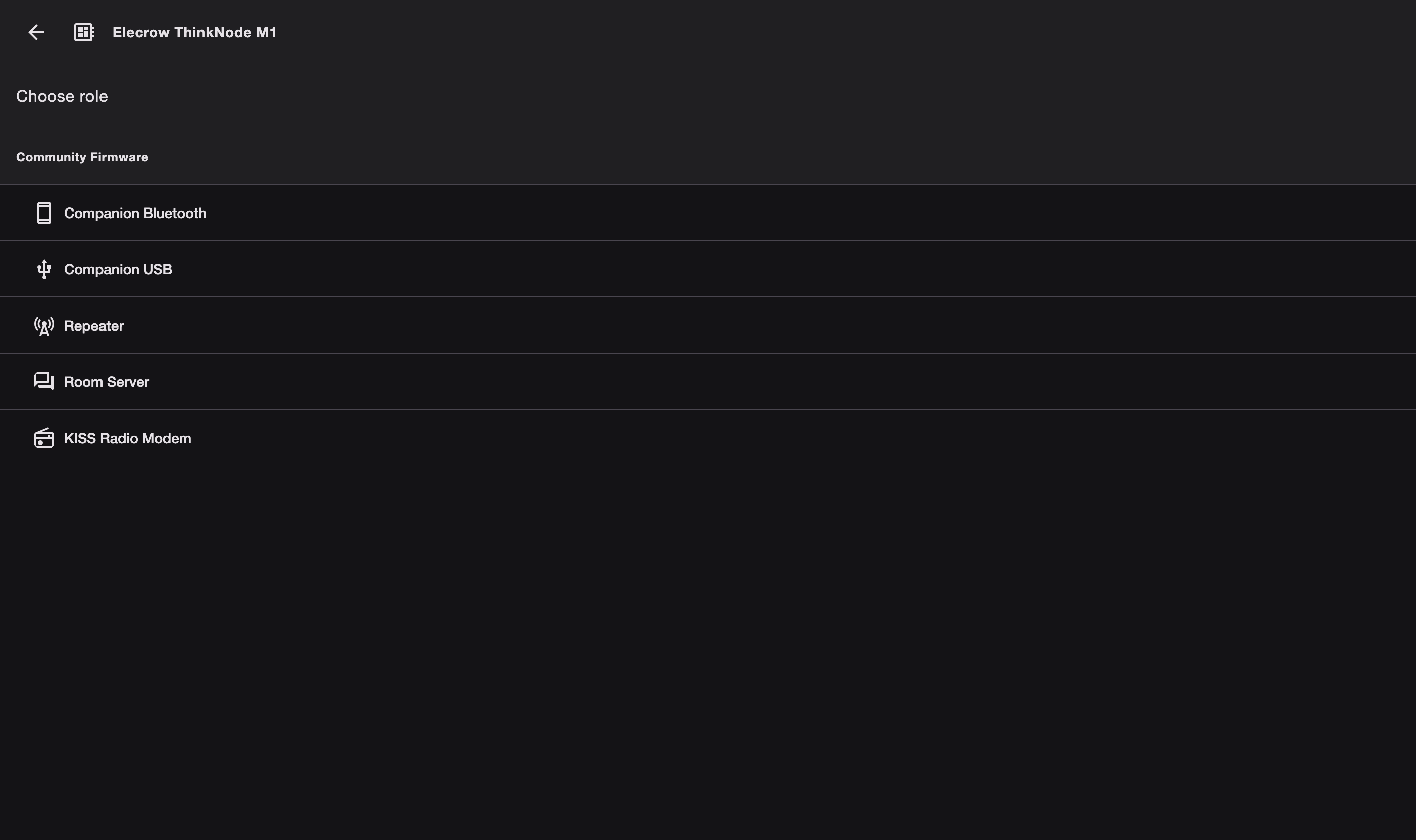
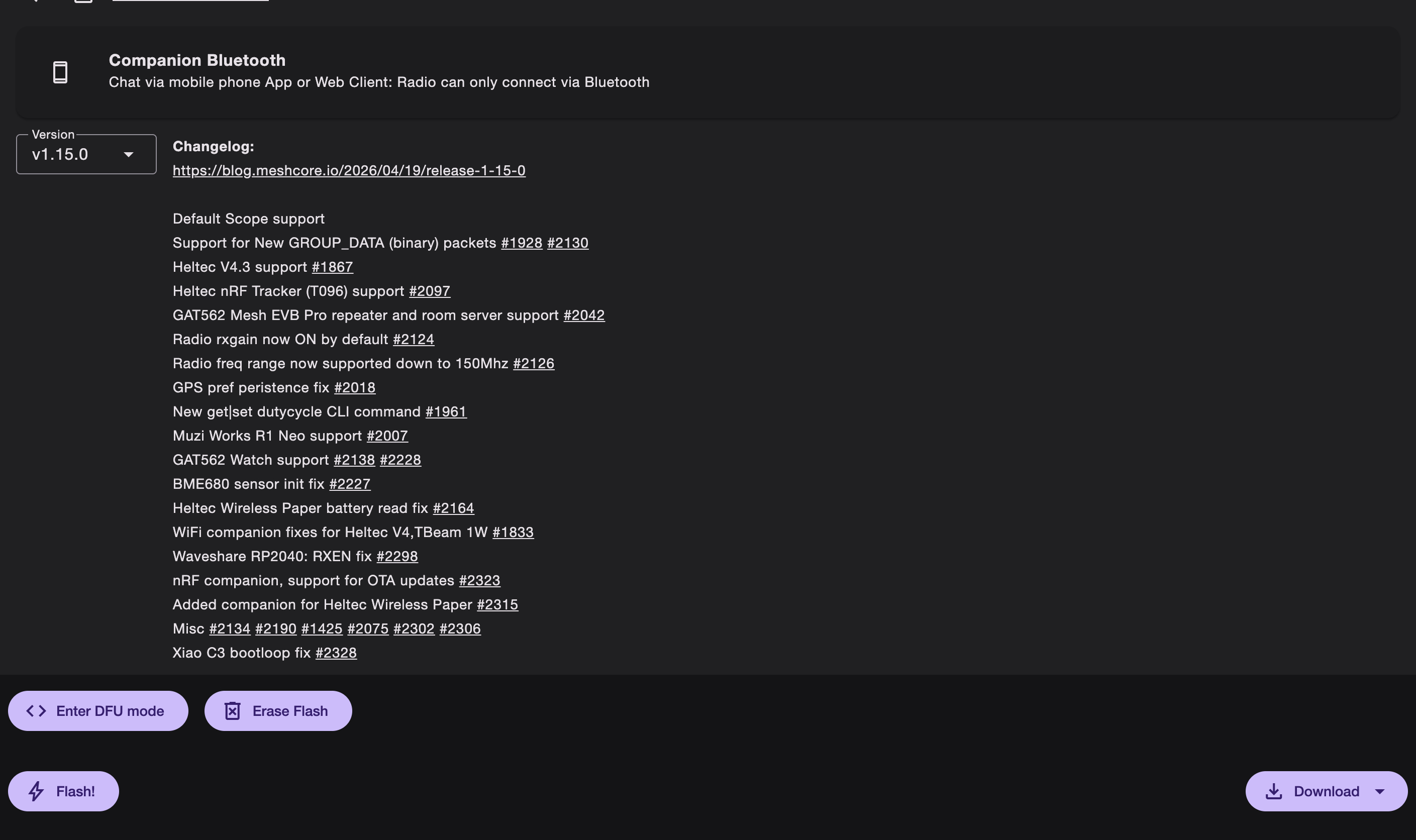
- Open the MeshCore Flasher in Chrome or Edge
- Connect your device via USB (data cable, not charge-only)
- Select your device type from the dropdown (e.g. "Heltec V3", "T-Beam", your device)
- Choose the Companion firmware variant. This is the right pick for almost everyone, do not pick Repeater or Room Server for your first node
- Click Flash and wait 1-2 minutes
Cable not detecting? It's almost always the cable. Most cables that ship with chargers are power-only and carry no data. Grab one that came with a phone or camera, or a known data cable. You can also try holding the boot button while plugging in. This is genuinely the most common support question in the whole hobby.
Step 3: Download the MeshCore App
You need the MeshCore companion app, NOT the Meshtastic app. They're different protocols and won't talk to each other. If you flash MeshCore and open the Meshtastic app, nothing connects, and people waste hours on exactly this.
- iOS: App Store
- Android: Google Play
 Flaresat Team
Step 4: Pair Over Bluetooth
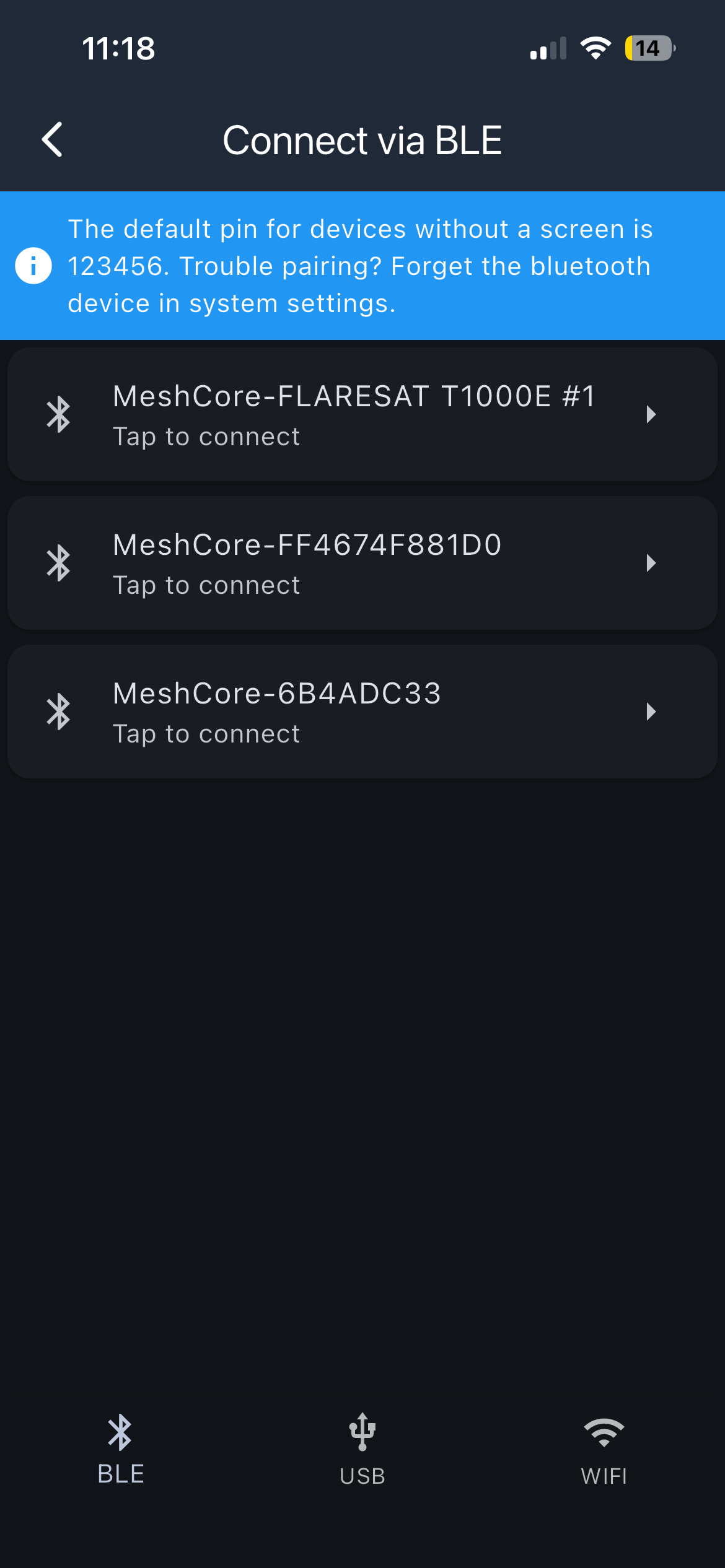
Open the app, enable Bluetooth, and tap your device name when it appears. It'll connect and sync settings, takes about 10-15 seconds. If pairing feels finicky (it can), make sure the device is powered on, close and reopen the app, and try again. This was one of my minor frustrations, a little patience usually sorts it.
Step 5: Set Your Region / Frequency
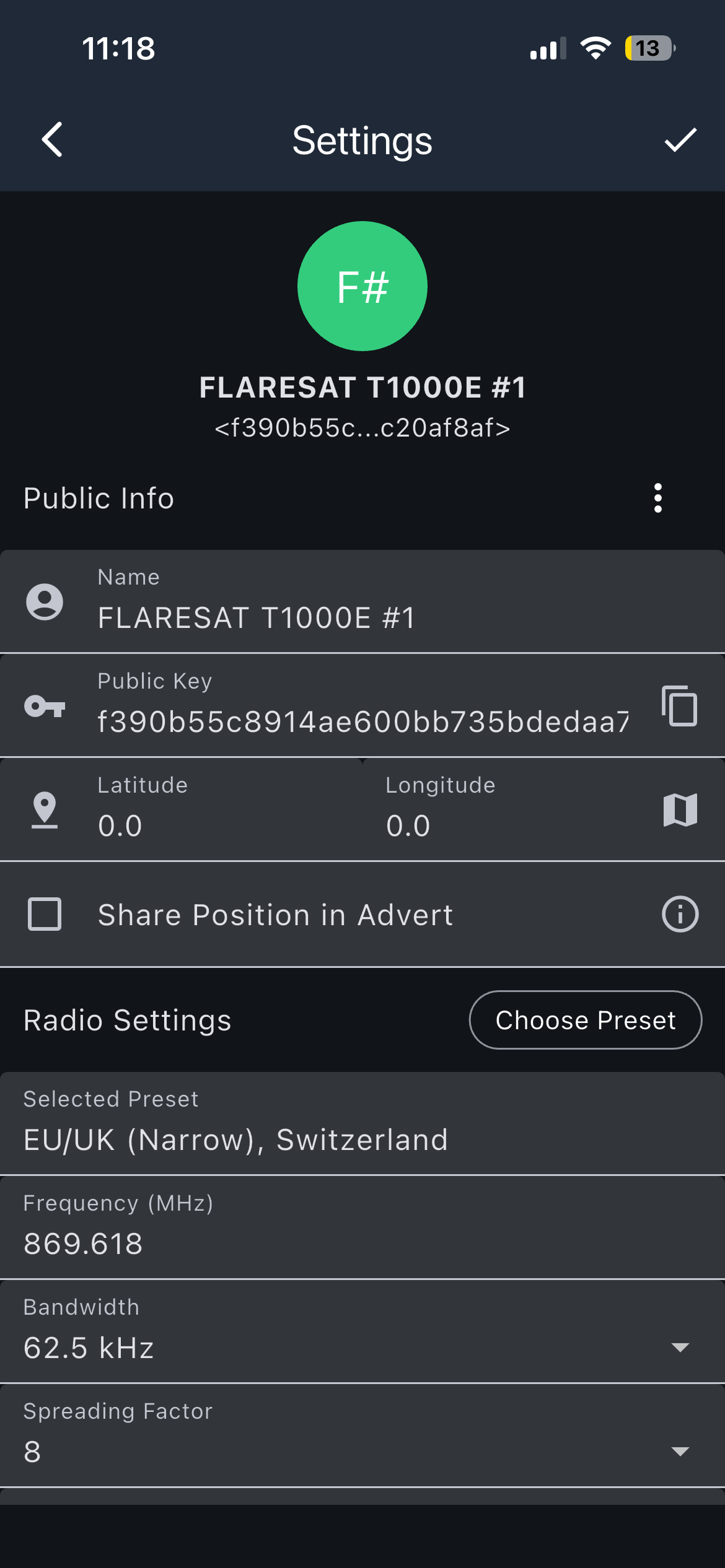
In the app, set your region so the frequency matches your hardware and local rules (915 MHz for North America, 868 for Europe, etc). Getting this right is what makes your device legal and able to actually reach others on the same settings.
Step 6: Set Up or Join a Channel
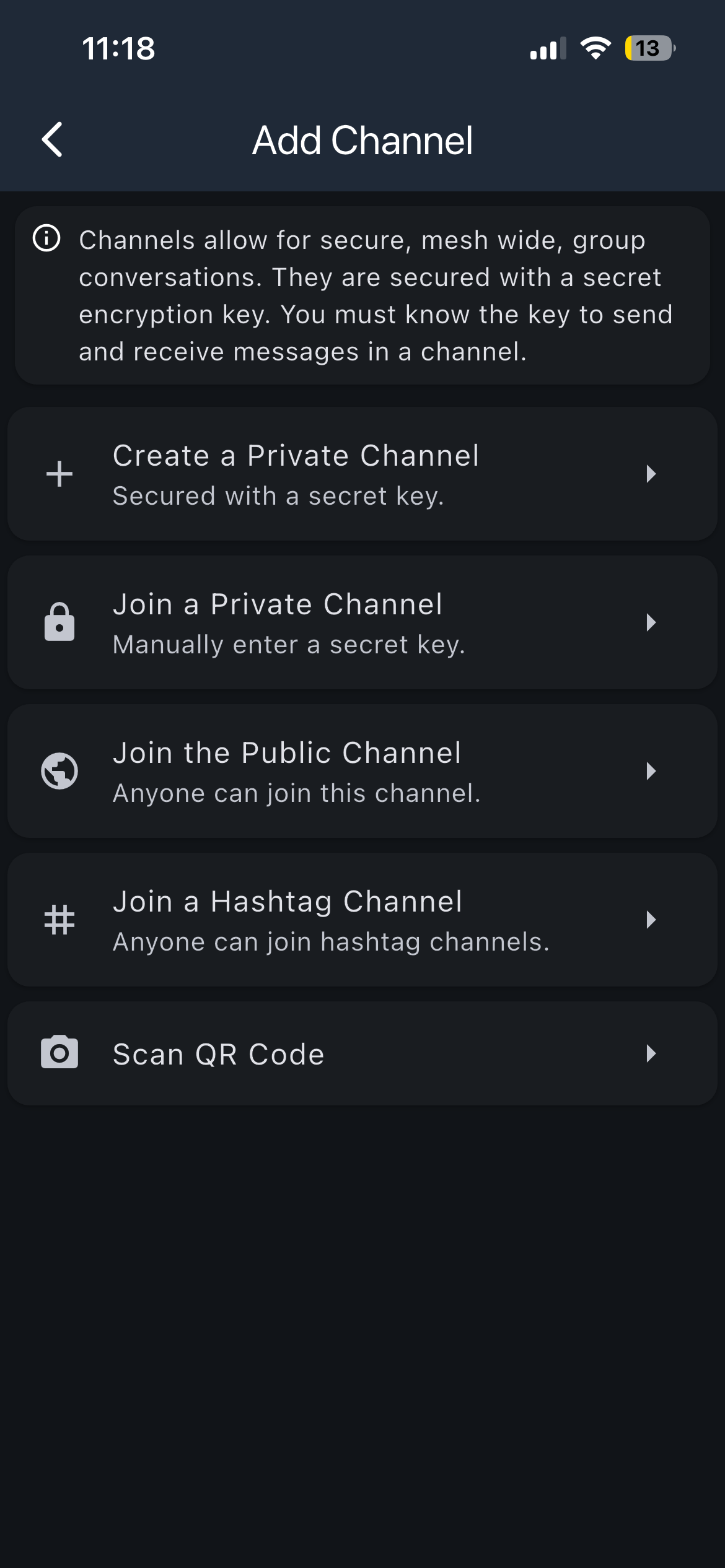
This is the part that confused me most coming from Meshtastic, so read slowly.
MeshCore uses channels, and to message privately with people you share a channel. There's usually a public channel to start with, and you can create encrypted ones. When you make an encrypted channel, you share a code with the people you want on it. Heads up, it isn't always obvious which channel a given code maps to, so keep your channels organized and labeled as you create them or you'll confuse yourself later (I did).
The easiest way to join a specific community channel is by QR code:
- Go to the Channels tab
- Tap the three-dot menu (upper right)
- Select + Add Channel
- Choose Scan a QR Code and scan it
- Accept the channel
Or to join a hashtag channel manually: Add Channel → Join a Hashtag Channel → type the channel exactly (e.g. #yourlocalmesh) → Join.
If you're just testing with a friend, the simplest path is for both of you to be on the same channel with the same settings, then add each other as contacts (next step).
Step 7: Understand Adverts (and How to Force Discovery)
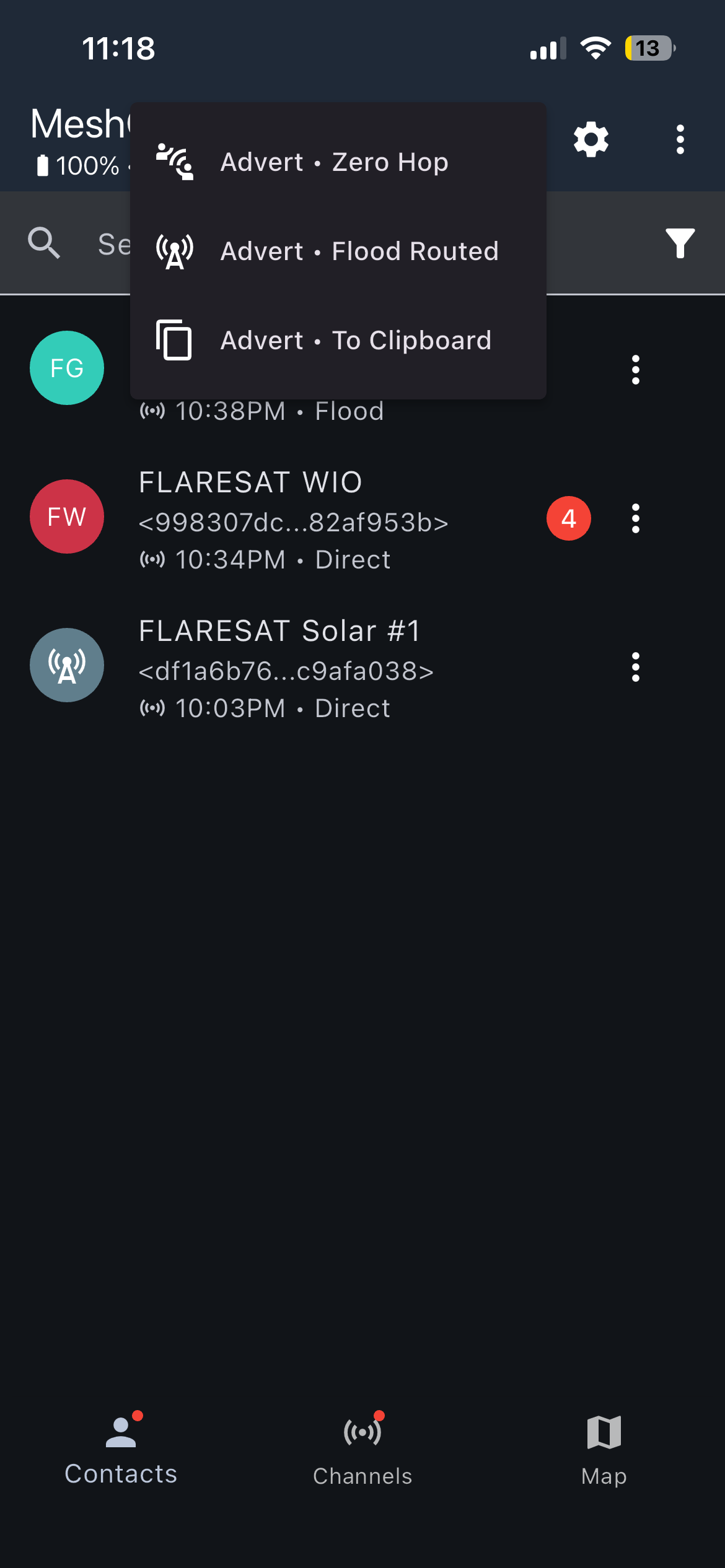
MeshCore is contact-based, and it discovers other nodes through periodic broadcasts called adverts (advertisement packets).
Because MeshCore defaults to a super quiet network model to maximize airtime, automated background discovery isn’t instant. If you just leave your device sitting idle, it can take 2 to 5 minutes for devices to quietly exchange background packets and show up in your list. This is totally normal. If nobody shows up at all after a while, you might simply be the first MeshCore node in your area, or you can check a MeshCore map online to see where active nodes are.
However, you don't actually have to sit around twiddling your thumbs. You can manually kickstart the network using the radio icon in the top right corner of the app screen. Tapping it pulls down a menu with two distinct tools to force an immediate announcement:
- Advert Zero Hop: This broadcasts your presence only to nearby devices within direct line-of-sight. It tells your radio to hit your immediate neighbors, but intermediate nodes and repeaters will not retransmit it further down the line. It's the perfect, polite way to test connections with a buddy sitting across the table without clogging the wider network.
- Advert Flood Routed: This triggers a full-network broadcast. Your radio fires out the advert, and every repeater that hears it will actively retransmit it across the entire regional mesh infrastructure. Use this when you want to announce your presence to the broader community or map out if you can actually reach the local backbone.
Once another node's advert is heard, either through passive background syncing or a forced manual trigger, it will pop up on your screen.
If nobody shows up at all, you might simply be the first MeshCore node in your area (great excuse to talk a friend into joining), or check a MeshCore map to see where active nodes are.
Step 8: Send Your First Message
Once you can see another node (or a Room Server), open it and send a test message. If you get a delivery confirmation (a checkmark), congratulations, your node works and you're on the mesh.
Common Mistakes to Avoid
I'll save you the troubleshooting I had to do:
Flashing the wrong firmware variant. Picking Repeater or Room Server when you wanted Companion. A repeater can't send or receive your messages, it only relays, so if you flash it first you'll think nothing works. Start with Companion. You can re-flash anytime.
Transmitting without an antenna. Can damage the radio. Antenna on before power on, every time.
Using the Meshtastic app. Wrong app for the protocol. Use the MeshCore app.
Expecting instant node discovery. Adverts take a few minutes. Patience.
Charge-only USB cable. The flasher can't see your device. Use a data cable. (Yes, again, because it's that common.)
Setting up a Repeater too early. Same as the firmware point, get comfortable with a Companion first, add infrastructure later.
Want to Build Infrastructure? (Repeaters and Room Servers)
Once you've got a Companion running and you understand the network, you might want to add a Repeater (to extend range) or a Room Server (for store-and-forward). The process is the same browser flasher, you just pick the Repeater or Room Server variant instead, and configure it over serial or through the app.
I set up a Repeater alongside my companion and that's honestly when the whole MeshCore model finally clicked for me, seeing my messages hop through a dedicated relay instead of relying on every node to rebroadcast. If there's interest I'll do a dedicated repeater setup guide, let me know in the comments.
Can I Switch Back to Meshtastic?
Yep. Flashing is non-destructive, you can re-flash Meshtastic anytime with the Meshtastic web flasher. Same hardware runs both, you just can't run both at once on one device. Try MeshCore for a few weeks like I did, and decide for yourself.
Final Thoughts
MeshCore is a faster, smarter, more efficient mesh than Meshtastic, and once it's running I genuinely enjoy it. But getting there takes more patience: thinner docs, a fussier setup, and a role model you have to actually understand before things make sense. If you came here from my Meshtastic guide expecting the same flash-and-go experience, recalibrate slightly, this one asks a bit more of you up front.
That said, none of it is hard. Follow the steps above in order, keep the role model in mind, attach your antenna, use a data cable, and be patient with discovery, and you'll be on the mesh in about 15 minutes. The payoff is a network that's quicker and quieter and scales further than Meshtastic does.
If you want the full head-to-head on which one is right for you, read my Meshtastic vs MeshCore comparison. And if you want your mesh to actually do something beyond a chat box, that's exactly why we built FlareSat.
Got stuck somewhere? Drop a comment, and if this helped, sharing it genuinely makes a difference.